Software-tools
Pool Inspection Web App vs Native iPad App: Which Wins (2026)
Native iPad inspection apps face App Store delays, mid-job auto-updates, and install friction. Here's why a responsive web pool inspection app wins for California BPC §7195 work.
9 min read
For California pool safety inspections, a responsive web app beats a native iPad app on the metrics that matter most to working inspectors: install friction, mid-job auto-updates, and cross-device continuity. PoolVerify is a responsive web app for BPC §7195 and HSC §115922 inspections that runs in any iPad, iPhone, or Android browser without an App Store install, generating ESIGN-compliant signed PDF reports in under 30 seconds.
# Pool Inspection Web App vs Native iPad App: Which Wins (2026)
Most pool inspection software comparisons on Google still treat "native iPad app" as the default and "web app" as a compromise. For California pool inspectors working BPC §7195 disclosures and HSC §115922 permit-issuance inspections, the trade-off is the other way around in 2026. Native apps still win for offline-first pool service routes where techs are out of cell coverage all day. For inspections, where the job is one site at a time and reports need to be delivered the same day, a responsive web app wins on workflow, deployment, and team management.
This guide compares the two architectures across the workflow steps a California pool inspector actually does on-site, names the four leading pool inspection tools (PoolVerify, Pro Pool Inspectors, Spectora, HomeGauge), and identifies the narrow cases where a native app is still the right choice.
Table of Contents
- Quick comparison: web app vs native iPad app for pool inspection
- What a "responsive web app" actually means for pool inspection in 2026
- Where native iPad apps still win for inspections
- Why California pool inspection workflows favor responsive web
- How PoolVerify, Pro Pool Inspectors, and Spectora compare on iPad
- On-site iPad workflow: a real California pool inspection
- When to choose a native pool inspection app anyway
- Frequently Asked Questions
Quick comparison: web app vs native iPad app for pool inspection
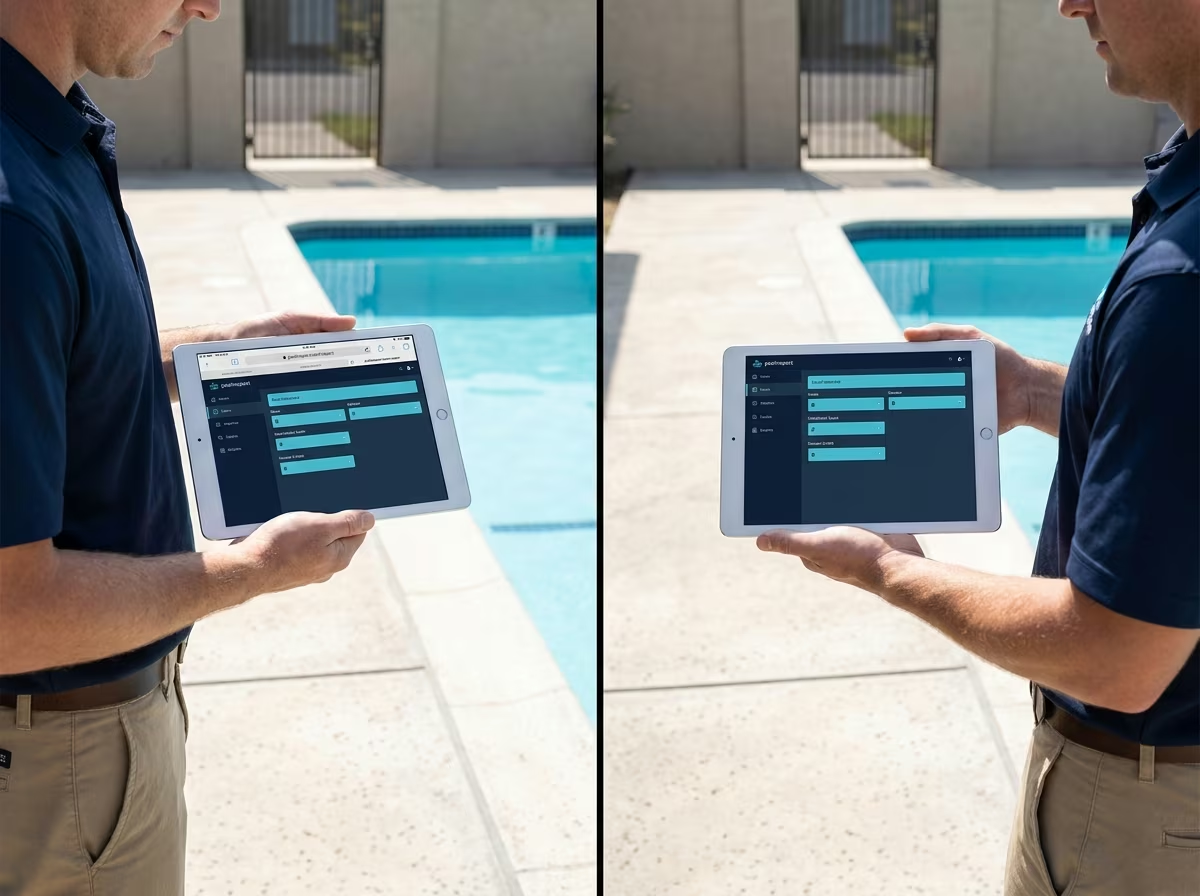
Side-by-side comparison of a California pool inspector using a browser-based pool inspection web app on iPad versus a native pool inspection iPad app on the same poolside
For California pool inspection work, a responsive web app outperforms a native iPad app on five of seven workflow dimensions, ties on two (offline, performance), and loses on none in 2026. The key wins are install friction (no App Store wait when an inspector hires a new tech), mid-job auto-update risk (native apps push updates that can interrupt a BPC §7195 inspection mid-checklist), and cross-device continuity (the same URL on iPad, iPhone, Android, and desktop). The federal ESIGN Act and California's Uniform Electronic Transactions Act both validate digital signatures captured in a browser, so legal weight is identical.
| Dimension | Responsive Web App (PoolVerify) | Native iPad App (Pro Pool Inspectors, Spectora) |
|---|---|---|
| App Store install | Not required (browser only) | Required, subject to Apple review delays |
| Auto-update during a job | Refresh-driven, instant, no interrupt | Native push, can interrupt mid-inspection |
| Offline inspections | Supported (local cache + queued sync) | Supported (local storage + queued sync) |
| Photo capture | iPad camera via browser API | iPad camera native |
| PDF report generation | In-browser, under 30 seconds (PoolVerify) | Native, comparable speed |
| ESIGN-compliant signatures | Yes, in-browser canvas signature | Yes, native signature view |
| Cross-device continuity | Same URL on iPad, iPhone, Android, laptop | iOS only; separate Android app required |
| Onboarding a new inspector | Send a poolverify.io link | Walk through App Store + login |
The seven-dimension framing matters because it pushes back on the assumption that "native app" is automatically a feature. For California BPC §7195 inspection work specifically, install friction and mid-job auto-update risk are not abstract concerns; they are the two failure modes new pool inspection firms run into in their first quarter using software.
What a "responsive web app" actually means for pool inspection in 2026
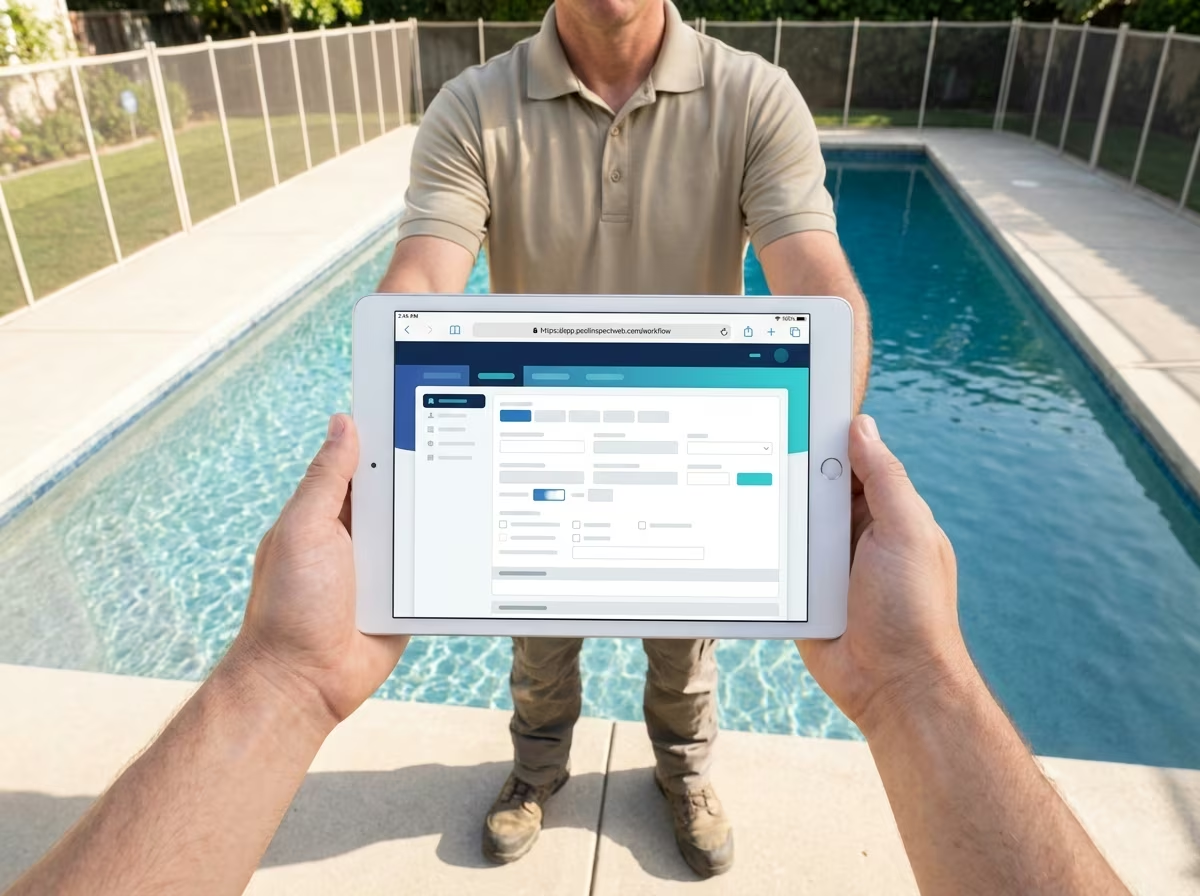
California pool inspector on a residential pool deck holding an iPad in landscape orientation, with the iPad's Safari browser frame visible around a clean inspection workflow interface
A responsive web app for pool inspection is a browser-delivered application that adapts its layout and touch behavior to whatever device the inspector is using. PoolVerify, for example, renders the same BPC §7195 inspection template at a touch-optimized layout on an iPad in landscape, a different layout on an iPhone vertical screen, and a desktop layout on a laptop in the office. The inspector signs in at poolverify.io once and the same URL works on every device. Modern responsive web apps cache the interface and queued data locally, support iPad camera access through standardized browser APIs, capture ESIGN-compliant signatures via in-browser canvas, and generate PDF reports without contacting a server.
Five technical capabilities a 2026 responsive web app provides that match native iPad apps:
- Offline mode: Service workers cache the inspection interface so the app loads even without cellular coverage. Inspectors can complete a BPC §7195 inspection at a property in a Pasadena hillside dead zone, captured photos queue locally, and sync runs when the iPad reconnects.
- iPad camera access: The browser camera API gives photo capture parity with native apps. PoolVerify captures up to 5 photos per HSC §115922(a) safety-feature item with automatic compression and timestamp metadata.
- Local storage for in-progress inspections: IndexedDB and localStorage hold inspection data through the entire job. Lost connection mid-inspection does not lose work.
- ESIGN-compliant signatures: A canvas-based signature pad meets the federal ESIGN Act and California's Uniform Electronic Transactions Act. Legally identical to a native iPad signature view.
- In-browser PDF generation: Libraries render branded PDF inspection reports in the iPad's browser without a server round-trip. PoolVerify produces a signed BPC §7195 report in under 30 seconds on an iPad.
The "responsive web is a downgrade from native" framing is a 2018 framing. As of 2026, the gap is closed for inspection-style workflows.
Ready to run a California BPC §7195 inspection from any iPad browser?
PoolVerify is a responsive web app built specifically for California pool safety compliance. Open Safari, sign in at poolverify.io, complete the inspection, and hand the homeowner an ESIGN-compliant PDF before you leave the property. 14-day free trial, credit card required.
Where native iPad apps still win for inspections
Native iPad pool inspection apps still have three real advantages over responsive web apps. First, push notifications: native apps can wake the device for new inspection assignments, schedule changes, or compliance reminders, where a web app requires the inspector to open the browser. Second, deep iOS integration: native apps can read directly from the Files app, integrate with iOS Calendar at OS level, and use iOS Keychain for credentials. Third, App Store discovery: a customer searching the App Store for "pool inspection" will find native apps, not web apps, which matters for a small percentage of customer-acquisition paths but matters real for some inspectors.
For pool inspection workflows specifically, the push-notification advantage matters most for pool service technicians on rotating routes who get next-job alerts during the day. For pool inspectors doing BPC §7195 disclosure inspections (one site, scheduled in advance, paid by the inspection), push notifications are not a workflow-critical feature. The deep iOS integration matters for inspectors who already live in the Apple ecosystem and want OS-level handoffs; it does not change inspection accuracy or compliance documentation.
This is why pool service software like Skimmer, which serves recurring-route pool service technicians, is correctly delivered as a native iOS app, while pool inspection software for one-off compliance inspections fits the responsive web architecture better. The job shape determines the right architecture, not the inspector's preference for a particular vendor.
Why California pool inspection workflows favor responsive web
California pool inspector starting work on a Pasadena hillside residential property, holding an iPad showing a queued offline inspection in progress with a pool enclosure visible in the background
California pool inspection work has four characteristics that align with responsive web architecture: per-inspection scheduling, same-day report delivery, multi-device usage, and credentials portability. A solo California pool inspector typically runs 8 to 25 inspections a month under the 25-inspection cap on PoolVerify's Starter plan ($39/month annual, $49/month monthly), with each inspection scheduled 1 to 7 days in advance and reports delivered the same day to the buyer's agent or homeowner. The work pattern is one site, one report, one delivery, and the inspector is rarely out of cellular coverage long enough for offline-first to be the load-bearing requirement.
Four practical reasons responsive web wins on California pool inspection workflows:
- A new inspector starts today, not after Apple review: A real estate agent calling a pool service company on a Wednesday for a Thursday-morning inspection cannot wait for the new tech to install an iPad app from the App Store. The new tech opens Safari, signs in at poolverify.io, and runs the inspection. App Store install delays compound when the App Store review queue runs slow.
- Auto-updates happen between sessions, not during them: A native pool inspection app that pushes an auto-update mid-inspection can interrupt the workflow at a worst-case moment (mid-photo upload, mid-signature). A web app updates on refresh; the inspector chooses when. PoolVerify pushes updates on browser refresh, never during an active session.
- The same URL works on every device the inspector already owns: On-site, the inspector uses an iPad. Back at the office, the same URL on a desktop browser produces the same inspection record. A homeowner reviewing the report uses the same URL on an iPhone. No "did I sync?" question across native iOS and Android apps.
- California compliance updates ship from us, not Apple: When SB 552 amended BPC §7195 and HSC §115922 effective January 1, 2025, PoolVerify pushed the updated template to every user's browser within 5 days. Native pool inspection apps wait for the next App Store review cycle.
Each of these reasons is small individually. Together, they decide which tool a working California pool inspection firm picks after a quarter of real use.
How PoolVerify, Pro Pool Inspectors, and Spectora compare on iPad
The three pool inspection tools California inspectors most often evaluate are PoolVerify (responsive web, California-only), Pro Pool Inspectors (native iOS, multi-state), and Spectora (native iOS and Android, multi-state, full home inspection focus). All three handle pool inspection on iPad. The differences show up in install path, default California compliance coverage, and pricing for solo operators.
| Tool | Architecture | California BPC §7195 Default Template | iPad Install Path | Solo Inspector Annual Cost |
|---|---|---|---|---|
| PoolVerify | Responsive web | Pre-built, included | Browser, no install | $468/year (Starter, $39/mo annual) |
| Pro Pool Inspectors | Native iOS | Custom build by user | App Store install | Varies by tier (verify on vendor site) |
| Spectora | Native iOS + Android | Custom build by user | App Store install | $1,099/year (base plan, verify on vendor site) |
PoolVerify wins on California-default compliance and on solo-inspector price. Pro Pool Inspectors wins on ASTM-specific checklist depth and on dedicated iOS feel. Spectora wins on full home inspection scope (pool plus structural plus electrical plus HVAC) for inspectors who do general home inspection plus pool work, where the breadth justifies the higher price and the manual California setup.
For a California pool inspector who only does pool safety inspections, PoolVerify's responsive web architecture and pre-loaded California compliance produces the fastest time-to-first-report. For a multi-state home inspector who handles pool inspection as one component of a larger home inspection, Spectora is usually the right choice. For an inspector who specifically wants the native iOS feel and is willing to build the BPC §7195 template manually, Pro Pool Inspectors is the right fit.
On-site iPad workflow: a real California pool inspection
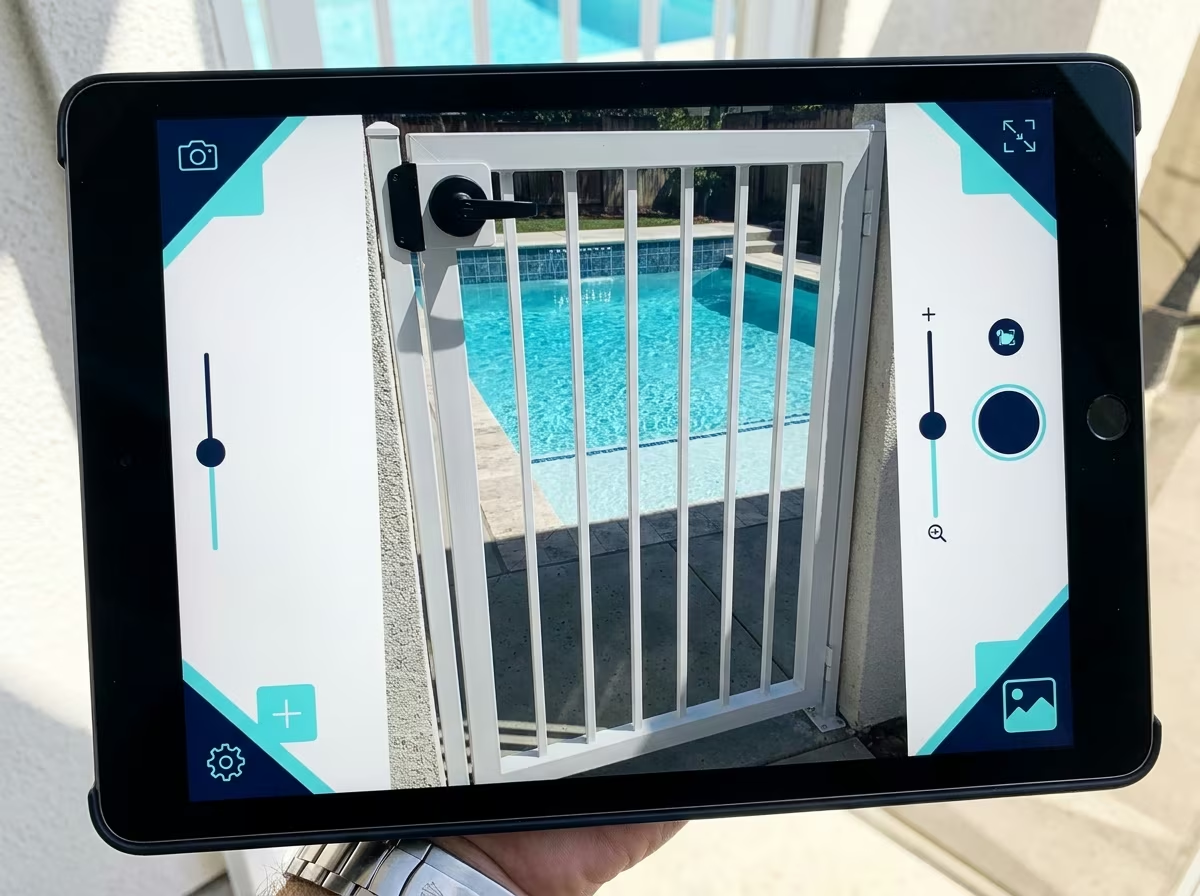
Close-up of an iPad on a California pool deck, the inspector's hand visible at the edge of frame capturing a photo of a self-closing pool gate with the pool surface visible in the background
A working California pool inspector arrives at a property in San Diego at 9 AM for a BPC §7195 disclosure inspection scheduled by the listing agent the day before. The pool was built in 1998 and has been remodeled once. The inspector pulls out an iPad. Here is the timing breakdown for the same inspection on a responsive web app (PoolVerify) versus a native iPad app (a representative native pool inspection app).
| Workflow Step | Responsive Web (PoolVerify) | Native iPad App |
|---|---|---|
| Open inspection tool | 4 seconds (open Safari, tap bookmark) | 6 seconds (tap home screen icon, app loads) |
| Sign in | Already signed in via browser session | Already signed in via app session |
| Start new BPC §7195 inspection | 8 seconds (template pre-loaded by default) | 90 seconds if template is custom-built; 8 seconds if pre-built |
| Photograph 7 HSC §115922(a) features | 6 minutes total (5 photos per item available) | 6 minutes total (parity) |
| Capture homeowner signature | 30 seconds in-browser canvas (ESIGN-compliant) | 30 seconds native (ESIGN-compliant) |
| Generate signed PDF | 24 seconds in-browser | 22 seconds native |
| Email PDF to listing agent + homeowner | 15 seconds (in-platform send) | 15 seconds (in-platform send) |
| Total | ~14 minutes | ~14 minutes (or 16 if template was custom-built) |
The responsive web and native paths produce essentially identical timing on the inspection itself. The difference shows up before the inspection: PoolVerify's California-default BPC §7195 template means the inspector does not spend 90 seconds finding a custom template the inspector built last quarter. It also shows up in the firm's first day with a new inspector, where browser-based onboarding ships 0-day vs the App Store install timeline.
When to choose a native pool inspection app anyway
A native iPad pool inspection app is the right choice in three specific cases. First, when the inspector or firm needs OS-level integration features (push notifications for next-job alerts, deep Files app integration, iOS Calendar at the OS level). Second, when the inspector prefers an iOS-native feel and is willing to absorb App Store install delays and mid-job auto-update risk for it. Third, when the inspection software vendor's roadmap depends on native-only iOS APIs (rare in pool inspection, more common in pool service routing software like Skimmer).
For California pool inspection work specifically, the first case is rarely workflow-critical because BPC §7195 inspections are scheduled ahead of time, not pushed in real time. The second case is a preference, not a workflow requirement. The third case does not apply to California pool inspection software in 2026.
If you do most of your inspections on iPad, want California BPC §7195 templates already built, want to onboard new inspectors the same day they're hired, and want the same URL to work on iPad, iPhone, Android, and desktop, the responsive web architecture is the right call. If you specifically need native iOS features and accept the App Store path, choose a native pool inspection app.
Frequently Asked Questions
Does PoolVerify have a native iPad app?
PoolVerify is a responsive web app, not a native iPad app. It runs in any iPad browser (Safari, Chrome, Firefox) without an App Store install and supports the same touch-optimized inspection workflow, photo capture, and ESIGN-compliant signatures that native pool inspection apps offer.
Can a responsive web app work offline for pool inspections?
Yes. Modern responsive web apps including PoolVerify cache the inspection interface and queue captured photos and form data locally. Inspectors can complete BPC §7195 inspections without cellular coverage; the app syncs the inspection data to the cloud automatically once the iPad reconnects.
Are pool inspection web apps as fast as native iPad apps?
For inspection workflows that involve checklist input, photo capture, and PDF generation, modern responsive web apps perform comparably to native iPad apps. PoolVerify generates ESIGN-compliant signed PDF reports in under 30 seconds on iPad, matching or beating most native pool inspection apps.
Why doesn't PoolVerify ship a native iOS app?
PoolVerify chose a responsive web app over native iOS so California pool inspectors can start using the platform immediately without App Store install delays, never lose work to a mid-inspection auto-update, and use the same URL across iPad, iPhone, Android, and desktop browsers.
Can California pool inspectors use PoolVerify without an App Store install?
Yes. PoolVerify runs in Safari, Chrome, Firefox, and Edge on any iPad, iPhone, Android tablet, or laptop. There is no App Store or Play Store install. Inspectors sign in at poolverify.io and start a BPC §7195 inspection from any device with a browser.
Summary
For California pool safety inspection work, a responsive web app like PoolVerify wins over a native iPad app on install friction, mid-job auto-update risk, cross-device continuity, and California BPC §7195 default coverage. Native iPad apps still win on push notifications and deep iOS integration, which matter more for pool service routes than for one-off pool inspection jobs. The architecture choice should follow the job shape: one-shot scheduled inspections fit responsive web, recurring routes with offline-first technicians fit native.
PoolVerify is California-only, BPC §7195 and HSC §115922 templates are the default, the Starter plan is $39/month on annual ($49/month monthly), and the 14-day free trial requires a credit card and includes up to 5 inspections. Start your free trial at poolverify.io →
Related posts
- Mobile Pool Inspection Apps: Complete California Guide
- Pool Inspector App Alternative: Why California Inspectors Switch
- Pro Pool Inspectors Alternative: California-Specific Comparison
_Last updated: February 22, 2026_
Frequently Asked Questions
Does PoolVerify have a native iPad app?
PoolVerify is a responsive web app, not a native iPad app. It runs in any iPad browser (Safari, Chrome, Firefox) without an App Store install and supports the same touch-optimized inspection workflow, photo capture, and ESIGN-compliant signatures that native pool inspection apps offer.
Can a responsive web app work offline for pool inspections?
Yes. Modern responsive web apps including PoolVerify cache the inspection interface and queue captured photos and form data locally. Inspectors can complete BPC §7195 inspections without cellular coverage; the app syncs the inspection data to the cloud automatically once the iPad reconnects.
Are pool inspection web apps as fast as native iPad apps?
For inspection workflows that involve checklist input, photo capture, and PDF generation, modern responsive web apps perform comparably to native iPad apps. PoolVerify generates ESIGN-compliant signed PDF reports in under 30 seconds on iPad, matching or beating most native pool inspection apps.
Why doesn't PoolVerify ship a native iOS app?
PoolVerify chose a responsive web app over native iOS so California pool inspectors can start using the platform immediately without App Store install delays, never lose work to a mid-inspection auto-update, and use the same URL across iPad, iPhone, Android, and desktop browsers.
Can California pool inspectors use PoolVerify without an App Store install?
Yes. PoolVerify runs in Safari, Chrome, Firefox, and Edge on any iPad, iPhone, Android tablet, or laptop. There is no App Store or Play Store install. Inspectors sign in at poolverify.io and start a BPC §7195 inspection from any device with a browser.
Related Articles
Software-tools
Best Mobile Pool Inspection Apps for California Professionals
Compare the best mobile pool inspection apps for California professionals. See features, pricing, and why responsive web apps beat native downloads.
Software-tools
PoolVerify vs Pool Inspector App: California Pool Inspection Software [2026]
Compare PoolVerify vs Pool Inspector App for California pool inspections. Features, pricing, BPC §7195 compliance, and which platform fits your business.
Software-tools
PoolVerify vs Pro Pool Inspectors: California Pool Software Comparison [2026]
Compare PoolVerify vs Pro Pool Inspectors app for California pool inspections. Features, pricing, BPC §7195 compliance, and which is best for your business.