What PoolVerify does, and which plan includes it
PoolVerify is inspection software for California residential pool and spa safety. On‑site it is the BPC §7195 and HSC §115922 checklist with photos and signatures. Afterwards it is the branded PDF, the compliance alerts, the schedule, and the records.
14‑day free trial, no credit card to start.
Every plan
The California checklist, item by item
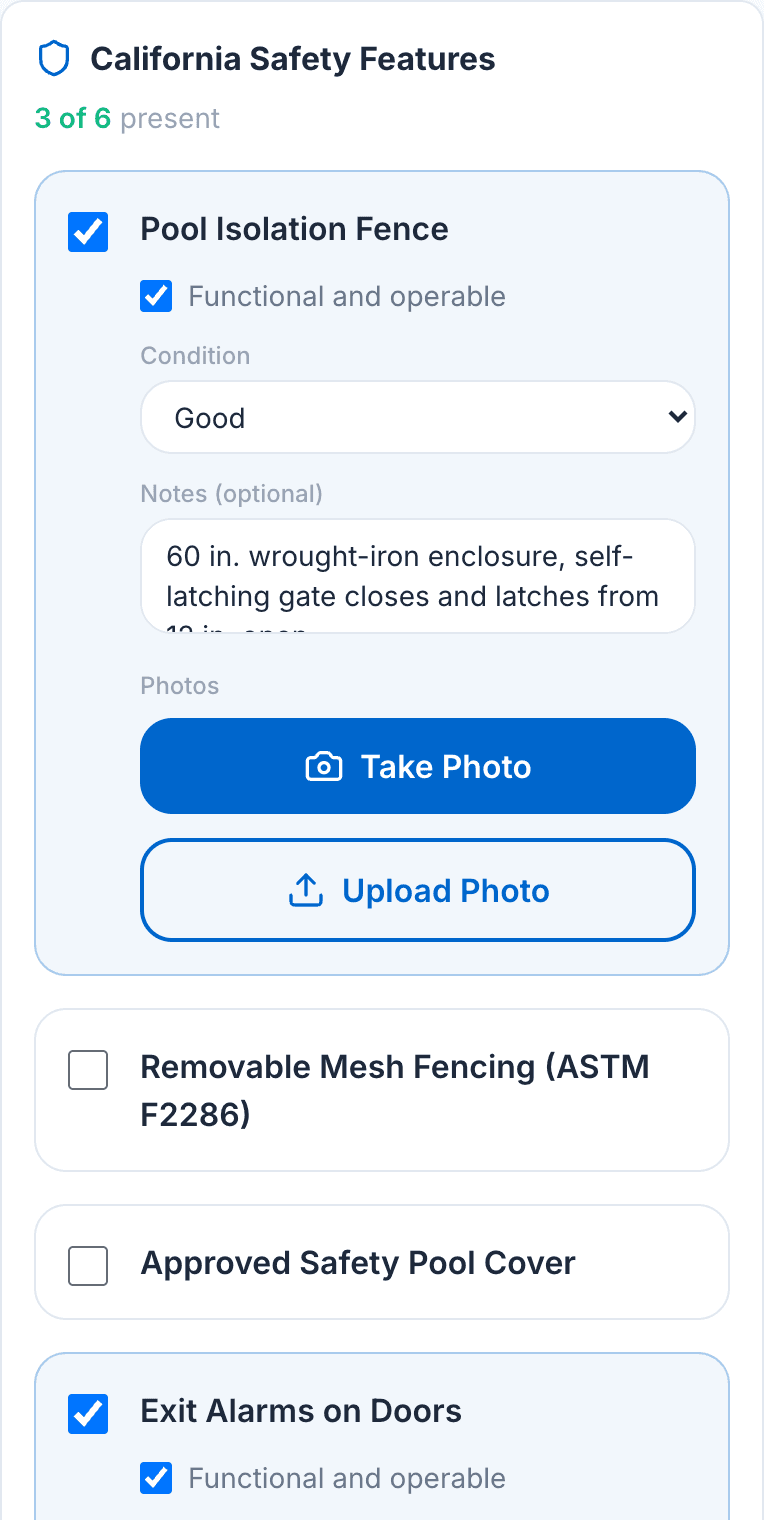
The template lists the six physical drowning‑prevention features in HSC §115922 as checklist items, so a BPC §7195 disclosure cannot leave one out. Each item takes present, operable, a condition, a note, and photos.
- Pool isolation fence, removable mesh fencing, safety cover, exit alarms, self‑closing and self‑latching devices, and pool alarm
- A feature in poor condition cannot be marked operable, because the statute requires features to be operable as designed
- The count against the two‑feature requirement updates as you tick items
- Custom fields and categories on Professional and Business, with the six statutory items locked
Every plan
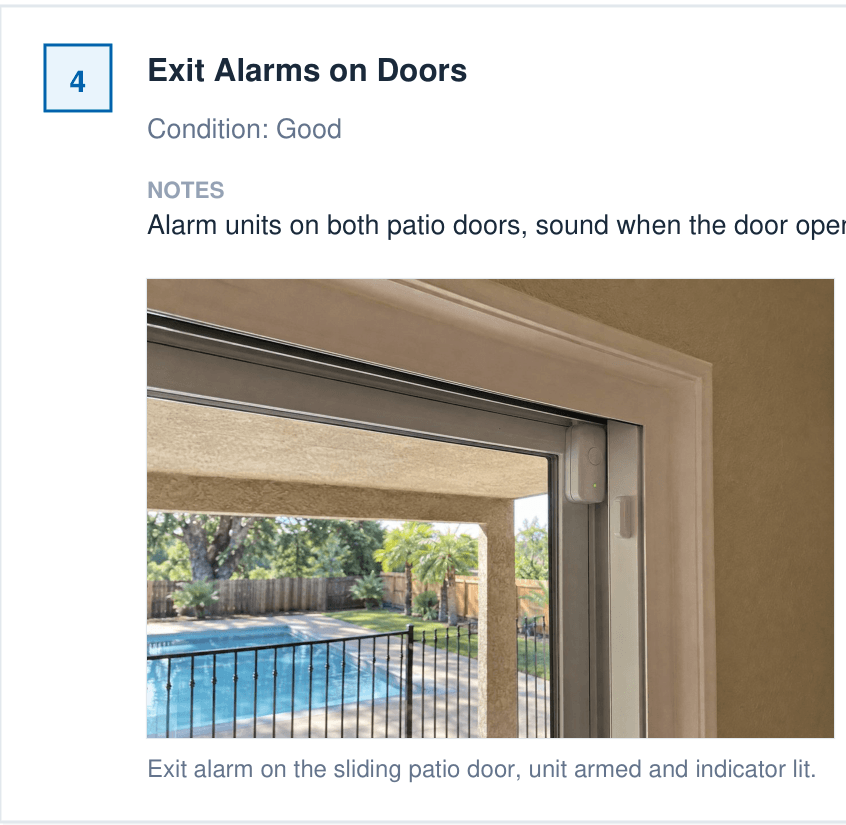
Photos attached to the item they document
Take or upload up to 10 photos on each checklist item, add a caption, and the photo lands in the report under that item with the caption beneath it. Nothing is matched up from memory later.
- Up to 10 photos per inspection item, taken with the device camera or uploaded
- A caption on every photo
- Photos print under their item in the PDF, fitted in uniform frames
- Stored with the inspection in encrypted cloud storage
Every plan
Signatures on the same device
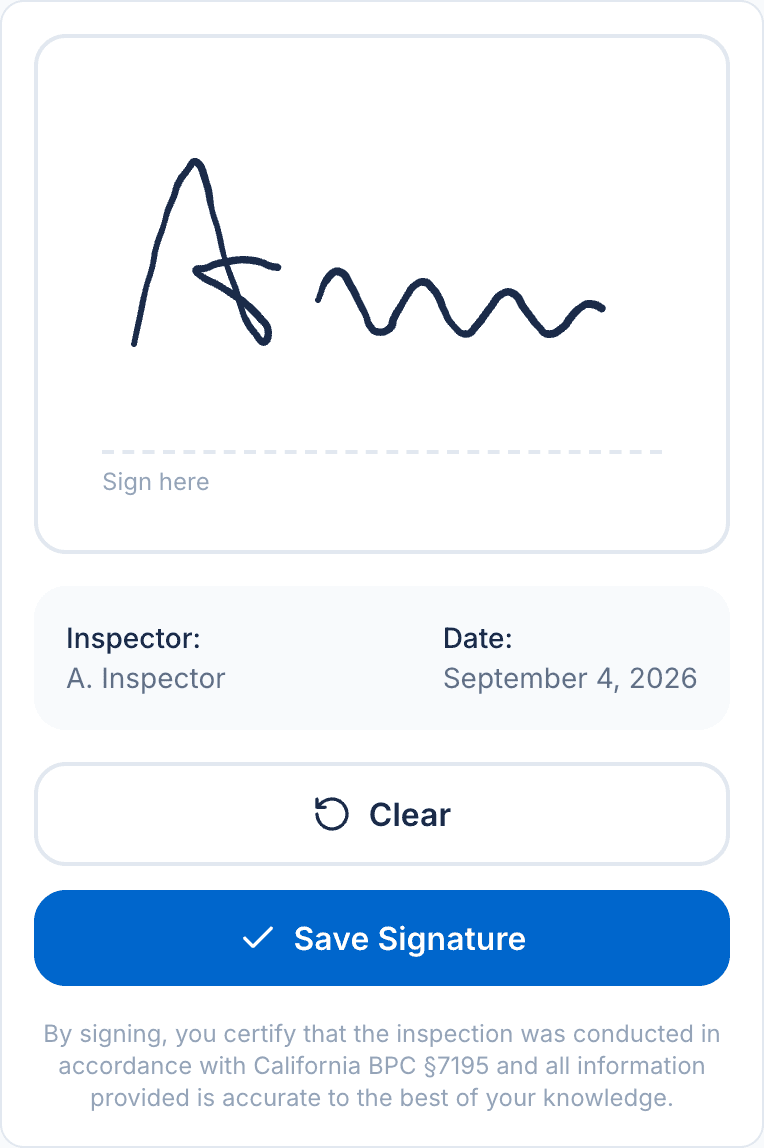
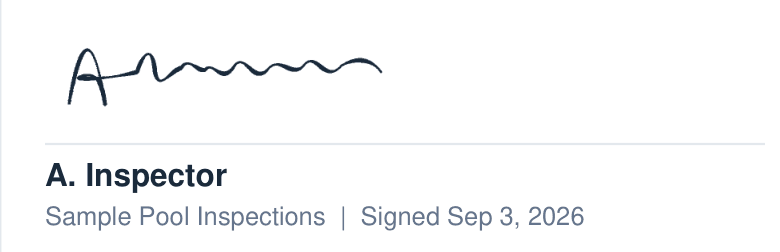
The inspector certifies the inspection on the phone or tablet, and client signatures are collected the same way. The signature is stored with the inspection and printed on the report's certification page.
- ESIGN Act compliant electronic signatures
- Signed on the phone or tablet, no printing or scanning
- The inspector's name and the date signed print under the signature
- Reports can be generated without a signature and re‑generated after it is collected
Every plan
The branded PDF, generated from the inspection
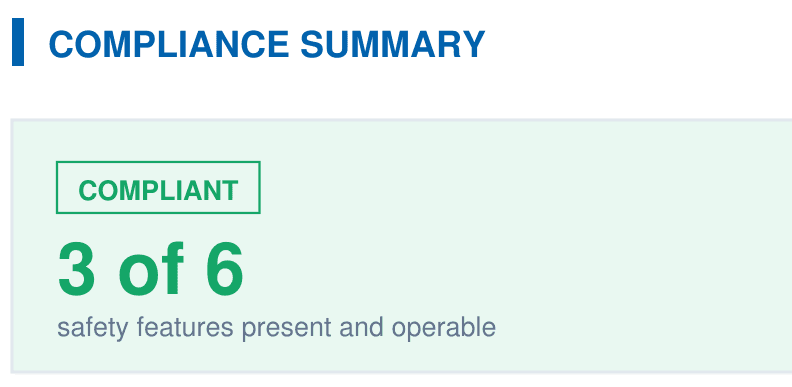
The report is produced from what you recorded, with your company name, license, and logo on the header. It opens with the compliance summary counted against HSC §115922 and ends with the signed certification.
- Page 1: property, client, inspector, the compliance summary, and the six‑feature table
- Every safety feature with its status, condition, note, and photos
- Additional inspection items by category, then the legal disclaimers
- Inspector certification with the captured signature
Every plan
Anything short of the statute is flagged
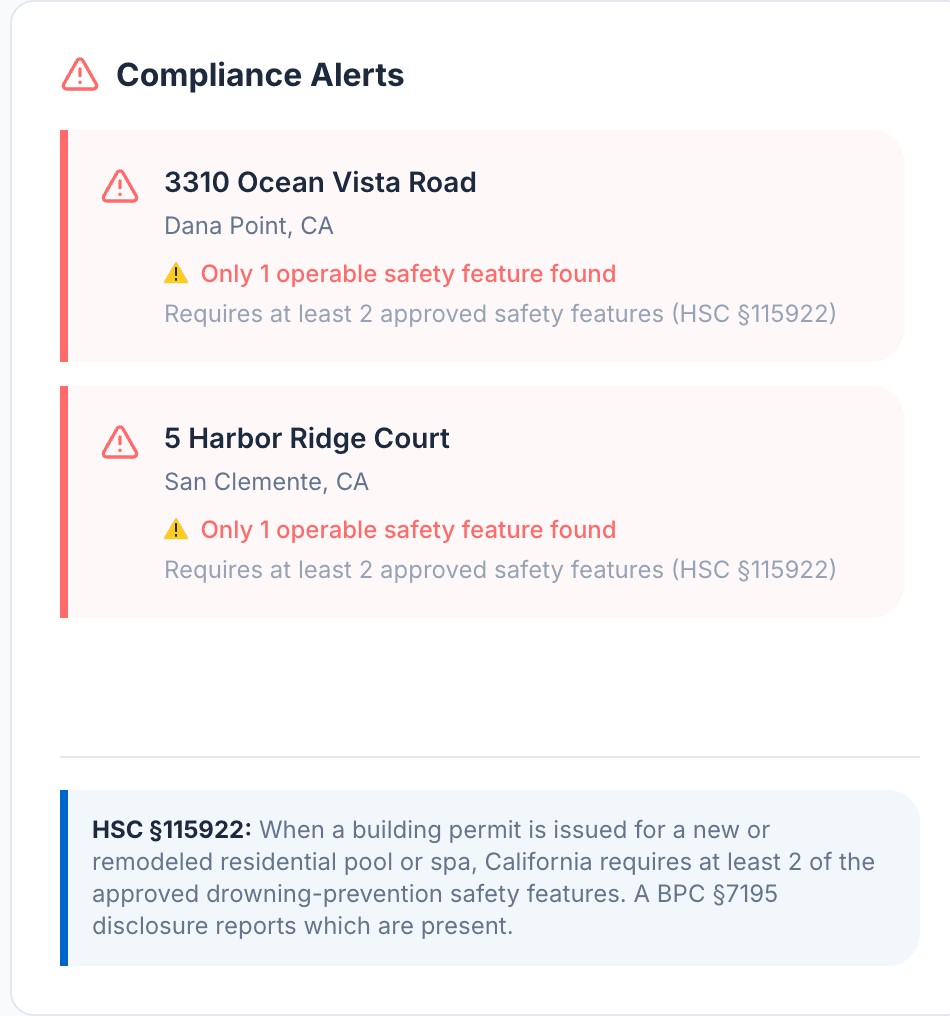
Every completed inspection is checked against the two‑feature requirement. A property with fewer than two operable safety features appears in the dashboard's compliance alerts before the report reaches anyone.
- Compliance status on every completed inspection: compliant, warning, or non‑compliant
- Alerts list the property and how many operable features were found
- The month's pass rate is counted from the same statuses
Scheduling on Professional and Business
The day's schedule and the month's numbers
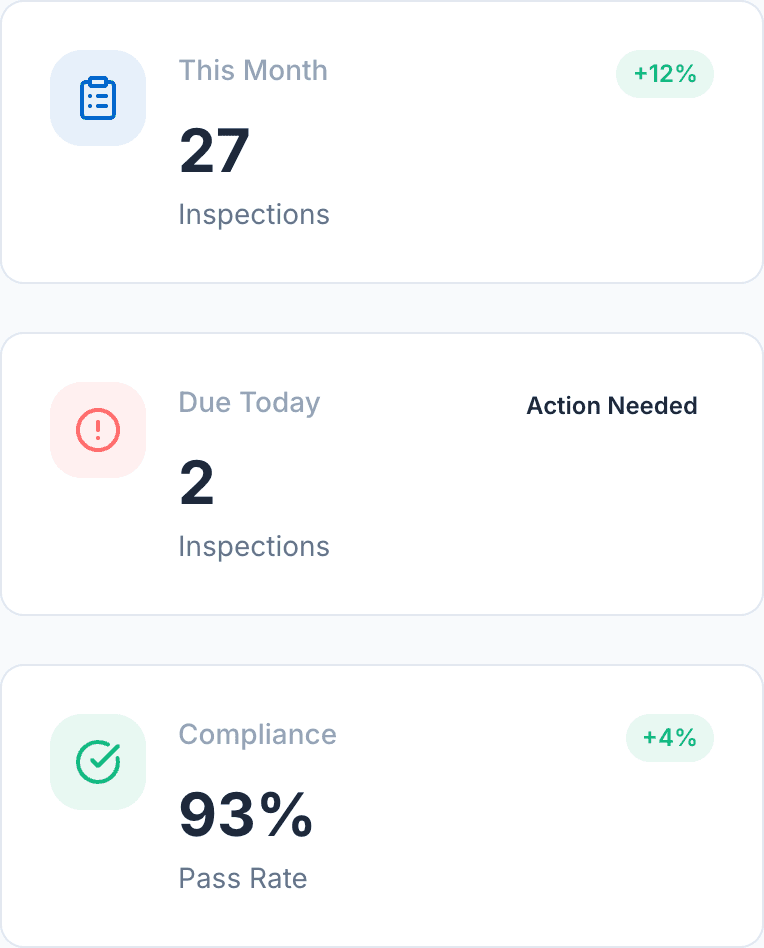
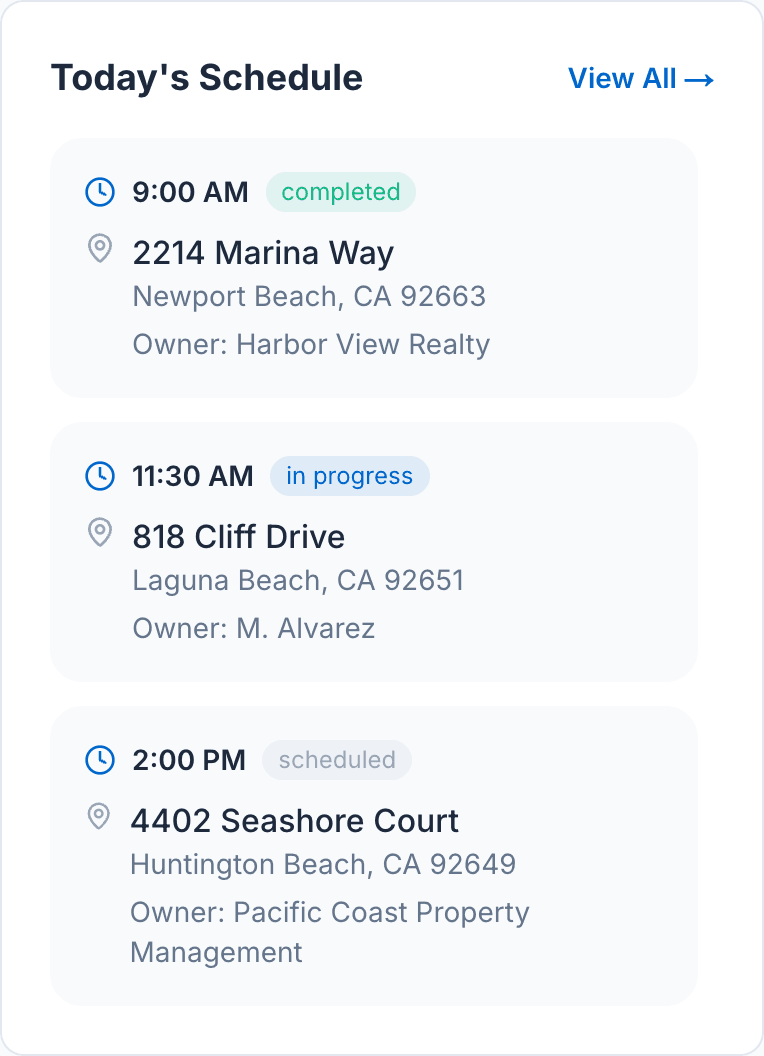
The dashboard opens on what is due today and how the month is going: inspections completed, inspections due, and the compliance pass rate. Professional and Business plans schedule inspections in the platform.
- This month's inspections, due today, and pass rate, with the change from last month
- Today's schedule with time, property, and client, and a monthly view on Professional and Business
- 25 inspections a month on Starter, unlimited on Professional and Business
Everything, by plan
Limits are the ones the app enforces: 25 inspections a month on Starter, 3 team members on Professional, unlimited on Business. Starter is $49 a month, or $39 billed annually.
| Feature | Starter | Professional | Business |
|---|---|---|---|
| Inspections & Reports | |||
| Inspections a month | 25 | Unlimited | Unlimited |
| Responsive web app | Included | Included | Included |
| BPC §7195 template | Included | Included | Included |
| Custom checklists | Not included | Included | Included |
| Branded PDF reports | Included | Included | Included |
| Photo capture | Included | Included | Included |
| E-signatures | Included | Included | Included |
| Storage & Backup | |||
| Storage | 500 MB | 10 GB | 100 GB |
| Photos per item | 10 | 10 | 10 |
| Automatic backup | Included | Included | Included |
| Data encryption | Included | Included | Included |
| Team & Collaboration | |||
| Team members | 1 | 3 | Unlimited |
| Viewer roles | Not included | Included | Included |
| Admin, owner roles | Not included | Not included | Included |
| Activity tracking | Not included | Not included | Included |
| Analytics & Insights | |||
| Analytics dashboard | Included | Included | Included |
| Volume tracking | Included | Included | Included |
| Completion rate | Included | Included | Included |
| Admin monitoring | Not included | Not included | Included |
| Customer Management | |||
| Client records | Included | Included | Included |
| Viewer access | Not included | Included | Included |
| Scheduling | Not included | Included | Included |
| Support | |||
| Email support | 48hr | 24hr | Priority |
| Documentation | Included | Included | Included |
| Technical help | Not included | Included | Included |