Discover the best pool compliance documentation software for California inspectors. Compare features, pricing, and BPC §7195 documentation requirements.
Pool compliance documentation software helps inspectors create, organize, and store inspection records that meet California BPC §7195 and HSC §115922 requirements: replacing paper filing systems with searchable digital records, automated PDF reports, and photo evidence linked directly to compliance checklist items. The best options for California include PoolVerify, SafetyCulture, and Formitize, with PoolVerify being the only platform built exclusively for California pool safety compliance.
Proper compliance documentation isn't optional for California pool inspectors, it's a legal requirement. BPC §7195 mandates that specific safety features be verified and documented during property transfers, and inspectors must maintain records that can withstand regulatory scrutiny. According to compliance industry research, 64% of executives report better risk visibility as the top benefit of investing in compliance technology (Secureframe, 2026).
This guide covers exactly what California pool compliance documentation requires, which software handles it best, and how to build a documentation workflow that protects both your clients and your business.
What is pool compliance documentation?
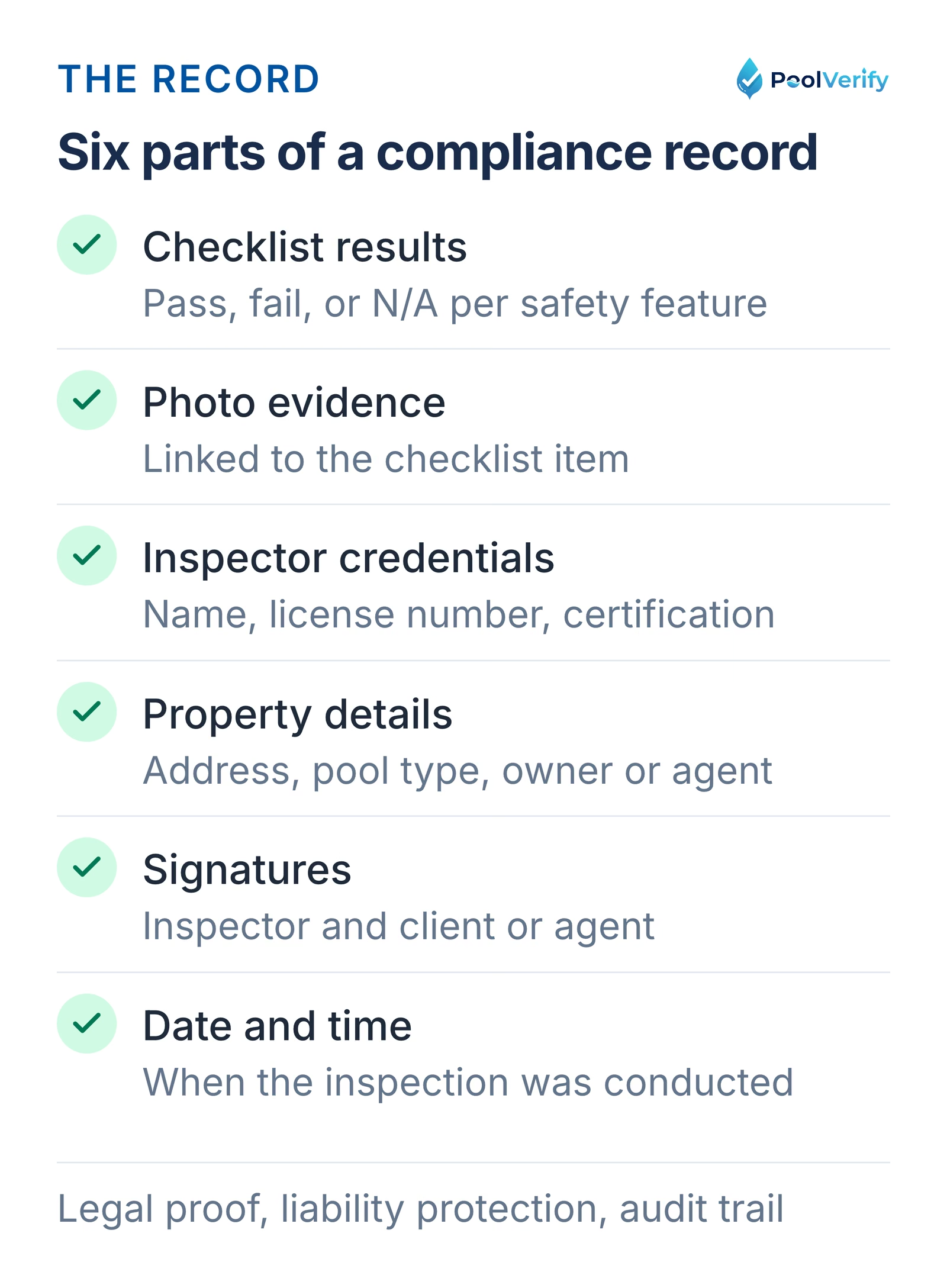
Pool compliance documentation is the complete record of a pool safety inspection: including the checklist results, photo evidence, inspector credentials, property details, and signed verification that all required safety features have been assessed against California law.
The six parts of a pool compliance record: checklist results, photos, credentials, property, signatures, and time.
For California pool inspectors, compliance documentation serves three critical purposes:
Legal proof of inspection: Demonstrates that all BPC §7195 requirements were checked during a property transfer or new installation
Liability protection: Provides timestamped, signed evidence of exactly what was inspected and the findings at that time
Regulatory audit trail: Creates retrievable records that can be produced if a compliance question arises months or years later
Without proper documentation, an inspector has no proof that an inspection was conducted correctly, even if it was. According to document management research, professionals spend up to 50% of their time searching for information in disorganized filing systems (Cflow, 2025). Digital compliance software eliminates this problem entirely.
Pool compliance documentation differs from general inspection reports because it must cover specific California regulatory requirements. A general inspection report may note "pool fence present," but compliance documentation must verify the fence meets the exact height (60 inches minimum), gap spacing (no more than 4 inches), and material requirements specified in BPC §7195.
California BPC §7195 documentation requirements
California BPC §7195 requires documentation verifying that at least one of seven approved drowning prevention safety features is present at every residential swimming pool or spa during property transfer.
The seven approved safety features that must be assessed and documented are:
An enclosure: Pool barriers meeting California height and gap requirements
An approved safety pool cover: Meeting ASTM F1346 standards
Exit alarms: On all doors and windows providing direct pool access
Self-closing, self-latching devices on home doors to the pool: With the release at least 54 inches above the floor
A pool alarm: Meeting ASTM F2208 standards
Other means of protection: As approved by the enforcing authority
Your compliance documentation must record the status of each applicable feature with enough detail to demonstrate thorough assessment. This includes:
Property identification: Address, pool type, and owner/agent information
Inspector credentials: Name, license number, and certification details
Item-by-item verification: Pass/fail/N/A status for each safety feature checked
Photo evidence: Visual proof of barrier height, gate mechanisms, alarm placements, and any deficiencies
Signatures: Inspector and client/agent verification
Date and time: When the inspection was conducted
HSC §115922 adds additional documentation requirements for suction entrapment protection, including verification that drain covers comply with the Virginia Graeme Baker Pool and Spa Safety Act (VGBA) and that safety vacuum release systems (SVRS) are installed where required.
5 features compliance documentation software must have
The five non-negotiable features for pool compliance documentation software are regulatory templates, photo integration, digital signatures, searchable storage, and export/reporting capabilities. Missing any one of these creates gaps in your compliance documentation.
1. California-specific compliance templates
The software must include pre-built templates covering every BPC §7195 and HSC §115922 requirement. Generic checklists leave inspectors guessing about whether they've covered everything California law requires.
PoolVerify's BPC §7195 template includes all 20+ required safety checkpoints with California-specific guidance notes for each item. Required fields cannot be skipped, ensuring complete documentation every time.
2. Integrated photo documentation
Photos are the backbone of compliance evidence. The software must capture photos within the inspection workflow and automatically link them to specific checklist items, not stored separately in a camera roll.
Key photo capabilities to look for:
Multiple photos per item: At least 3 to 5 per checklist item for thorough evidence
Automatic timestamps: Proves when photos were taken
Captions: Describe what each photo shows
Compression: Optimizes file size without losing quality
3. ESIGN Act-compliant digital signatures
California accepts digital signatures for compliance documentation under both federal ESIGN Act and California UETA provisions. Your software must capture legally binding signatures from both the inspector and the client or property representative.
4. Searchable cloud storage
Compliance records must be retrievable long after the inspection is complete. Cloud storage with search capabilities lets you find any inspection by property address, date, inspector name, or compliance status in seconds, versus digging through filing cabinets.
PoolVerify stores all inspection data with 256-bit encryption and automatic backups, with instant search across your entire inspection history.
5. Professional PDF export
Compliance documentation must be shareable in a universally readable format. PDF export with professional formatting, embedded photos, and signed verification creates a deliverable document suitable for real estate agents, property owners, and regulatory authorities.
Get California-compliant documentation out of the box. PoolVerify's pre-built BPC §7195 templates include every required checkpoint, start documenting compliance in minutes. Start Your Free Trial
Best pool compliance documentation software compared
Here's how the leading pool compliance documentation platforms compare for California inspectors in 2026:
Feature
PoolVerify
SafetyCulture
Formitize
GovOwl
Spectora
CA BPC §7195 templates
Built-in
Custom setup required
Australian pool focus
Regulatory tracking
General home inspection
HSC §115922 compliance
Built-in
Custom setup required
Not specific
Regulatory alerts
Not specific
Photo per checklist item
Up to 5
Unlimited
Yes
N/A
Yes
Instant PDF reports
Yes
Yes
Yes
No
Yes
Digital signatures
ESIGN Act-compliant
Yes
Yes
N/A
Yes
Cloud storage
256-bit encrypted
Yes
Yes
Yes
Yes
Offline capability
Yes
Yes
Yes
No
Yes
Searchable records
Yes
Yes
Yes
Yes
Yes
Starting price
$49/month
$24/user/month
Contact
Contact
$39/month
California-specific
Exclusive focus
General purpose
Australian focus
Regulatory monitoring
General home inspection
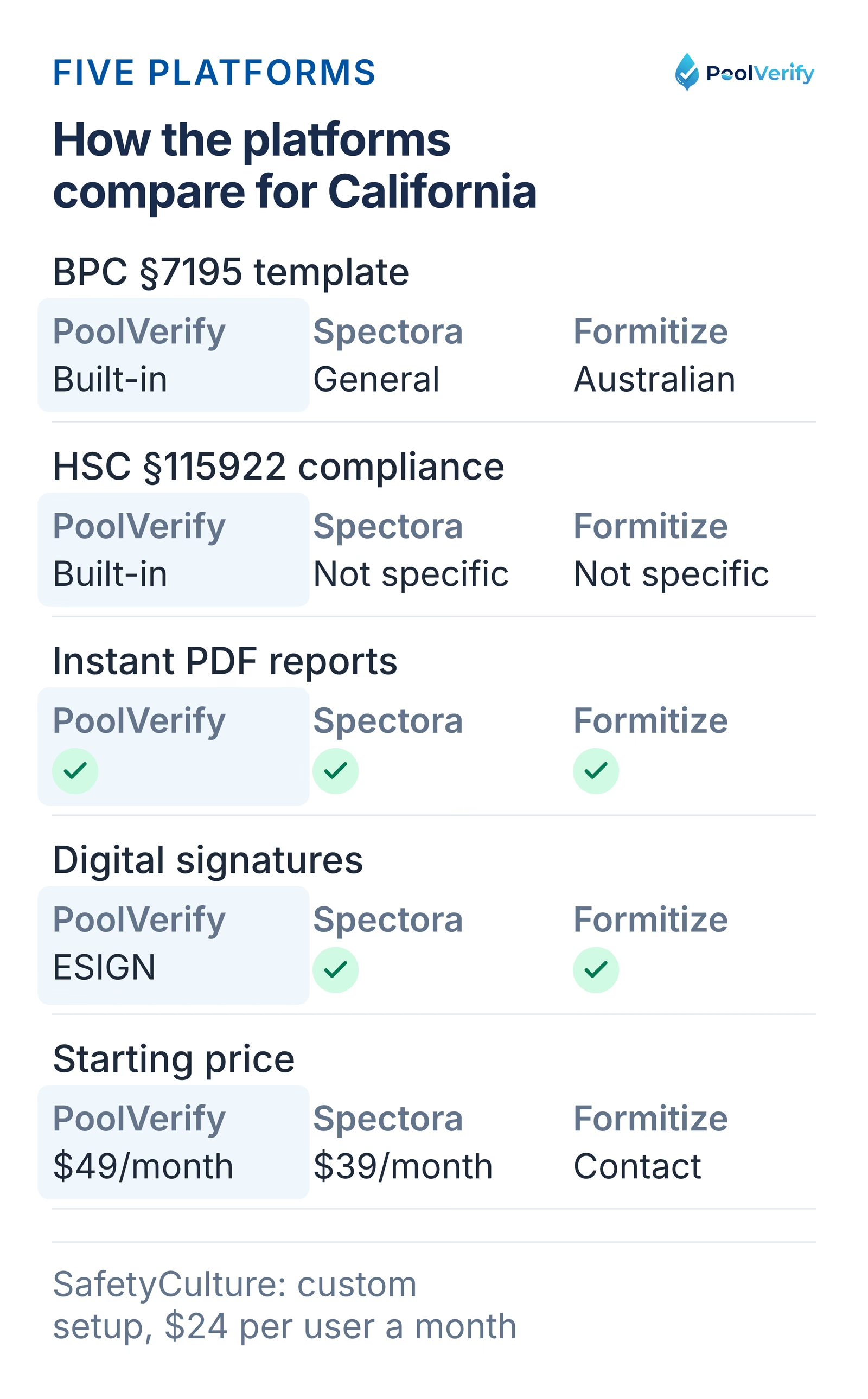
PoolVerify, Spectora, and Formitize compared on California templates, HSC §115922, PDF reports, signatures, price.
Why PoolVerify leads for California compliance
PoolVerify is the only platform in this comparison built exclusively for California pool safety compliance documentation. This matters because:
No template setup required: BPC §7195 and HSC §115922 checklists are pre-loaded and ready to use on day one
Required field enforcement: Mandatory compliance items cannot be skipped, preventing incomplete documentation
California-specific guidance: Each checklist item includes notes explaining the specific California requirement being verified
Automatic template updates: When California regulations change, templates update across all users
Other platforms can be configured for California compliance, but the configuration burden falls on the inspector. With SafetyCulture, for example, you must build or customize templates yourself and manually verify they cover all BPC §7195 requirements.
Paper vs digital compliance documentation
Digital compliance documentation eliminates the four biggest risks of paper-based systems: lost records, incomplete documentation, slow retrieval, and inconsistent formatting.
For California pool inspectors, the shift from paper to digital isn't just about convenience, it's about reducing liability. A complete, timestamped, photo-documented digital record with signatures provides significantly stronger legal protection than a handwritten form with loose photos.
California has approximately 1.34 million residential swimming pools (California Energy Commission), and with an average of 357 children under age 15 fatally drowning in pool- or spa-related incidents each year (Consumer Product Safety Commission, 2025), the accuracy and completeness of compliance documentation directly impacts public safety.
Building a compliance documentation workflow
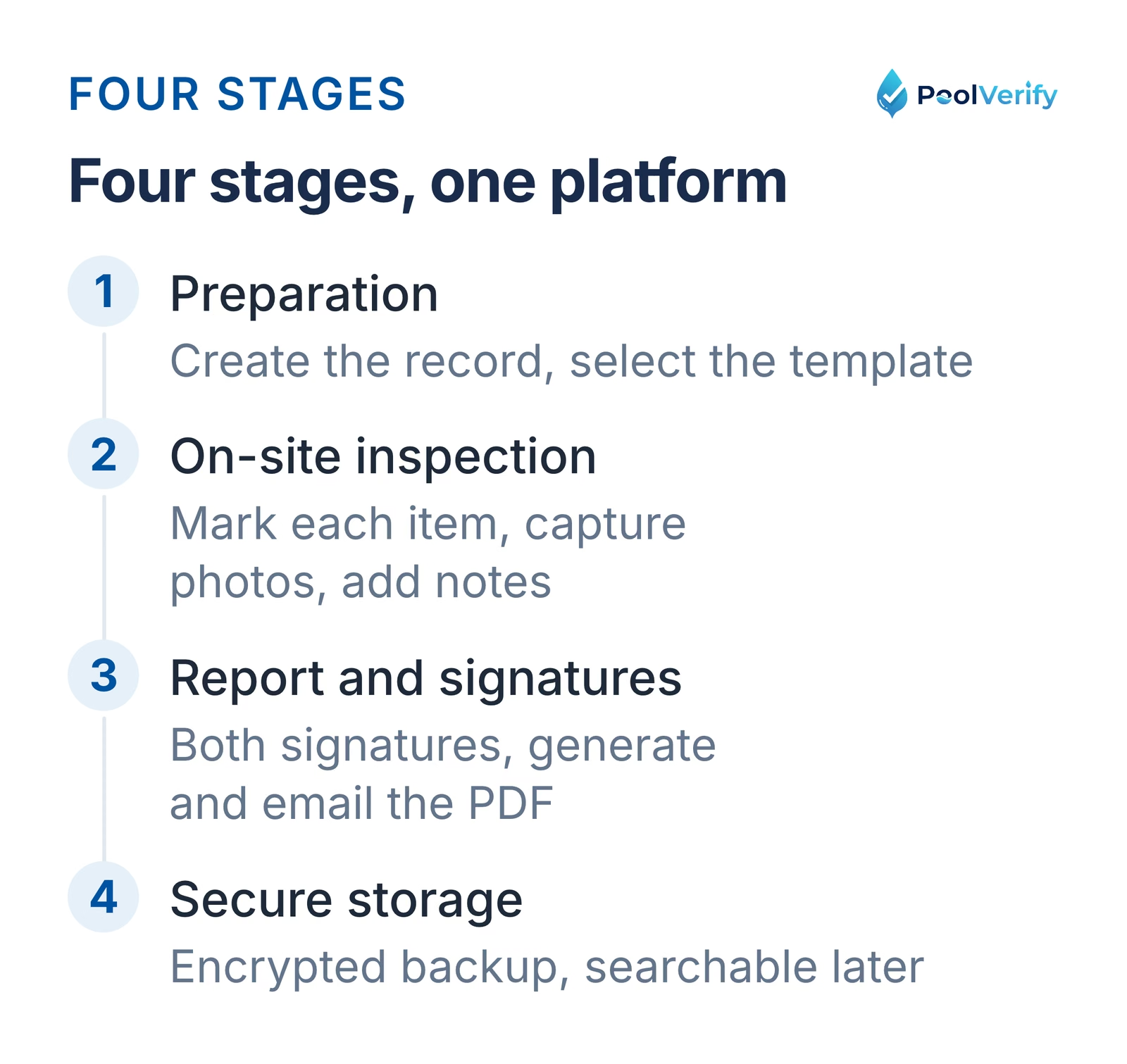
A reliable compliance documentation workflow has four stages: preparation, inspection, documentation, and storage. Here's how to set up each stage using digital software.
The four stages of a compliance documentation workflow: preparation, inspection, report and signatures, storage.
Stage 1: Preparation
Before arriving at the property:
Create the inspection record: Enter property address, client contact, and inspection type in the software
Select the compliance template: Choose the BPC §7195 template (or BPC §7195 + HSC §115922 for comprehensive coverage)
Review property history: Search for any previous inspections of the same property in your records
Stage 2: On-site inspection
At the property, work through the compliance checklist systematically:
Follow the template order: The checklist guides you through barriers, gates, alarms, suction fittings, covers, and all other required items
Document as you go: Mark each item pass/fail/N/A, capture photos, and add notes in real time
Don't skip items: Digital templates with required fields ensure every mandatory item is addressed
Stage 3: Report generation and signatures
Before leaving the property:
Review the completed checklist: Verify all items are addressed and photos are clear
Collect the client signature: Hand the device to the property owner or agent for digital signing
Add your inspector signature: Sign to verify the inspection was conducted per California requirements
Generate the PDF report: Tap generate and review the formatted report for accuracy
Deliver to the client: Email the report immediately or provide a secure download link
Stage 4: Secure storage
After leaving the property:
Automatic cloud backup: The inspection record, photos, and report are automatically stored and encrypted
Verify the record: Confirm the inspection appears in your dashboard with complete status
Archive for retrieval: The record is now searchable and available for future reference, audits, or legal needs
With PoolVerify, this entire four-stage workflow happens within a single platform, from creating the inspection record to delivering the report and storing everything securely. No switching between apps, no manual file management.
Limitations
This guide is general information about pool safety law, not legal advice; the current text of HSC §115922 and BPC §7195 on leginfo.legislature.ca.gov controls, and local building departments add their own requirements. PoolVerify is inspection software for California residential pool safety inspections; it does not perform inspections, certify inspectors, or issue compliance certificates.
Frequently asked questions
How long should I keep pool compliance documentation records?
California does not specify a mandatory retention period for pool inspection records, but industry best practice is to maintain records for at least 7 to 10 years. Real estate-related inspections should be kept indefinitely since property transfer documentation may be referenced during future sales. With cloud-based software like PoolVerify, storage is included in your subscription and records are maintained securely without manual archiving.
What format should pool compliance documentation be in?
PDF is the standard format for pool compliance documentation because it's universally readable, preserves formatting, and supports embedded photos and signatures. PoolVerify generates professional PDF reports automatically from completed inspections. California authorities, real estate agents, and property owners all accept PDF documentation for BPC §7195 compliance verification.
Can pool compliance documentation be fully digital in California?
Yes, California fully accepts digital compliance documentation for pool safety inspections. Digital records with ESIGN Act-compliant signatures are legally equivalent to paper records under both California's Uniform Electronic Transactions Act (UETA) and the federal ESIGN Act. PoolVerify's digital signatures, timestamped photos, and encrypted cloud storage meet all legal requirements for California pool compliance records.
What happens if my compliance documentation is incomplete?
Incomplete compliance documentation creates liability exposure for the inspector and may not satisfy BPC §7195 requirements during property transfers. If a safety feature was checked but not documented, there's no proof the inspection covered it. Digital software with required field validation prevents this problem, PoolVerify's BPC §7195 template will not allow report generation until all mandatory items are addressed.
Do I need separate software for compliance documentation and inspections?
No, the best pool inspection software handles both inspections and compliance documentation in a single platform. PoolVerify combines the inspection checklist, photo capture, digital signatures, PDF report generation, and cloud storage into one workflow. Using separate tools for inspections and documentation creates unnecessary complexity, increases the risk of lost data, and costs more than an integrated solution.
Protect your business with proper compliance documentation
Pool compliance documentation isn't just regulatory paperwork, it's the legal foundation that protects inspectors, property owners, and the families who use those pools. Every missed checklist item, every unattached photo, and every unsigned report is a gap in that protection.
Digital compliance documentation software closes those gaps by enforcing complete checklists, linking photo evidence to specific safety items, and storing everything securely with timestamps and signatures. For California pool inspectors handling BPC §7195 and HSC §115922 requirements, the right software turns compliance documentation from a burden into an automatic part of every inspection.
PoolVerify is the only compliance documentation platform built exclusively for California pool safety, pre-loaded templates, integrated photo documentation, instant PDF reports, and ESIGN Act-compliant digital signatures.
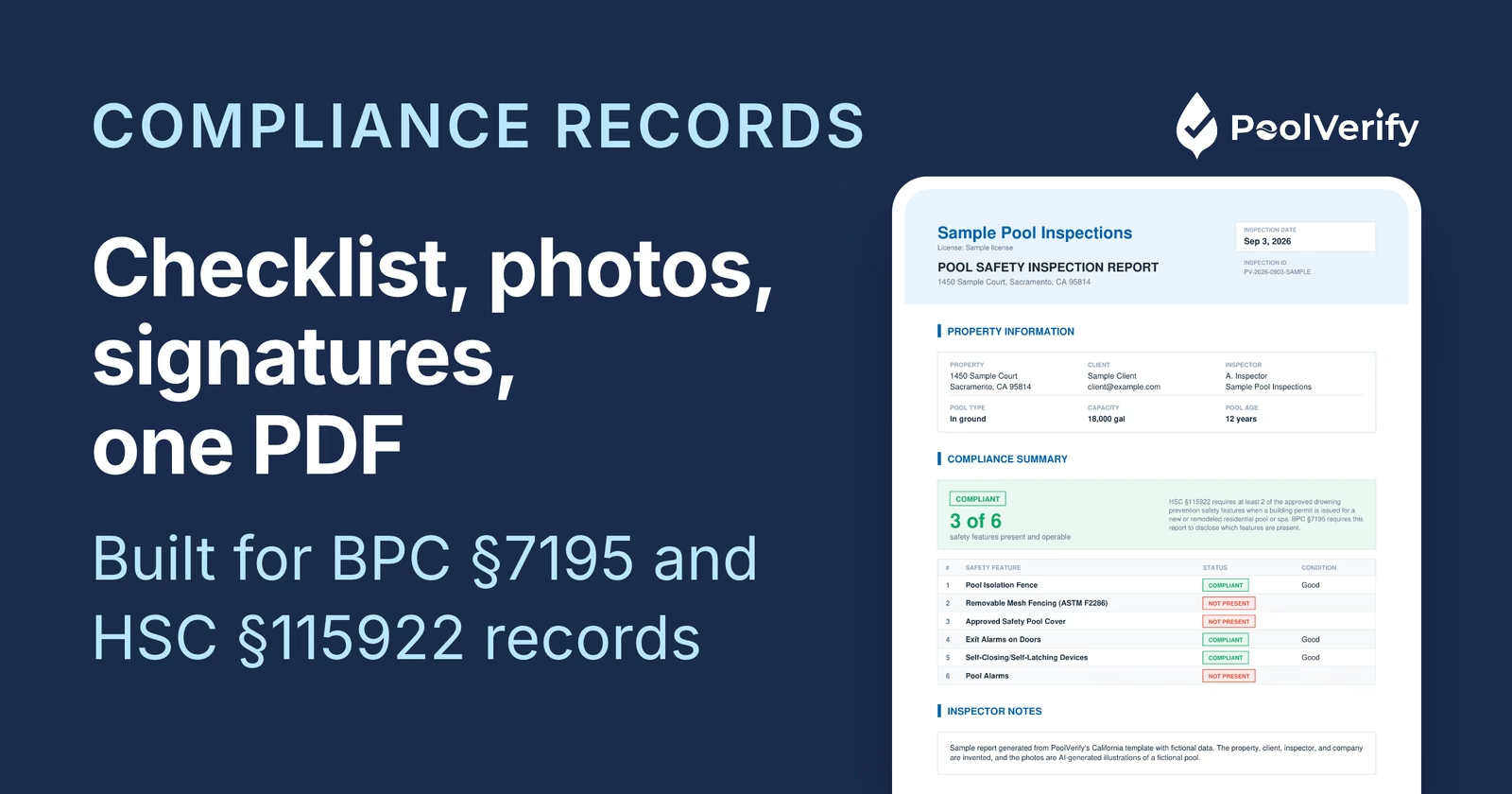
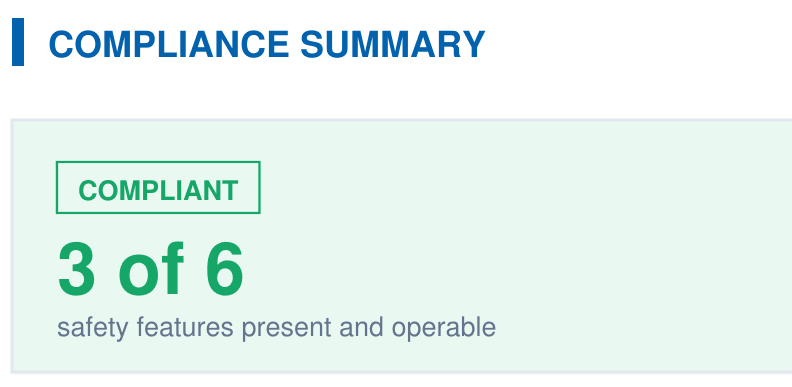
A branded PDF with the compliance summary, the feature table, each finding with its photos, and the signature, generated on‑site when the BPC §7195 and HSC §115922 checklist is complete.