California residential pool and spa safety inspections
The checklist is the report. Hand it over before you leave.
PoolVerify is inspection software built only for California pool and spa safety. Work the BPC §7195 and HSC §115922 checklist on your phone, photograph each item, collect the signature, and the branded PDF is generated from what you just recorded.
14‑day free trial, no credit card to start.
One inspection, start to finish
What the inspector sees on-site, and what comes out the other end.
Step 1
Work the California checklist at the pool
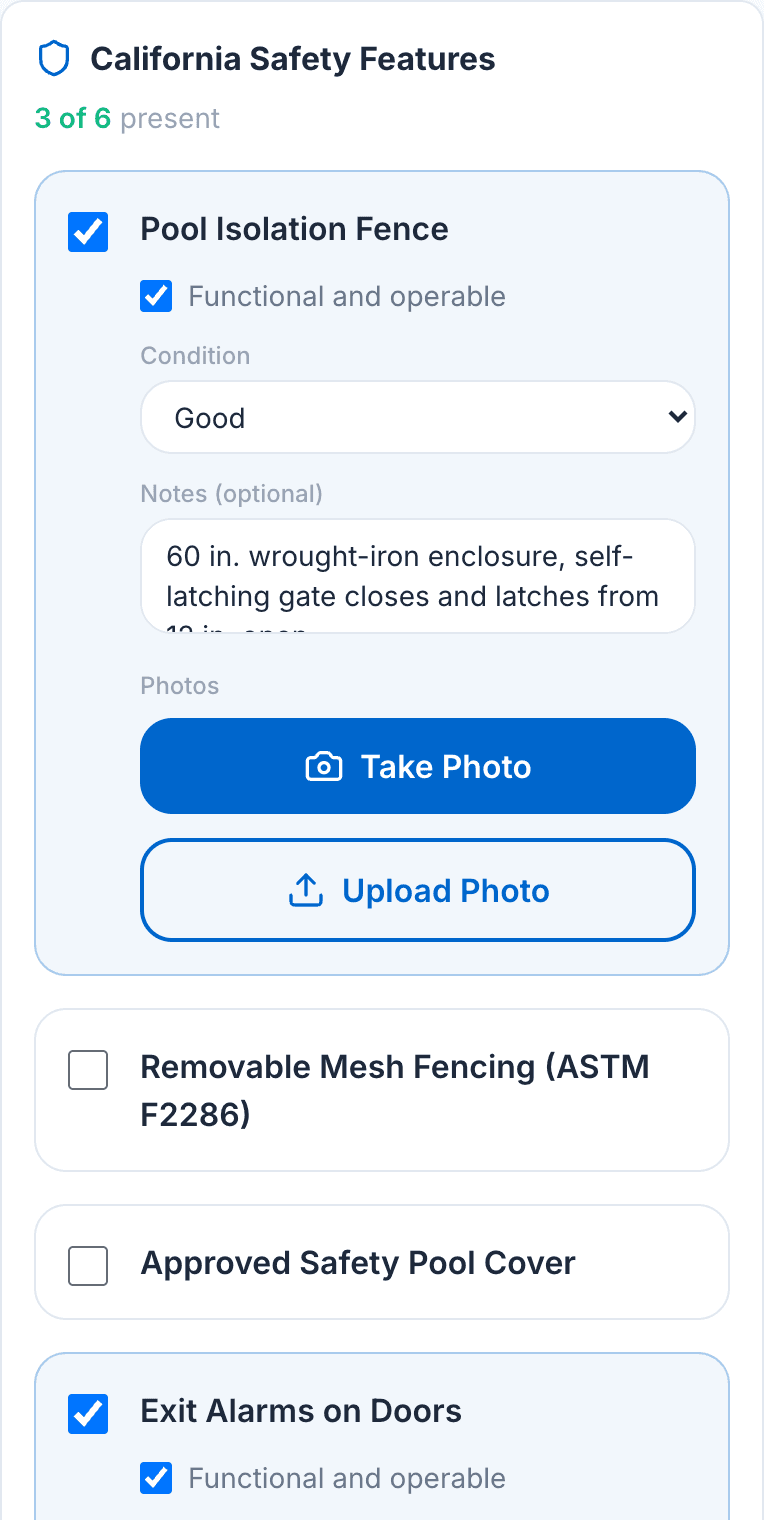
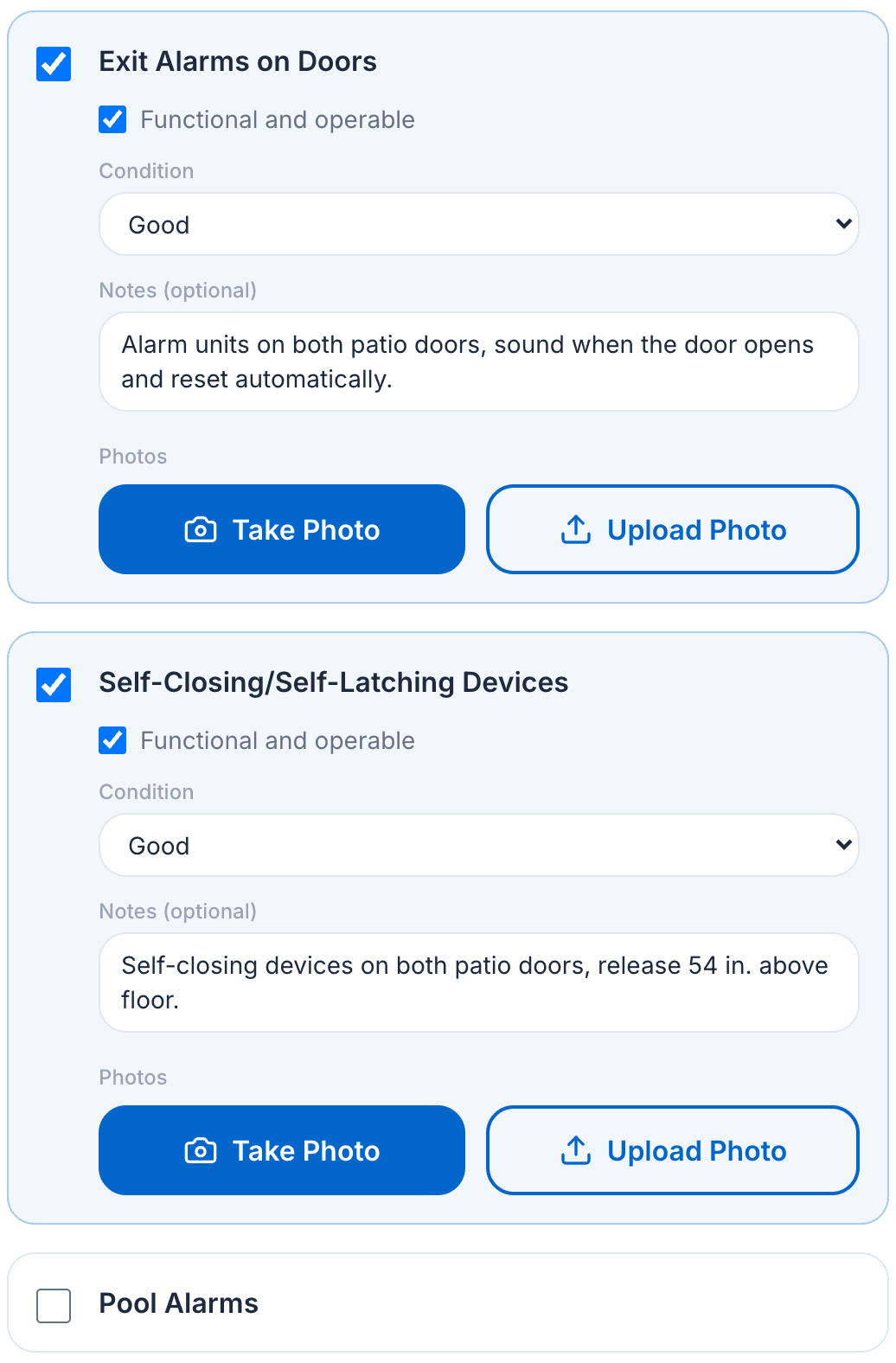
The template lists the HSC §115922 drowning‑prevention features a BPC §7195 disclosure has to address. Tick present, tick operable, set the condition, add a note, and attach up to 10 photos to that item. A feature in poor condition cannot be marked operable, because the statute says so.
The California checklist on a tablet. Step 2
Sign it on the same device
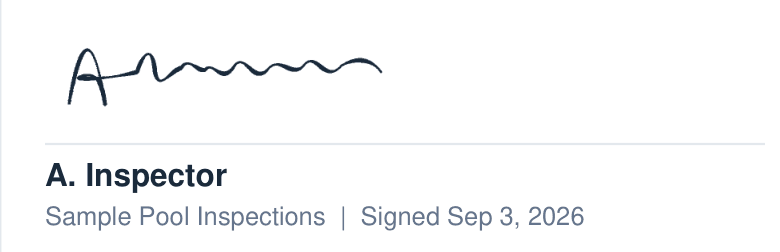
The inspector certifies the inspection on the phone or tablet, and client signatures are collected the same way. Signatures are ESIGN Act compliant and stored with the inspection, so there is no print, sign, and scan step later.
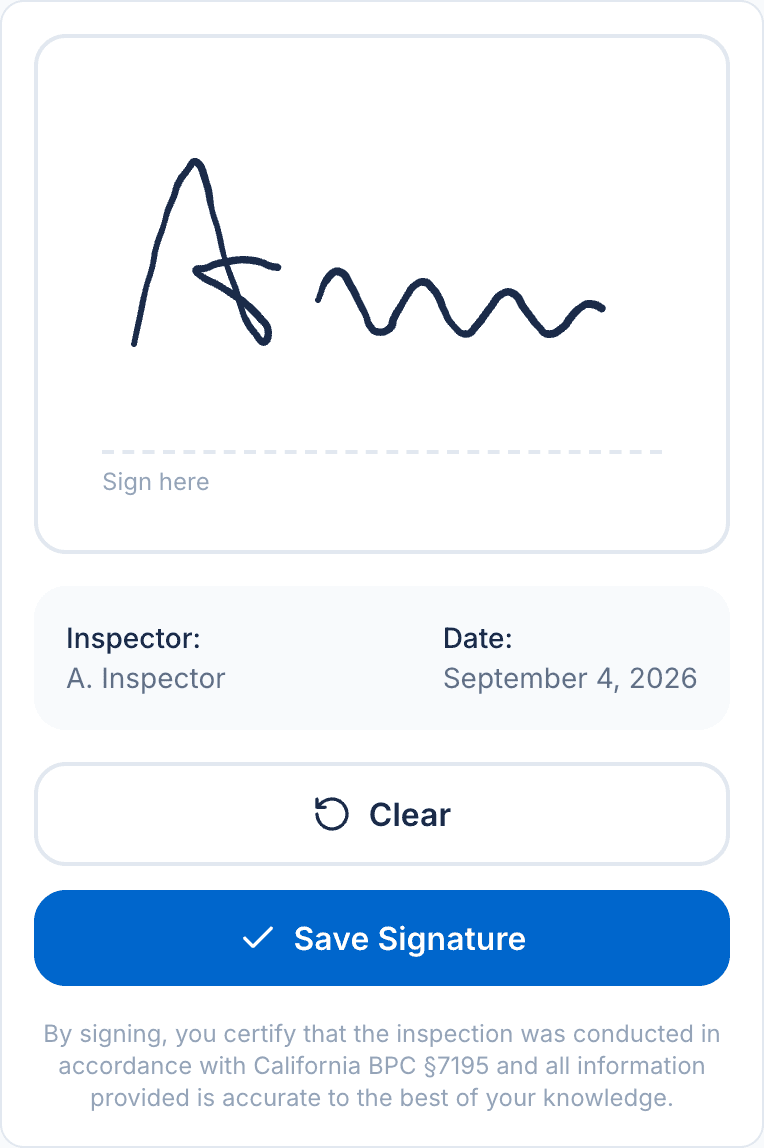
The signature pad on a phone. Step 3
The PDF is generated from what you recorded
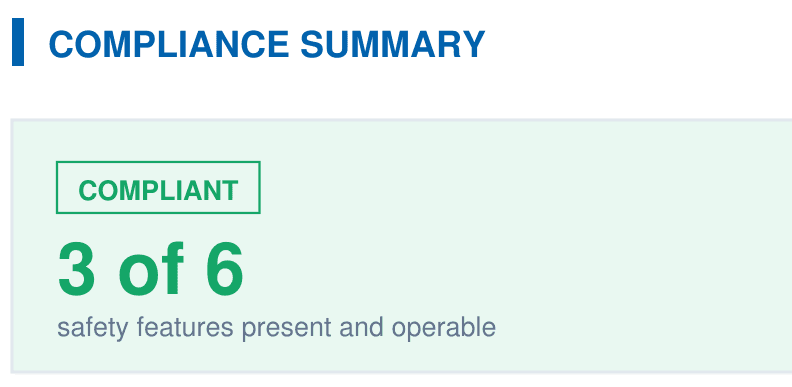
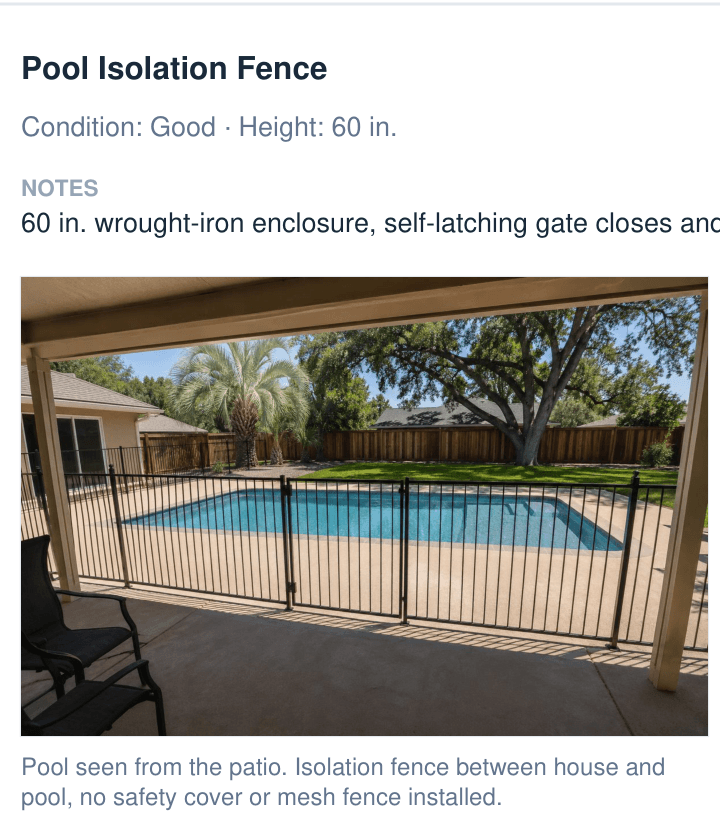
No retyping. The report carries your company name and license, the property and client, the compliance summary against HSC §115922, and every safety feature with its condition, notes, and photos. It is ready to email from the property.
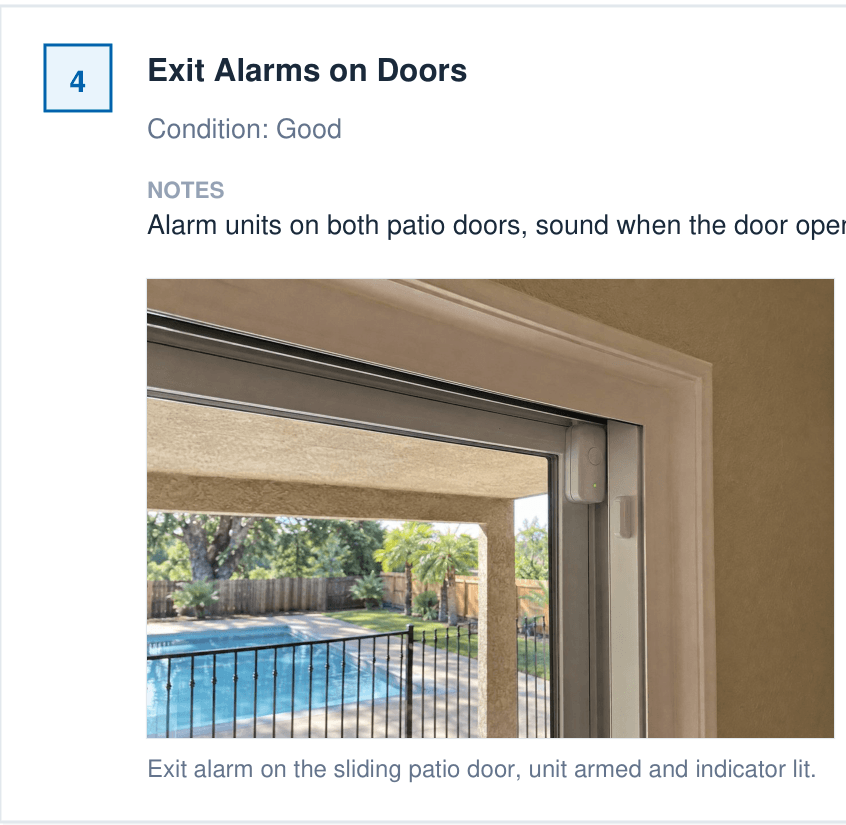
One finding as it appears in the report. Step 4
Anything short of the statute is flagged for you
Every completed inspection is checked against the two‑feature requirement. A property with fewer than two operable safety features shows up in the dashboard's compliance alerts, so nothing reaches an agent or an attorney before you have seen it.
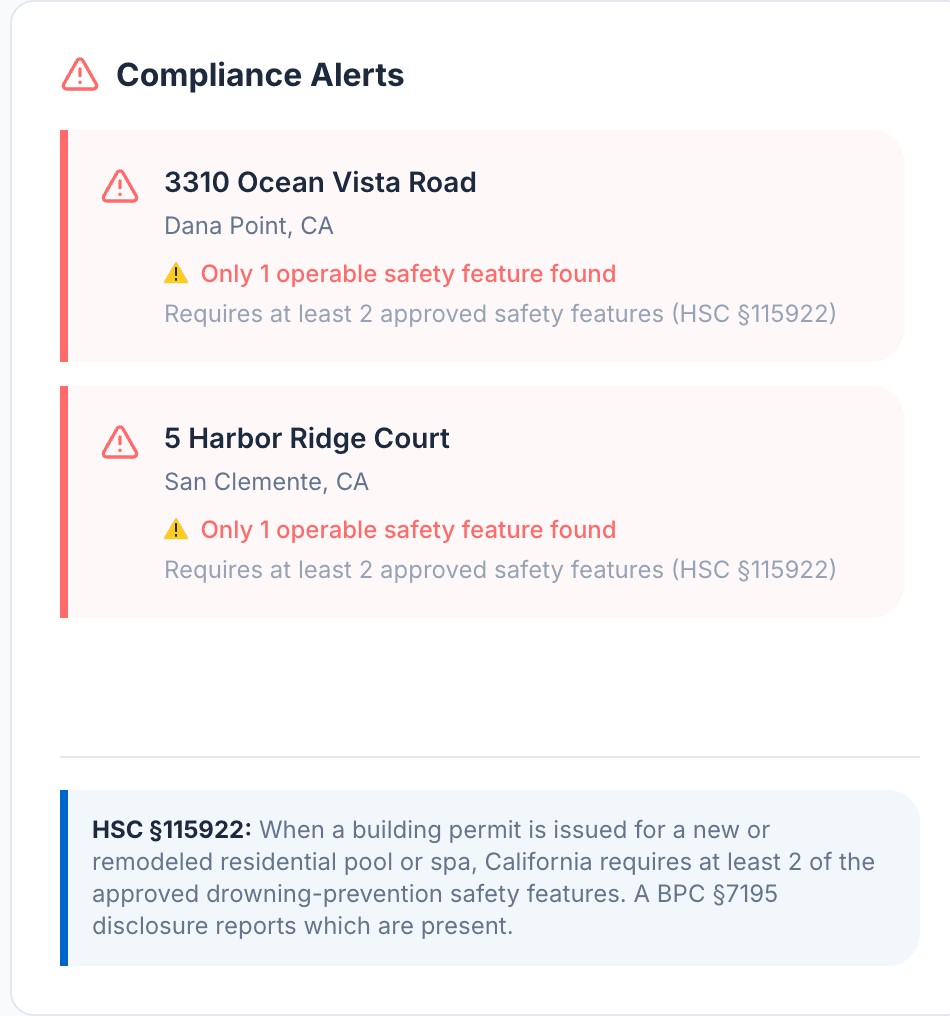
The compliance alerts widget on the dashboard.
What the client receives
A branded PDF produced by PoolVerify's template from the inspection you just completed. The sample report is five pages.
- Page 1
- Company header, property, client, and inspector details, the compliance summary counted against HSC §115922, the six-feature table, and your notes.
- Pages 2 to 3
- Each of the six safety features with its status, condition, note, and the photos you attached to it.
- Pages 4 to 5
- Additional inspection items by category, the legal disclaimers, and the inspector's certification with the signature captured on‑site.
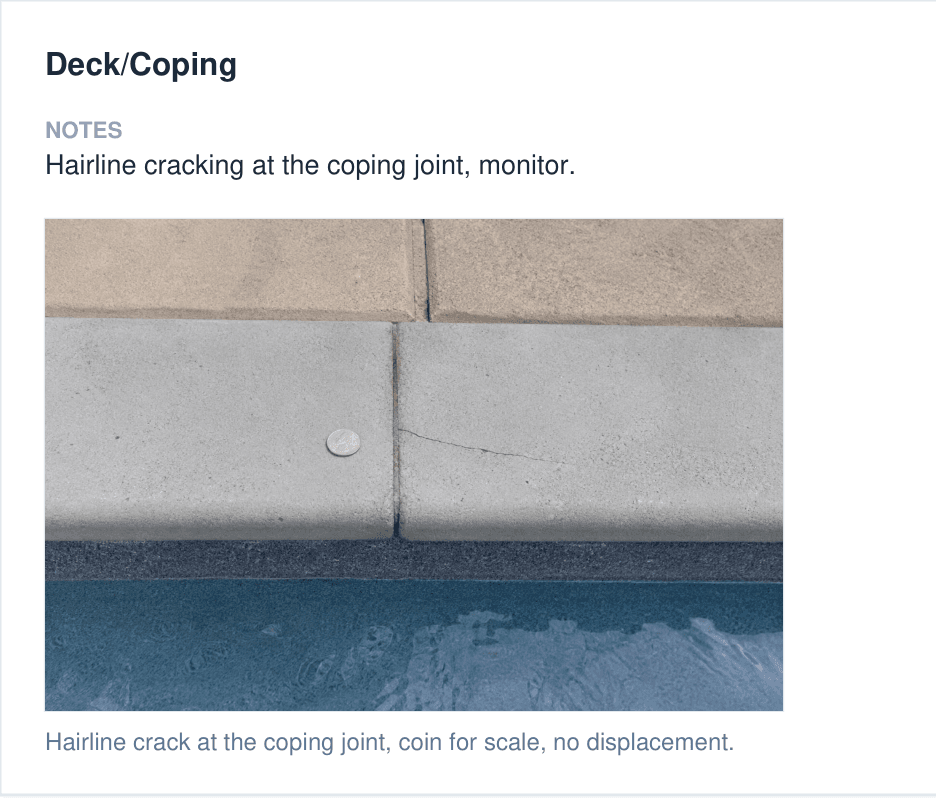
The manual workflow, and the same job in PoolVerify
Every row is a step a California pool inspector does today on paper.
| Step | Paper and Word | PoolVerify |
|---|---|---|
| Checklist on‑site | Paper form or a generic template that is not written around the statute | BPC §7195 and HSC §115922 templates with the six drowning‑prevention features as checklist items |
| Photos | Shot on a phone, matched to checklist items later from memory | Up to 10 photos attached to the item they document, with timestamps and captions |
| Client signature | Printed, signed, then scanned back in | ESIGN Act e‑signature captured on the device before you leave |
| Report assembly | Retyped into Word in the evening, then exported by hand | Branded PDF generated from the completed inspection |
| Record keeping | Files scattered across a laptop, a phone, and a filing cabinet | Encrypted cloud storage, backed up automatically, exportable at any time |
| Missed a required item | Found when an agent or an attorney sends the report back | Flagged in the app while you are still standing at the pool |
Less than one inspection fee a month
Starter is $49 a month and Professional is $99, billed monthly. Annual billing is 20% less. Every plan includes the checklist, photos, e‑signatures, and branded PDF reports.
Starter
One inspector, up to 25 inspections a month
$39a month
Billed annually, $468 a year. $49 a month billed monthly.
- Inspections a month
- 25
- Team members
- 1
- Storage
- 500 MB
- California BPC §7195 checklist
- Photos on every checklist item
- E‑signature collection
- Branded PDF reports
- Analytics dashboard
- Email support, 48-hour response
- No monthly cap
Professional
One inspector or a small team, no monthly cap
$79a month
Billed annually, $948 a year. $99 a month billed monthly.
- Inspections a month
- Unlimited
- Team members
- 3
- Storage
- 10 GB
- Everything in Starter
- Unlimited inspections
- Custom inspection checklists
- Inspection scheduling
- Inspector and viewer roles
- Email support, 24-hour response
Business
Inspection companies with unlimited team members
$159a month
Billed annually, $1,908 a year. $199 a month billed monthly.
- Inspections a month
- Unlimited
- Team members
- Unlimited
- Storage
- 100 GB
- Everything in Professional
- Unlimited team members
- Admin and owner roles
- Team activity tracking
- Priority email support
14‑day free trial, no credit card to start. For your own volume, fee, and hours, the ROI calculator does the math.
Questions inspectors ask before signing up
Statute references link to the California Legislative Information site so you can check them yourself.
Primary sources: Health and Safety Code §115922, Health and Safety Code §115923, and Business and Professions Code §7195. PoolVerify is inspection software, not legal advice. Confirm the current statute text before relying on it for a specific property.
- What is PoolVerify?
- PoolVerify is inspection software built only for California residential pool and spa safety inspections. It gives inspectors a checklist that follows California Business and Professions Code §7195 and Health and Safety Code §115922, photo documentation on each item, ESIGN Act e‑signatures, and a branded PDF report generated on‑site. It is not general home inspection software and it does not cover commercial pools.
- Which California pool safety laws does PoolVerify cover?
- Two. Health and Safety Code §115922 requires at least two of seven drowning‑prevention safety features at single‑family residential pools and spas, and applies when a building permit is issued for new construction or for remodeling a pool or spa. Business and Professions Code §7195 applies at the transfer of residential property of one to four units and requires the home inspector's report to note whether those seven features are present. Both were amended by SB 552, effective January 1, 2025.
- What are the seven safety features an inspection has to check?
- An enclosure that isolates the pool from the home and meets HSC §115923, removable mesh fencing meeting ASTM F2286, an approved safety pool cover meeting ASTM F1346, exit alarms on doors and windows with direct pool access, self‑closing and self‑latching devices on home-to-pool doors, a pool alarm certified to ASTM F2208, and any other means of protection offering equal or greater protection that is independently verified. PoolVerify's California template carries the first six as checklist items, each with a present and operable check, a condition, notes, and photos; an independently verified alternative under the seventh item is documented in the inspection notes.
- Do I need to download an app?
- No. PoolVerify is a responsive web app that runs in the browser on phones, tablets, and desktops, so there is no App Store or Play Store install to do before an inspection.
- How does the free trial work?
- The trial runs for 14 days and needs no credit card to start. Inspections, photos, and signatures work from day one. When you download your first report you choose a plan, and nothing is charged until the trial ends.
- How much does PoolVerify cost?
- There are three plans: Starter for solo inspectors, Professional for growing businesses with unlimited inspections, and Business for inspection companies with unlimited team members. Starter costs less per month than a typical single inspection fee, and paying annually saves 20 percent. Current prices are listed in the pricing section on this page.
- Can I put my own branding on the reports?
- Yes. PDF reports carry your branding on every plan, including Starter, so the report you hand a client or a real estate agent looks like your company's document rather than a generic form.
- What happens to my inspection records?
- Inspections, photos, and signed reports are stored on Supabase‑managed cloud infrastructure with 256-bit encryption at rest and in transit, backed up automatically, against a 99.9 percent uptime target. You can export your data at any time.