How to Automate Pool Inspection Reports: Complete Guide
Learn how to automate pool inspection reports with digital software. Cut report time from 45 minutes to seconds with instant PDF generation and digital signatures.
You can automate pool inspection reports using digital inspection software that generates professional PDF reports instantly from completed checklists: eliminating the 30 to 60 minutes of manual typing, photo sorting, and formatting that paper-based workflows require. For California BPC §7195 inspections, automated reports include all required compliance documentation, photo evidence, and ESIGN Act-compliant digital signatures.
Pool inspection report automation isn't about removing the inspector from the process, it's about removing the paperwork. According to inspection industry data, automated report workflows reduce the time between inspection and report delivery from days to minutes (BCT Technology, 2025). For California pool inspectors who conduct multiple inspections daily, that time savings translates directly into more inspections completed and faster client delivery.
This guide walks through exactly how automated pool inspection reports work, what to look for in report automation software, and a step-by-step workflow for generating professional reports in seconds.
What is automated pool inspection reporting?
Automated pool inspection reporting is the process of generating professional PDF inspection reports directly from a completed digital checklist, without any manual typing, formatting, or photo organization required by the inspector.
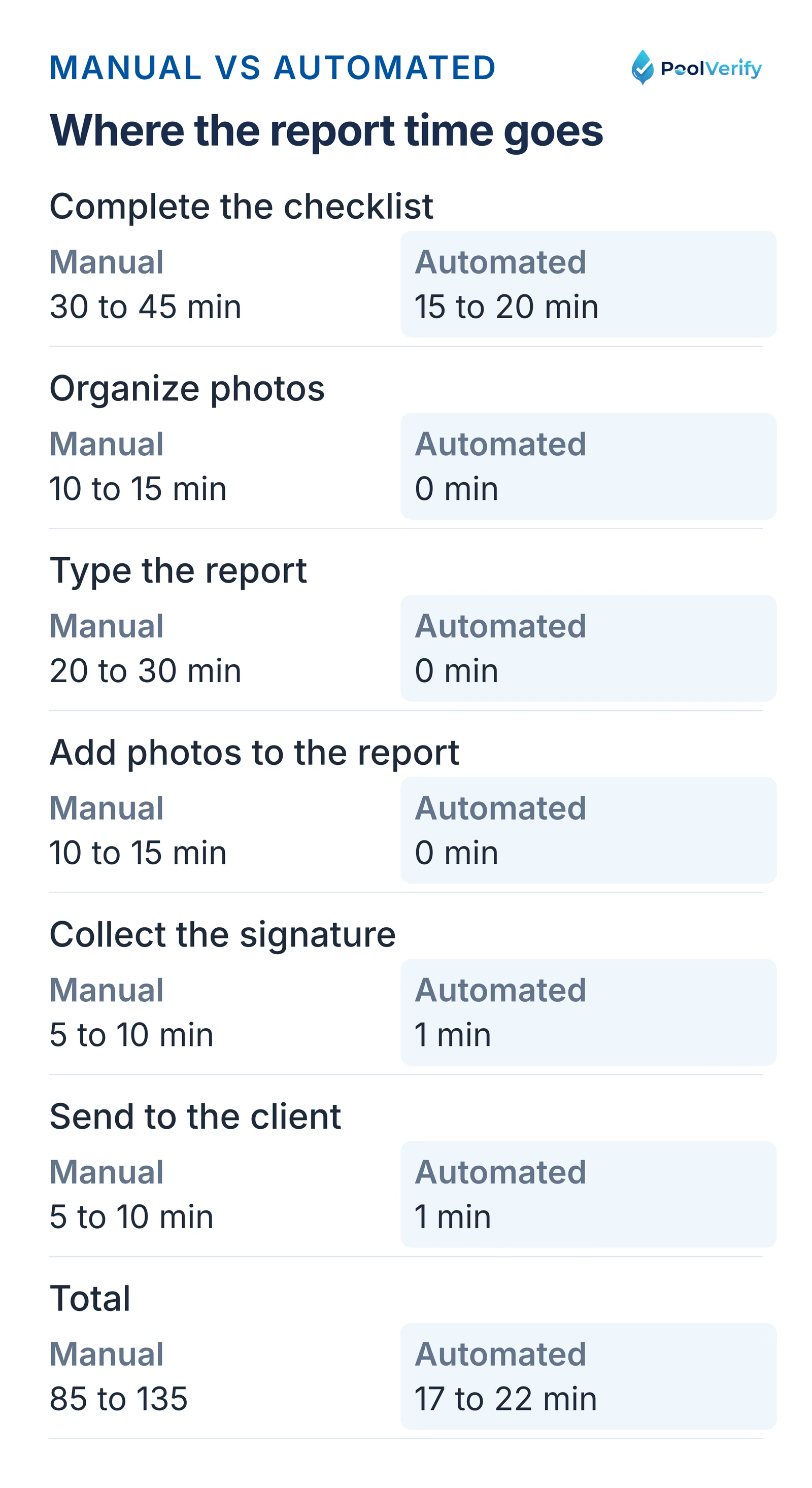
Manual paper reports take 85 to 135 minutes per inspection, automated digital reports 17 to 22 minutes
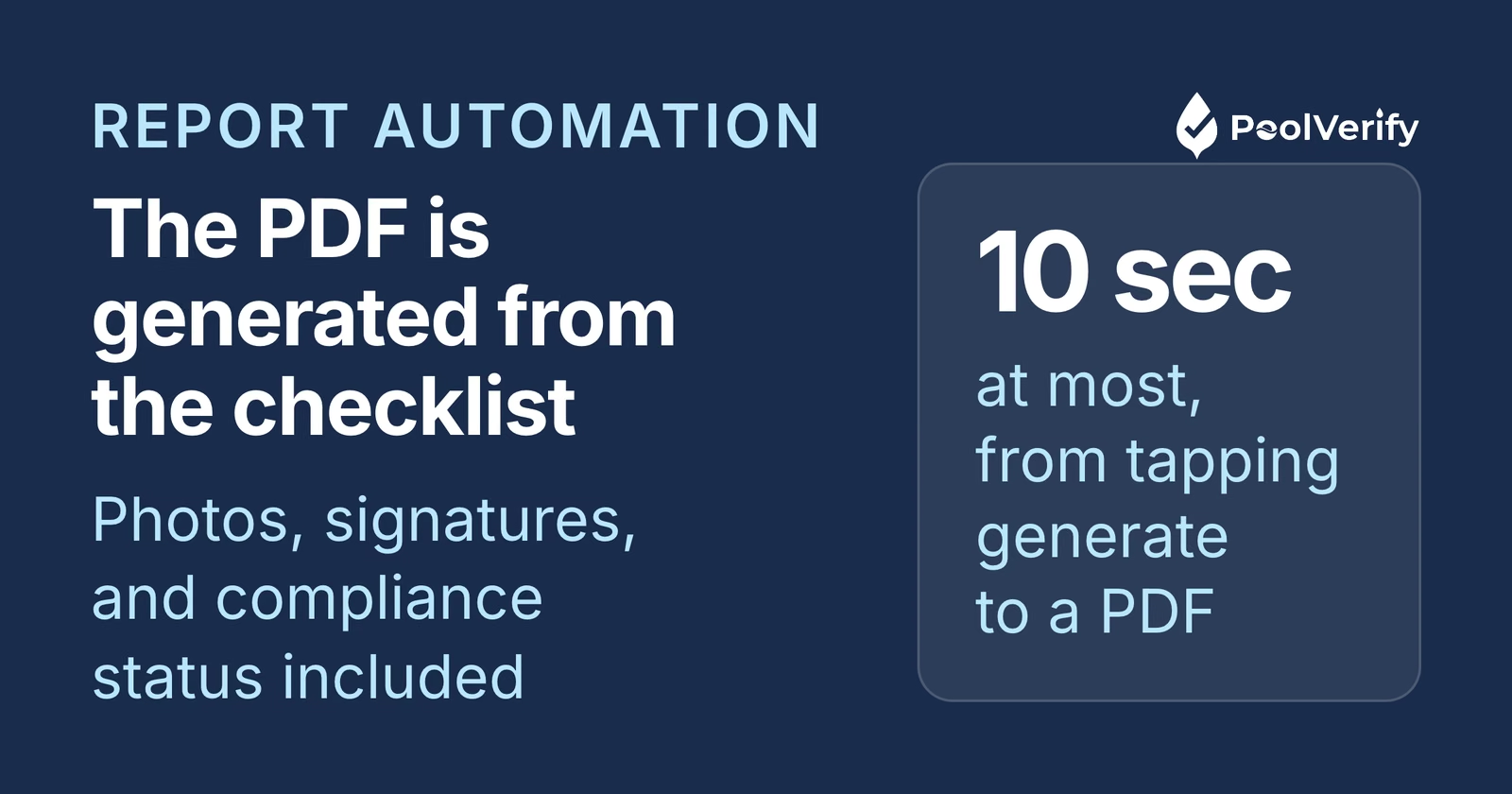
Instead of completing an inspection on paper and then returning to an office to type up findings, attach photos, format the document, and email it to the client, automated reporting handles all of these steps instantly. The inspector completes the digital checklist, taps "generate report," and a professional PDF is ready to send within seconds.
For California pool safety inspections, this automation is especially valuable because BPC §7195 reports require specific compliance documentation:
Verification of all seven approved drowning prevention safety features
Photo evidence of barrier height, gate mechanisms, and alarm placements
Pass/fail status for each required safety item
Inspector credentials and digital signature
Property details and inspection date
Manual report creation for this level of detail typically takes 30 to 60 minutes per inspection. Automated software like PoolVerify compiles all of this into a formatted PDF the moment the inspection checklist is complete.
Manual vs automated reports: time comparison
Automated pool inspection reports save 30 to 45 minutes per inspection compared to manual report writing, time that compounds significantly for inspectors handling multiple inspections per day.
Here's a detailed breakdown of where time is spent in each workflow:
Task
Manual (Paper + Typing)
Automated (Digital Software)
Complete inspection checklist
30 to 45 min (handwriting)
15 to 20 min (tap-to-complete)
Organize photos
10 to 15 min (camera roll sorting)
0 min (auto-attached during inspection)
Type report
20 to 30 min
0 min (auto-generated)
Format document
5 to 10 min
0 min (pre-designed template)
Add photos to report
10 to 15 min
0 min (already linked)
Collect signature
5 to 10 min (print, sign, scan)
1 min (digital signature on screen)
Send to client
5 to 10 min (print/scan/email)
1 min (email or secure link)
Total time
85 to 135 min
17 to 22 min
Time savings
N/A
68 to 113 min per inspection
For an inspector completing 5 inspections per day, automated reporting saves 5.5 to 9.5 hours daily on report-related tasks alone. At an average inspection rate of $150 to $300 per inspection, that's 2 to 4 additional inspections worth of capacity.
Organizations that switch from paper to digital workflows report saving over 40 administrative hours per week on report processing (GoFormz, 2026). Even at the conservative end, the time savings pay for the software cost within the first few inspections.
How automated pool inspection reports work
Automated pool inspection reports work by converting checklist responses, photos, and inspector data into a pre-formatted PDF template in real time: all processing happens instantly when the inspector taps "generate report."
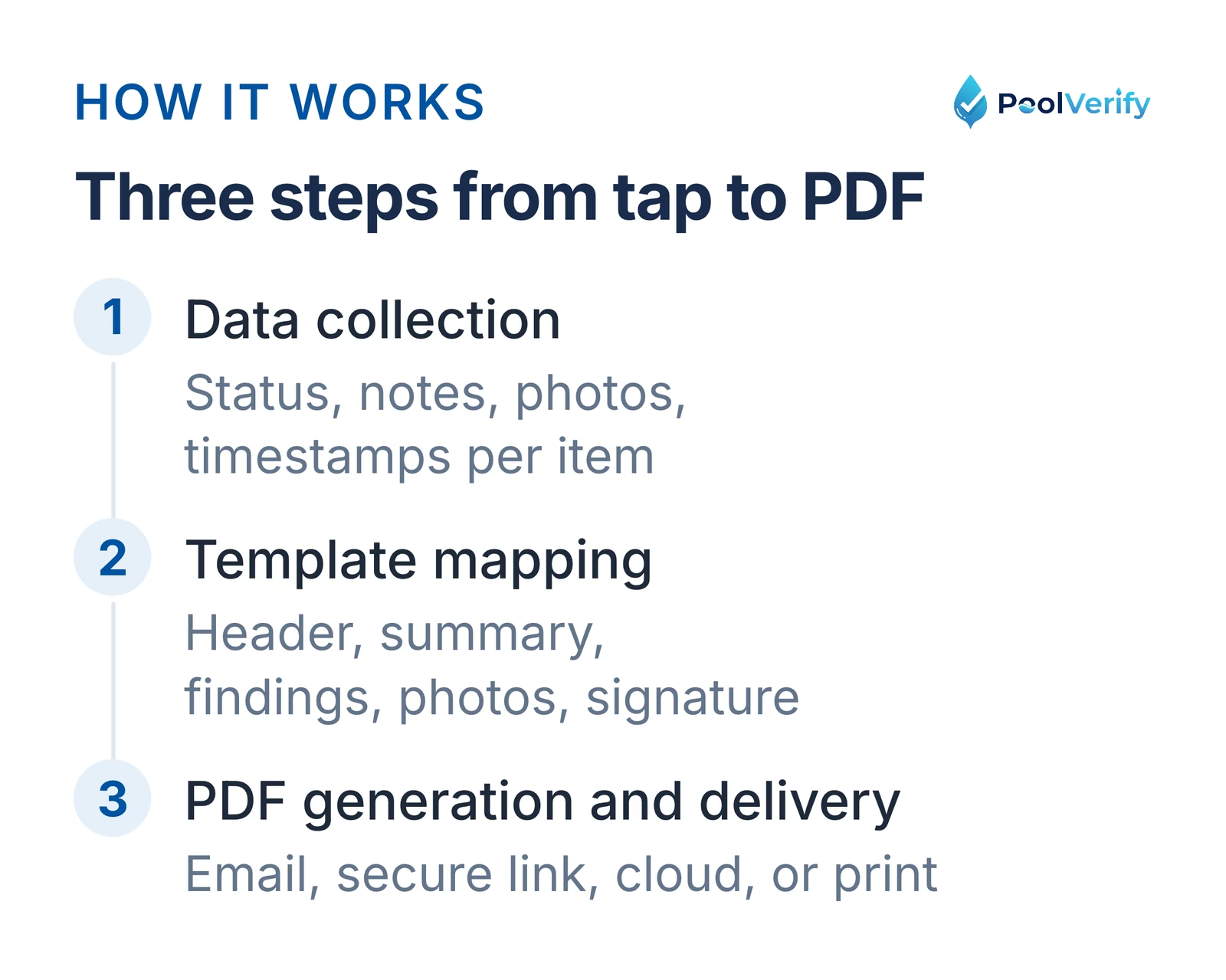
How automated reports work: structured data per item, mapped into the report template, rendered as a PDF
Here's the technical workflow behind automated report generation:
Step 1: Data collection during inspection
As the inspector works through the digital checklist, every tap records structured data. When they mark a pool barrier as "pass" and attach a photo, the software stores:
The checklist item (e.g., "Barrier height, minimum 60 inches")
The status (pass/fail/N/A)
Any notes entered
Photos with timestamps and captions
GPS location (if enabled)
Time spent on each item
Step 2: Template mapping
When the inspector completes the checklist and triggers report generation, the software maps all collected data into a professional report template. This includes:
Header section: Inspector name, company branding, property address, inspection date
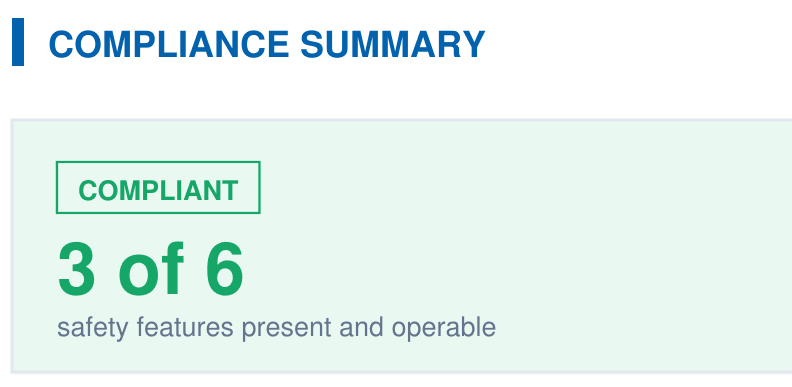
Compliance summary: Overall pass/fail status with percentage breakdown
Item-by-item findings: Each checklist item with status, photos, and notes
Photo gallery: All captured images organized by checklist section
Signature block: Digital signature capture area
Step 3: PDF generation and delivery
The compiled data renders into a professional PDF in seconds. The inspector can immediately:
Email the report to the client or real estate agent
Share via a secure download link
Save to cloud storage for record keeping
Print on-site if a physical copy is needed
The entire process from tapping "generate" to having a deliverable PDF takes under 10 seconds with PoolVerify's instant PDF reports.
Stop spending evenings writing inspection reports. PoolVerify generates professional PDF reports with photos, compliance data, and digital signatures the moment you finish inspecting. Start Your Free Trial
5 features that make report automation possible
The five essential features for automated pool inspection reports are pre-loaded compliance templates, integrated photo capture, digital signatures, instant PDF generation, and cloud storage. Without any one of these, the automation chain breaks and manual steps creep back in.
1. Pre-loaded compliance templates
California BPC §7195 inspections require checking specific safety features. Pre-loaded templates ensure every required item is included in the checklist, and therefore in the report. PoolVerify's BPC §7195 template covers all 20+ required safety items, so the generated report automatically includes complete compliance documentation.
Without pre-loaded templates, inspectors must manually verify their checklist covers everything, introducing the risk of missed items that create incomplete reports.
2. Integrated photo capture
Photos must be captured within the inspection app and automatically linked to the relevant checklist item. This eliminates the post-inspection photo sorting that consumes 10 to 15 minutes per report in manual workflows.
With PoolVerify, inspectors capture up to 10 photos per checklist item. Each photo is automatically timestamped, captioned, and placed in the correct report section, zero manual organization required.
3. Digital signatures
ESIGN Act-compliant digital signatures collected on the device screen replace the print-sign-scan cycle. Both the inspector and the client can sign directly on a tablet or phone, and the signature is embedded in the final PDF.
This is particularly important for California real estate transactions where BPC §7195 compliance documentation must include signed verification.
4. Instant PDF generation
The software compiles all checklist data, photos, notes, and signatures into a professionally formatted PDF in seconds. No manual formatting, no template adjustment, no layout work. The PDF matches a pre-designed professional template with the inspector's company branding.
5. Cloud storage and delivery
Generated reports are automatically saved to secure cloud storage and can be delivered instantly via email or secure link. This eliminates the need to manage local files, reduces the risk of lost reports, and provides instant retrieval for future reference.
PoolVerify stores all inspection data with 256-bit encryption and automatic backups, ensuring reports are never lost and always accessible.
Step-by-step: automate your first pool inspection report
Here's exactly how to generate your first automated pool inspection report using PoolVerify, from sign-up to delivering a professional PDF to your client.
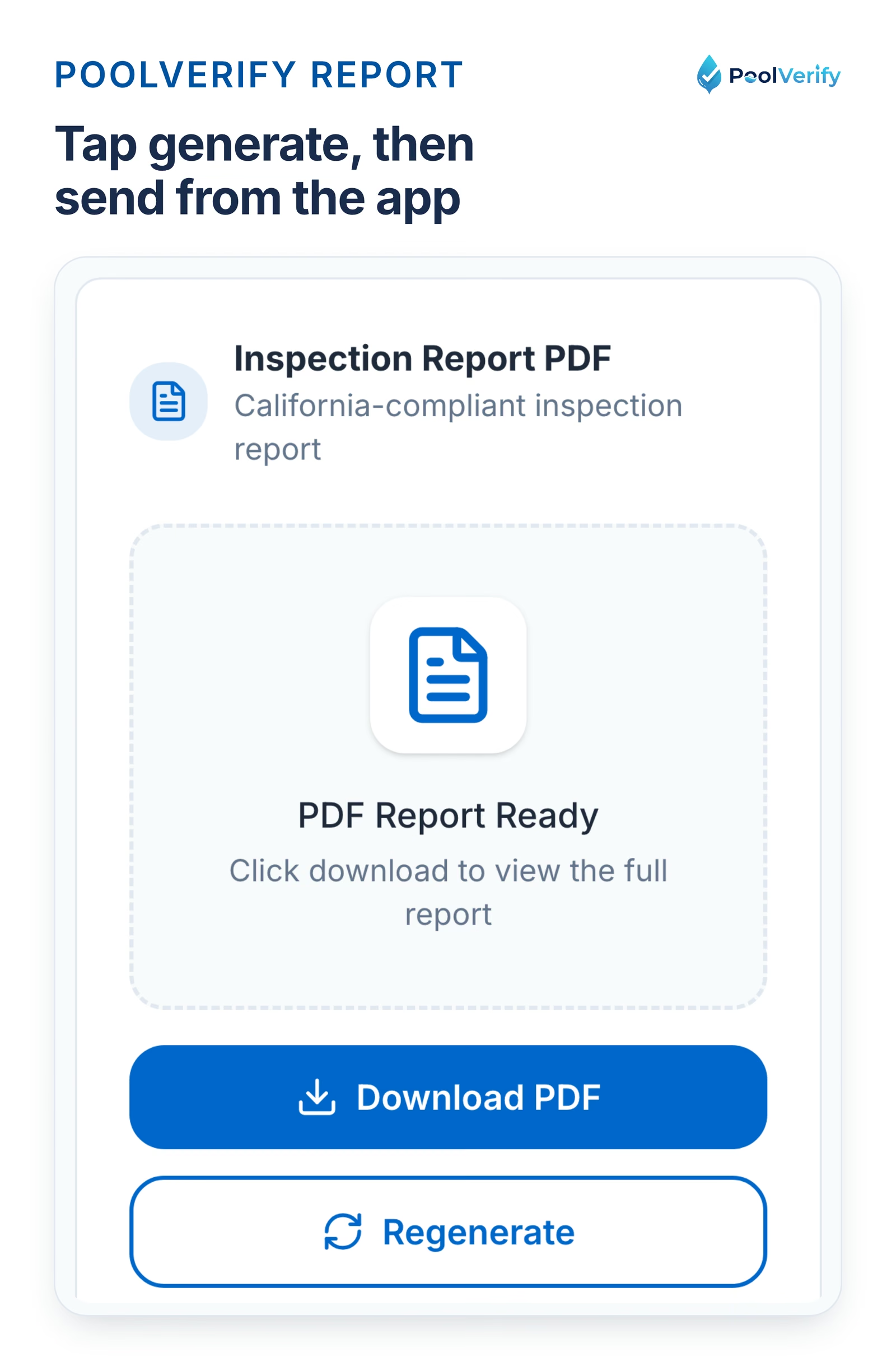
The PoolVerify report panel: generate the PDF and send it to the client from the same screen
1. Sign up for a free trial
Create your account at poolverify.io/ca/pricing. The 14-day free trial gives you the full limits of the plan you choose, enough to test the full workflow. No app download needed, PoolVerify works in any browser.
2. Start a new inspection
Open PoolVerify on your tablet or phone at the property. Create a new inspection, enter the property address, and select the BPC §7195 inspection template. All required safety items are pre-loaded.
3. Complete the checklist at poolside
Walk through the inspection checklist, tapping pass/fail/N/A for each item. At each checkpoint:
Tap the status: Pass, fail, or not applicable
Capture photos: Tap the camera icon to photograph the safety feature
Add notes: Type any observations or deficiency details
The checklist guides you through barriers, gates, alarms, suction fittings, pool covers, and all other BPC §7195 requirements in a logical inspection order.
4. Collect digital signatures
When the inspection is complete, hand the device to the client (or property owner/agent) to sign directly on screen. Then add your inspector signature. Both signatures are ESIGN Act-compliant and embedded in the final report.
5. Generate and send the report
Tap "generate report." In under 10 seconds, PoolVerify produces a professional PDF including:
Your company branding and contact information
Complete compliance checklist with pass/fail status
All photos organized by section with captions
Digital signatures from both parties
Overall compliance summary
Email the report directly to the client, real estate agent, or property manager from within the app. A copy is automatically saved to your cloud storage.
Total time from start to delivered report: 15 to 20 minutes: compared to 85 to 135 minutes with manual paper-based workflows.
What an automated report includes
A properly automated California pool inspection report includes compliance verification, photo documentation, digital signatures, and a professional summary: all formatted consistently and ready for regulatory or real estate purposes.
Here's what PoolVerify's automated BPC §7195 inspection report contains:
Report Section
Contents
Header
Inspector name, company logo, license info, inspection date
Property details
Address, pool type, owner/agent information
Compliance summary
Overall pass/fail, percentage of items compliant
Safety features checklist
Each BPC §7195 item with pass/fail/N/A status
Photo documentation
All captured photos linked to specific items with captions
Deficiency details
Description and photos of any failed items
Recommendations
Suggested corrections for non-compliant items
Signatures
Inspector and client digital signatures with timestamps
Legal notice
BPC §7195 compliance statement and disclosure
Every section is automatically populated from the inspection data, no manual typing, copying, or formatting. The report design is consistent across all inspections, reinforcing your professional brand.
Best software for automated pool inspection reports
The best software for automated pool inspection reports depends on whether you need California-specific compliance or general-purpose inspection capabilities. Here's how the top options compare:
Software
Report Automation
CA Compliance
Photo Integration
Digital Signatures
Starting Price
PoolVerify
Instant PDF from checklist
BPC §7195 + HSC §115922 built-in
Up to 10 per item, auto-linked
ESIGN Act-compliant
$49/month
Pro Pool Inspectors
Automated report builder
General pool templates
Yes, in-app capture
Yes
Contact for pricing
SafetyCulture
Customizable report export
Requires manual template setup
Unlimited, auto-linked
Yes
$24/user/month
Gruntify
Custom report templates
Requires manual setup
Yes, field capture
Yes
Contact for pricing
Formitize
Automated compliant reports
Australian pool compliance focus
Yes
Yes
Contact for pricing
For California pool inspectors, PoolVerify is the only platform with pre-built BPC §7195 and HSC §115922 compliance templates that feed directly into automated report generation. Other platforms require manual template configuration to match California requirements.
At PoolVerify's Professional plan price of $99/month for unlimited inspections, the cost per report drops below $1 for inspectors handling 100+ inspections monthly, significantly less than the paper, printing, and time costs of manual reporting.
Limitations
This guide is general information about pool safety law, not legal advice; the current text of HSC §115922 and BPC §7195 on leginfo.legislature.ca.gov controls, and local building departments add their own requirements. PoolVerify is inspection software for California residential pool safety inspections; it does not perform inspections, certify inspectors, or issue compliance certificates.
Frequently asked questions
Can automated pool inspection reports replace hand-written reports in California?
Yes, automated digital reports are fully accepted for California BPC §7195 compliance. California law specifies what must be inspected and documented, not how the report must be formatted. PoolVerify's automated PDF reports include all required compliance information, photo evidence, and ESIGN Act-compliant digital signatures that are legally binding under both California and federal law.
How fast can automated software generate a pool inspection report?
PoolVerify generates a complete PDF inspection report in under 10 seconds after the inspector taps "generate report." The report includes all checklist data, photos, notes, compliance status, and digital signatures compiled into a professional, branded PDF. The total inspection-to-delivered-report time is typically 15 to 20 minutes, compared to 85 to 135 minutes with manual paper workflows.
Do I need internet access to generate automated reports?
PoolVerify needs an internet connection throughout. Checklist answers and photos save to the cloud as you enter them, and photos are compressed before upload so a weak cell signal is enough. Where a property has no coverage, take photos with the phone camera and upload them when you are back online, then generate and send the report.
What information is included in an automated pool inspection report?
Automated reports include every data point collected during the inspection: property details, inspector credentials, compliance checklist with pass/fail status for each item, photo documentation linked to specific safety features, deficiency descriptions, recommended corrections, digital signatures from both inspector and client, and an overall compliance summary. PoolVerify's reports also include your company branding and BPC §7195 compliance statements.
How much does pool inspection report automation software cost?
Pool inspection report automation software ranges from $24 to $199 per month depending on features and capacity. PoolVerify starts at $49/month for 25 inspections (Starter plan), with unlimited inspections at $99/month (Professional plan). For most inspectors, the time saved on report writing, 30 to 45 minutes per inspection, pays for the software cost within the first 2 to 3 inspections of the month.
Stop writing reports manually
Automated pool inspection reports eliminate the most time-consuming part of every inspector's day, the hours spent typing, organizing photos, and formatting documents after each inspection. For California BPC §7195 inspections, automation also ensures every required compliance item is documented consistently, reducing liability and improving report quality.
The math is straightforward: at 30 to 45 minutes saved per report and 5+ inspections per day, automated reporting recovers 2.5 to 3.75 hours of productive time daily. That's time you can spend completing additional inspections, growing your business, or simply going home earlier.
PoolVerify automates the entire California pool inspection report workflow, from pre-loaded BPC §7195 checklists to instant PDF generation with photos and digital signatures.
A branded PDF with the compliance summary, the feature table, each finding with its photos, and the signature, generated on‑site when the BPC §7195 and HSC §115922 checklist is complete.