How to Complete Pool Inspections Faster: 8 Time-Saving Tips
Cut pool inspection time from 60+ minutes to under 20. 8 proven tips for faster BPC §7195 inspections, pre-inspection prep, digital checklists, route planning.
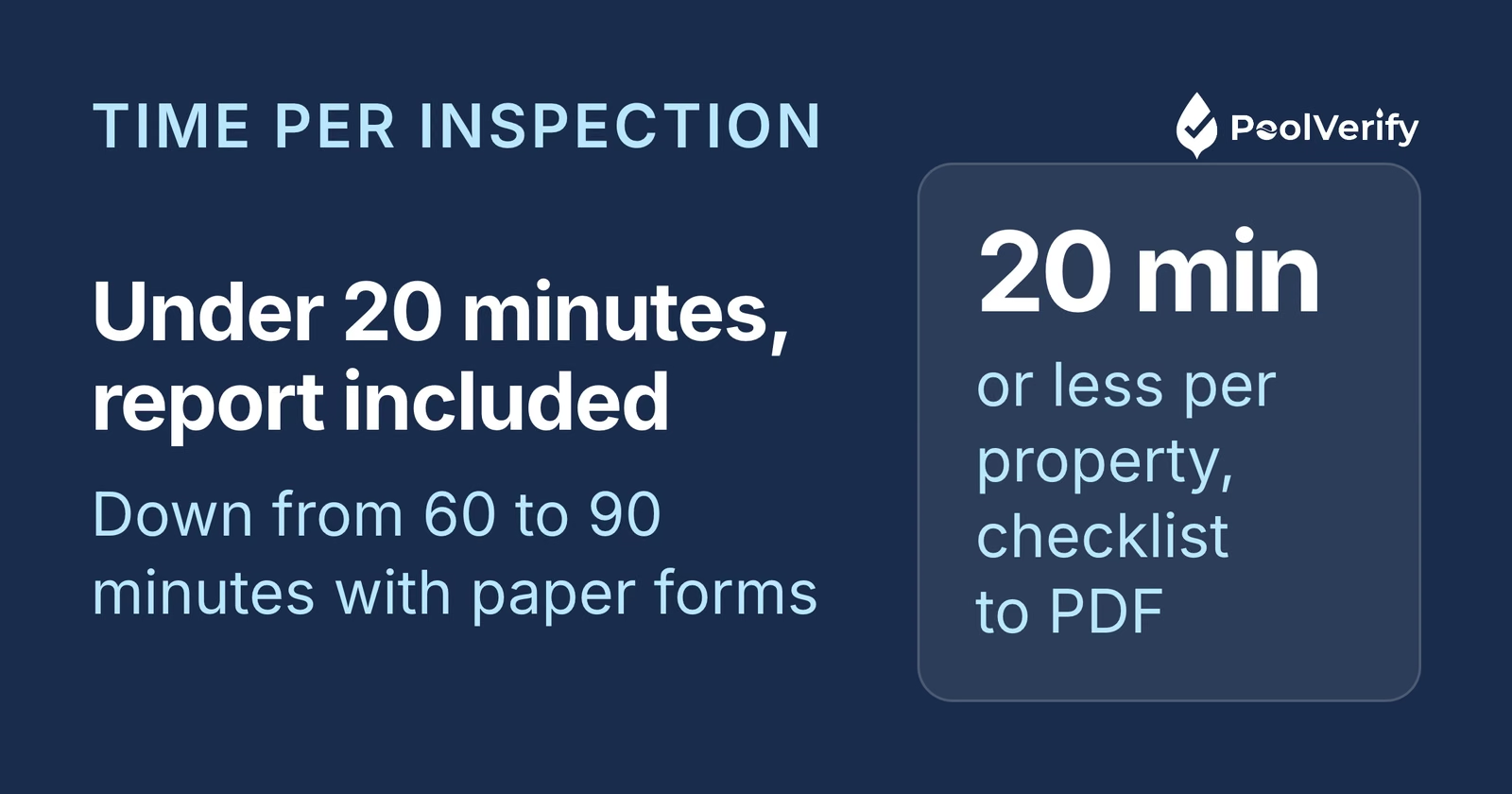
You can complete pool inspections faster by using digital checklists, pre-loading property details before arriving, optimizing your inspection route, and generating reports automatically: cutting total inspection-to-report time from 60 to 90 minutes to under 20 minutes per property. For California BPC §7195 inspections, these time savings let you handle 2 to 4 more inspections per day without sacrificing the thoroughness that compliance requires.
Speed and thoroughness aren't opposites when it comes to pool safety inspections, they're both products of a well-designed workflow. The inspectors who complete the most inspections per day aren't cutting corners. They're eliminating the administrative overhead that slows everyone else down.
According to field service industry data, organizations that switch from paper to digital inspection workflows report a 50% reduction in time spent on field paperwork and save over 40 administrative hours per week on report processing (GoFormz, 2026). For pool inspectors, that translates to completing each inspection in 15 to 20 minutes instead of 45 to 90 minutes, while actually improving documentation quality.
These eight tips are ordered from highest to lowest time impact. Implementing even the first three will measurably increase your daily inspection capacity. California has approximately 1.34 million residential swimming pools (California Energy Commission), so the demand for faster, thorough inspections is only growing.
1. Switch to digital checklists with pre-loaded templates
Digital checklists with pre-loaded BPC §7195 templates save 15 to 25 minutes per inspection by replacing handwritten forms with tap-to-complete interfaces that include every required safety item.
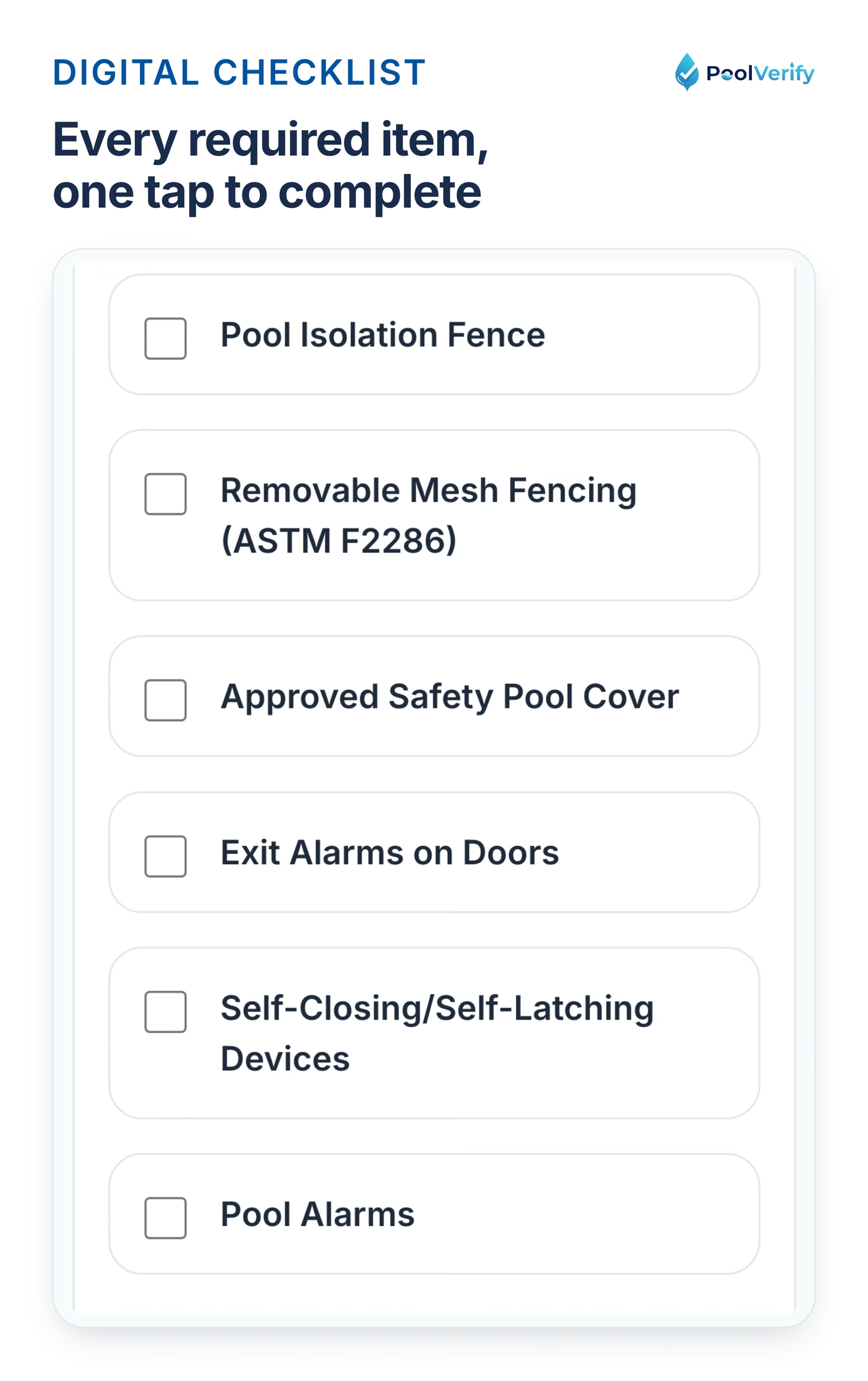
The six California safety feature rows of the PoolVerify checklist on a phone, each completed with a tap.
With paper forms, inspectors write descriptions by hand, cross-reference code requirements from memory, and risk skipping items under time pressure. Digital tools like PoolVerify eliminate all of this:
Pre-loaded BPC §7195 template: All 20+ required safety items are ready to check. No manual form creation, no wondering if you covered everything.
Tap-to-complete interface: Mark each item pass/fail/N/A with a single tap instead of writing descriptions
Required field validation: Mandatory compliance items can't be skipped, preventing the errors that cause re-inspections
Auto-populated fields: Date, inspector name, and template type fill automatically
According to inspection software research, digital checklists provide standardized procedures that lead to more reliable and comparable results, meaning faster inspections that are also more accurate (Certainty Software, 2025).
Time saved: 15 to 25 minutes per inspection
2. Pre-load property details before arriving
Entering property address, client contact, pool type, and inspection purpose before you arrive at the property saves 5 to 10 minutes of on-site time: time you'd otherwise spend standing at poolside typing basic information.
Here's the pre-inspection preparation workflow:
Create the inspection record the evening before or morning of the appointment
Enter property details: Address, pool type (in-ground, above-ground, spa), and owner/agent name
Select the inspection template: BPC §7195, HSC §115922, or combined
Review property history: Search for any prior inspections of the same property in your records
With PoolVerify, you can create and pre-fill inspections from any device before heading to the property. When you arrive, the checklist is ready, you walk up to the pool and start inspecting immediately.
Pre-inspection preparation also helps you anticipate what you'll find. If a prior inspection flagged a gate latch issue, you know to pay close attention to that area, reducing the chance of a time-consuming surprise.
Time saved: 5 to 10 minutes per inspection
3. Use instant PDF report generation
Instant PDF report generation eliminates the 30 to 60 minutes of manual report writing that paper-based inspectors spend after every inspection, typing up findings, organizing photos, formatting documents, and emailing results.
This is the single biggest time savings for inspectors who currently write reports manually. With PoolVerify's instant PDF reports:
One tap generates the report: All checklist data, photos, notes, and signatures compile into a professional branded PDF in under 10 seconds
Photos are already organized: No post-inspection sorting through your camera roll
Signatures are embedded: No print-sign-scan cycle
Delivery is immediate: Email the report to the client or agent before you leave the property
For real estate transactions requiring BPC §7195 documentation, instant delivery can speed up the escrow timeline. Agents and clients receive the report within minutes of inspection completion, not days.
Time saved: 30 to 60 minutes per inspection
Stop spending evenings writing reports. PoolVerify generates professional PDF reports with photos and digital signatures the moment you finish inspecting. Start Your Free Trial
4. Capture photos within the inspection app
Capturing photos directly within the inspection app saves 10 to 15 minutes per inspection by eliminating the post-inspection photo sorting and organization that separate camera workflows require.
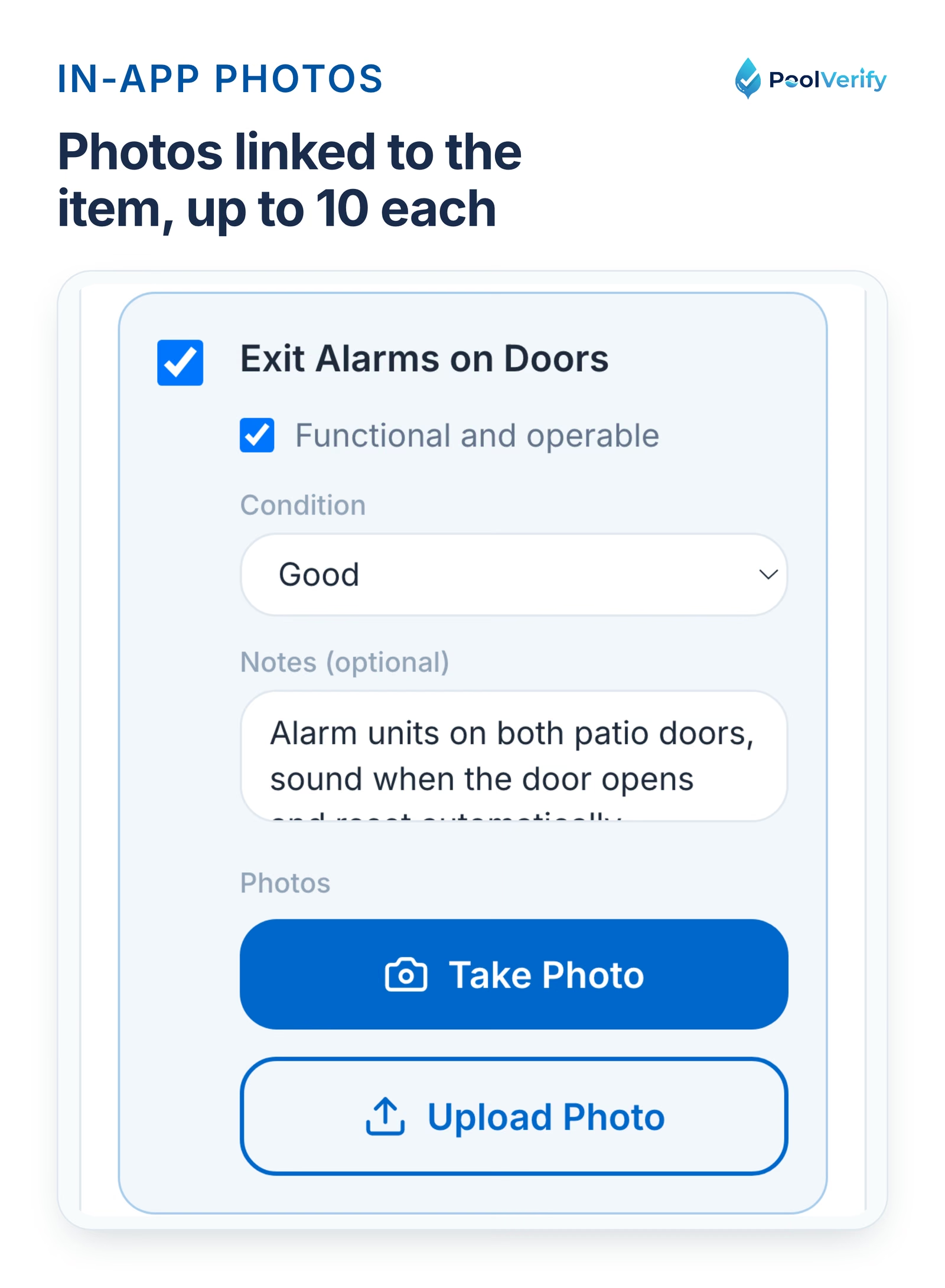
Photo thumbnails with captions attached to a checklist item in PoolVerify, up to 10 per item.
When you take pool safety photos with your regular camera app, the images land in your camera roll mixed with personal photos, screenshots, and everything else. After the inspection, you have to:
Scroll through your camera roll to find the inspection photos
Remember which photo corresponds to which safety item
Manually attach or embed photos into the report
Add captions and labels to each photo
With PoolVerify's integrated photo capture, you tap the camera icon next to each checklist item, snap the photo, and it's automatically:
Linked to the specific safety item: Barrier height photo attached to the barrier checkpoint
Timestamped: Proves when the photo was taken
Captioned: Add a quick note describing what the photo shows
Included in the report: Photos appear in the correct report section automatically
PoolVerify supports up to 10 photos per checklist item, so you can document barrier height, gate mechanisms, alarm placements, and any deficiencies thoroughly without any post-inspection organization work.
Time saved: the post-inspection photo sorting
5. Follow a consistent inspection route at the property
Following the same physical inspection route at every property saves 5 to 10 minutes per inspection by eliminating backtracking, missed areas, and the mental overhead of deciding what to check next.
Experienced pool inspectors develop a consistent walk-through pattern. Here's an efficient route for BPC §7195 inspections:
Perimeter walk: Start at the property entrance, walk the full pool barrier perimeter checking fence height (60 inches minimum), gap spacing (4 inches maximum), and material condition
Gates: Check every gate for self-closing mechanism, self-latching operation, and latch height (60 inches minimum above the ground)
Pool access points: Check all doors and windows that provide direct pool access for exit alarms
Poolside equipment: Inspect suction fittings for federal VGB Act compliance, drain covers for VGBA compliance
Pool surface and cover: Check safety cover if present (ASTM F1346 compliance), pool alarm if installed (ASTM F2208 compliance)
Documentation: Return to a shaded area for final notes, signatures, and report generation
This systematic approach means you never walk back to recheck something you missed. PoolVerify's BPC §7195 checklist follows this logical inspection flow, guiding you through items in the order you'd naturally encounter them while walking the property.
Time saved: 5 to 10 minutes per inspection
6. Optimize your daily driving route
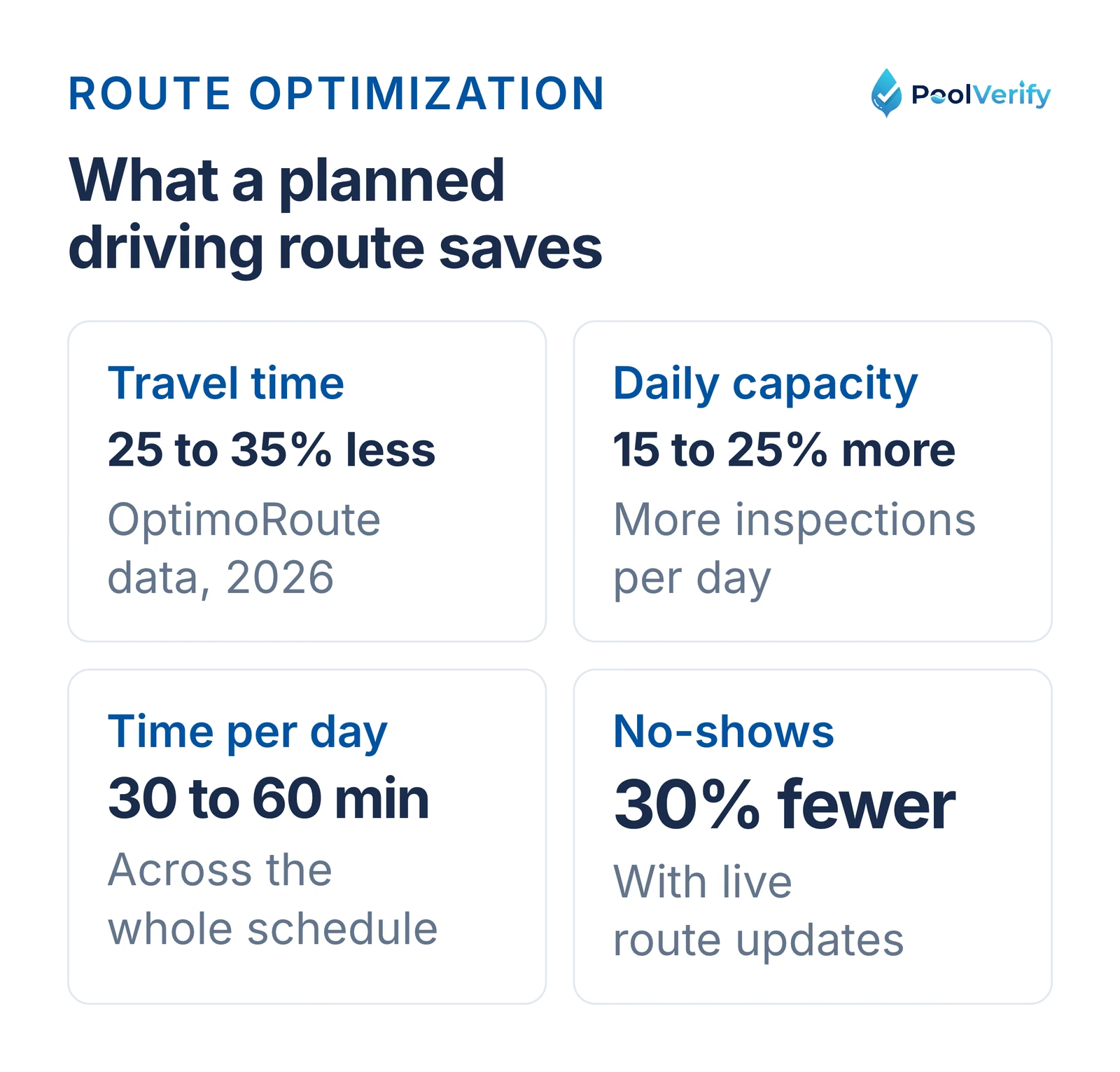
Optimizing your daily driving route between properties saves 30 to 60 minutes per day: not per inspection, but across your entire schedule. Route optimization reduces travel time by 25 to 35% (OptimoRoute, 2026) and increases daily inspection capacity by 15 to 25%.
Route optimization cuts travel time 25 to 35 percent, adds 15 to 25 percent capacity and saves 30 to 60 minutes a day.
Key route optimization strategies:
Cluster geographically: Schedule inspections in the same neighborhood or zip code on the same day. Los Angeles to San Diego round trips waste 4+ hours of driving.
Avoid peak traffic: In California metro areas, schedule inspections outside rush hours. A 15-minute drive at 10 AM can become 45 minutes at 5 PM.
Plan driving order: Start with the farthest property and work back toward home, or use a route optimization app to find the shortest total path.
Confirm appointments: Send text confirmations the day before to reduce no-shows. Fire safety inspection companies that implemented real-time routing updates reduced no-shows by 30% (MyRouteOnline, 2026).
For California pool inspectors covering large metro areas, Los Angeles County alone spans over 4,000 square miles, route optimization is one of the highest-impact changes you can make. Even saving 10 minutes of driving between each of 5 inspections adds up to nearly an hour daily.
Time saved: 30 to 60 minutes per day (across all inspections)
7. Collect digital signatures on-site
Collecting ESIGN Act-compliant digital signatures at the property saves 5 to 10 minutes per inspection by eliminating the print-sign-scan cycle that paper workflows require.
With paper-based inspections, collecting signatures involves:
Printing the report (requires returning to office)
Meeting the client or mailing the document
Getting a wet signature
Scanning the signed document
Emailing or filing the scan
With PoolVerify's digital signatures, the process is:
Hand the device to the client at the property
They sign directly on screen
Done, signature is embedded in the report
Digital signatures collected through PoolVerify are legally binding under both California's Uniform Electronic Transactions Act (UETA) and the federal ESIGN Act. They include timestamps and are embedded directly in the PDF report, providing stronger legal protection than a scanned wet signature.
Time saved: 5 to 10 minutes per inspection
8. Batch administrative tasks
Batching invoicing, scheduling, and client communication into dedicated time blocks saves 30 to 45 minutes per day by reducing the context-switching that fragments your productive inspection time.
Instead of sending invoices, replying to emails, and scheduling appointments between each inspection, designate specific times:
Morning (before inspections): Review today's schedule, pre-load property details for all inspections, confirm appointments
Between inspections: Focus only on inspecting and report delivery. Resist the urge to handle admin.
End of day (after inspections): Send all invoices, respond to scheduling requests, prepare tomorrow's inspection records
This batching approach leverages PoolVerify's cloud-based system, all inspection records, reports, and client information are accessible from any device at any time, so you can handle all administrative work from your office or home rather than your car between properties.
Time saved: 30 to 45 minutes per day (across all inspections)
Best practices for pool inspection in California
California pool inspectors following BPC §7195 best practices complete inspections faster and more accurately by combining regulatory knowledge with systematic digital workflows. These best practices reflect what top-performing California inspectors do consistently:
Know the code before arriving: BPC §7195 requires barrier inspection at every real estate transfer involving a pool or spa. Memorize the 60-inch minimum fence height, 4-inch maximum gap spacing, 60-inch minimum gate latch height, and self-closing/self-latching gate requirements so you can assess compliance at a glance.
Inspect to both BPC §7195 and HSC §115922: HSC §115922 (the Swimming Pool Safety Act) requires at least two safety features from an approved list. Best practice is to inspect both statutes simultaneously using a combined checklist rather than making two passes.
Use a digital checklist with required field validation: Paper forms allow items to be skipped under time pressure. Digital tools like PoolVerify enforce completion of all mandatory BPC §7195 safety items before the inspection can be finalized, preventing the omissions that lead to liability exposure.
Document everything with timestamped photos: California courts treat inspection reports as evidence in negligence cases. Best practice is to photograph every safety feature, compliant or not, with timestamps proving when the assessment occurred. Integrated photo capture links each image to the specific checklist item automatically.
Deliver reports on-site, not days later: The best California inspectors hand the completed report to the client or agent before leaving the property. For real estate transactions, same-day delivery accelerates escrow timelines and demonstrates professionalism.
Maintain cloud-backed records: California doesn't specify a retention period for residential pool inspection records, but best practice is to retain all records indefinitely with encrypted cloud storage. If a safety incident occurs years later, retrievable inspection records are your primary legal defense.
Stay current on code changes: California pool safety law has been amended multiple times (AB 3305 in 2007, AB 2977 in 2012, amendments to HSC §115922 effective 2018). Subscribe to California Legislative Information alerts for BPC §7195 and HSC §115922 to catch updates immediately.
These California-specific best practices distinguish professional inspectors from those who simply check boxes. Combined with the time-saving tips above, they enable thorough, compliant inspections completed in under 20 minutes per property.
Time savings breakdown: before and after
Here's the total time impact of implementing all eight tips for a California inspector conducting 5 BPC §7195 inspections per day:
Task
Before (Paper/Manual)
After (Digital + Tips)
Savings
Checklist completion (per inspection)
30 to 45 min
15 to 20 min
15 to 25 min
Property setup (per inspection)
5 to 10 min
0 min (pre-loaded)
5 to 10 min
Photo organization (per inspection)
10 to 15 min
0 min (auto-linked)
10 to 15 min
Report writing (per inspection)
30 to 60 min
0 min (instant PDF)
30 to 60 min
Signatures (per inspection)
5 to 10 min
1 min
4 to 9 min
On-site walkthrough (per inspection)
Variable
Systematic route
5 to 10 min
Per-inspection total
80 to 140 min
16 to 21 min
64 to 119 min
Daily driving (5 inspections)
90 to 120 min
60 to 80 min
30 to 40 min
Daily admin
60 to 90 min
30 to 45 min
30 to 45 min
Daily total (5 inspections)
8.5 to 13.5 hours
3.3 to 4.4 hours
5.2 to 9.1 hours
At 5+ hours saved daily, you can add 2 to 4 additional inspections to your schedule. At California's average inspection rate of $175 to $300 per inspection, that's $350 to $1,200 in additional daily revenue capacity.
Limitations
This guide is general information about pool safety law, not legal advice; the current text of HSC §115922 and BPC §7195 on leginfo.legislature.ca.gov controls, and local building departments add their own requirements. PoolVerify is inspection software for California residential pool safety inspections; it does not perform inspections, certify inspectors, or issue compliance certificates.
Frequently asked questions
Can I speed up pool inspections without compromising thoroughness?
Yes, the time savings come from eliminating administrative overhead, not from skipping safety items. Digital checklists with required field validation actually improve thoroughness by preventing inspectors from accidentally skipping items. PoolVerify's BPC §7195 template ensures every mandatory safety feature is checked before the inspection can be completed. You're saving time on paperwork, photo sorting, and report writing, not on the inspection itself.
How long should a California BPC §7195 pool inspection take?
A thorough BPC §7195 pool inspection typically takes 15 to 20 minutes on-site with digital tools, or 45 to 90 minutes with paper forms. The difference is entirely in documentation efficiency, the actual safety assessment takes the same amount of time regardless of your tools. The on-site checklist completion plus instant report generation with PoolVerify means you can deliver a complete inspection report before leaving the property.
What's the fastest way to generate pool inspection reports?
Instant PDF generation from a completed digital checklist is the fastest method: PoolVerify generates professional reports with photos, compliance data, and digital signatures in under 10 seconds. The report includes all BPC §7195 checklist results, timestamped photos linked to specific safety items, inspector and client signatures, and overall compliance status. No manual typing, formatting, or photo organization required.
How many pool inspections can I complete per day?
With digital tools and optimized workflows, most California pool inspectors complete 6 to 10 inspections per day, compared to 3 to 5 with paper-based methods. The limiting factor shifts from documentation time to driving time between properties. Inspectors who cluster inspections geographically and optimize driving routes maximize their daily capacity. At PoolVerify's Professional plan price of $99/month for unlimited inspections, there's no per-inspection cost limiting your volume.
Do I need special equipment to speed up pool inspections?
No special equipment is needed beyond a tablet or smartphone and a measuring tool. PoolVerify works as a responsive web app on any device with a browser, no app download required. Most inspectors use a 10-inch tablet for the larger screen and easier photo capture, but a smartphone works identically. A tape measure for barrier heights and gap measurements is the only physical tool required for BPC §7195 inspections.
Start completing more inspections every day
The math behind faster pool inspections is straightforward: every minute you save on paperwork is a minute you can spend inspecting another pool, growing your business, or going home earlier. For California pool inspectors handling BPC §7195 compliance documentation, the administrative overhead of paper-based workflows consumes more time than the actual inspections.
Digital inspection tools don't make you faster by cutting corners, they make you faster by eliminating the manual work between inspections. Pre-loaded templates, integrated photo capture, instant PDF reports, and digital signatures remove hours of daily administrative burden while actually improving documentation quality.
PoolVerify is built exclusively for California pool safety inspections, complete BPC §7195 inspections in 15 to 20 minutes with instant PDF reports, digital signatures, and pre-loaded compliance templates.
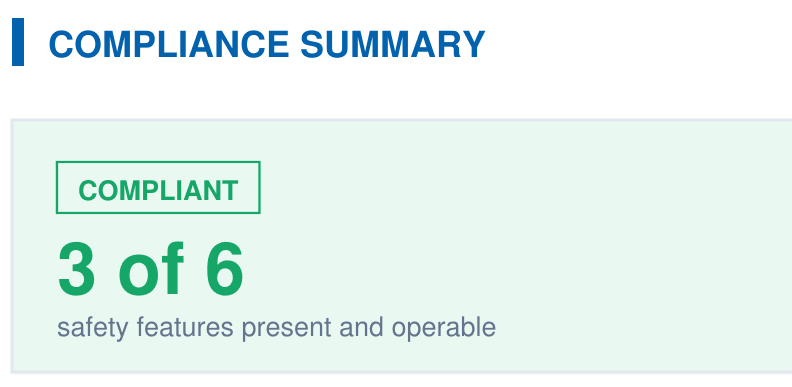
A branded PDF with the compliance summary, the feature table, each finding with its photos, and the signature, generated on‑site when the BPC §7195 and HSC §115922 checklist is complete.