Download free pool inspection forms for California. BPC §7195 compliant PDF templates, printable checklists, and digital alternatives for pool inspectors.
Finding a reliable pool inspection form that covers all California compliance requirements can be challenging. Whether you're a licensed inspector conducting BPC §7195 assessments or a homeowner preparing for a property transfer inspection, having the right form makes all the difference.
This guide provides free downloadable pool inspection form templates, explains what must be included for California compliance, and helps you decide between paper forms and digital inspection software.
What is a Pool Inspection Form?
A pool inspection form is a structured checklist used by pool inspectors to document safety compliance during residential and commercial pool assessments. The form guides inspectors through a systematic evaluation of required safety features, equipment conditions, and compliance with California regulations.
In California, pool inspection forms must specifically address Business and Professions Code §7195 requirements, which mandate verification of drowning prevention safety features during property transfers.
Professional pool inspectors use these forms to ensure consistency across inspections, meet legal documentation requirements, and provide homeowners with clear compliance records.
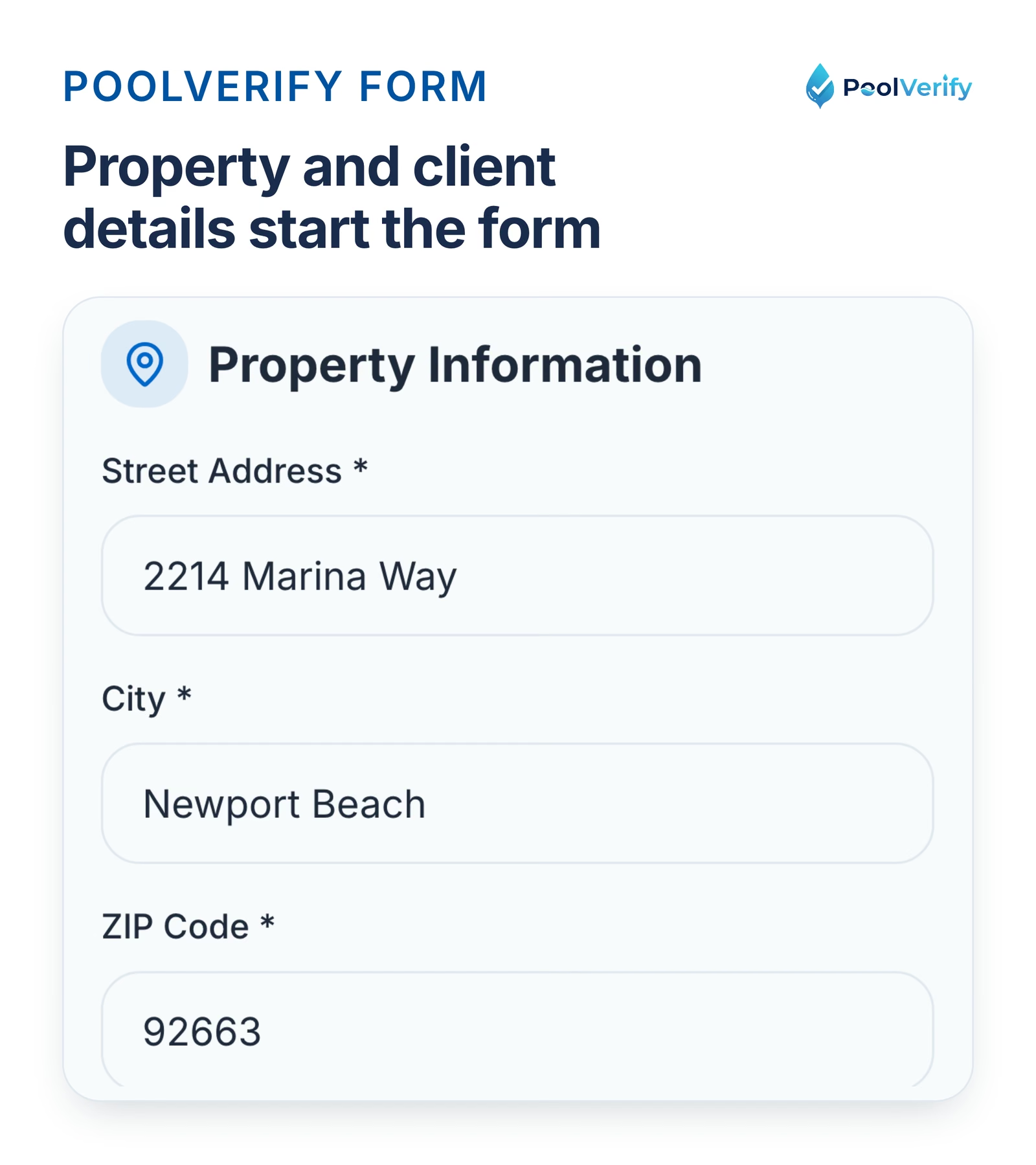
The property and client step of a new PoolVerify inspection, the first section of the form.
California BPC §7195 Form Requirements
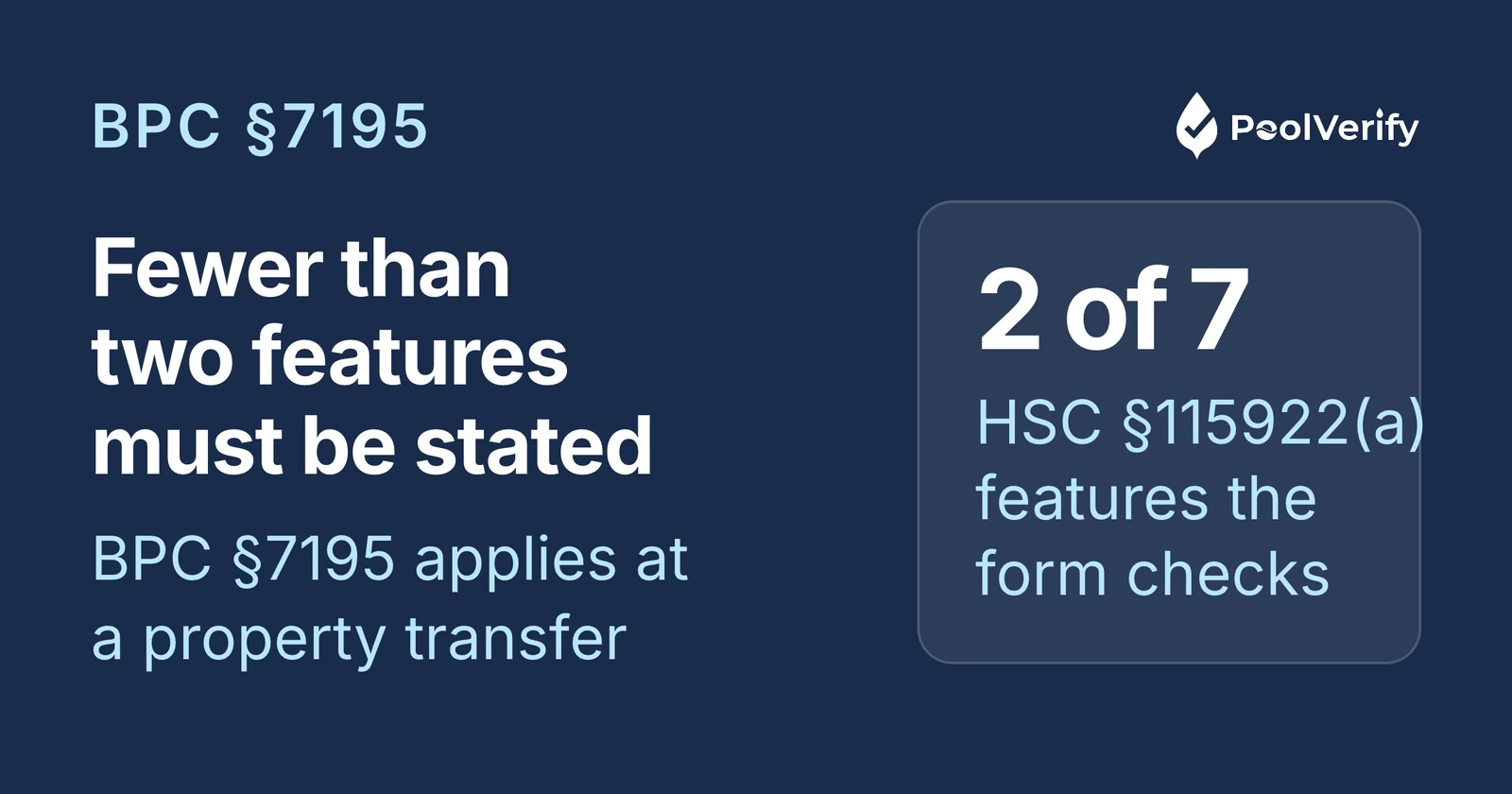
California law requires specific documentation during pool safety inspections for property transfers. According to BPC §7195, inspection forms must verify which of the seven drowning prevention safety features listed in Health and Safety Code §115922 the pool or spa possesses.
The Seven Required Safety Features
Your inspection form must include checkboxes or documentation fields for these features:
Enclosure barriers (fencing at least 60 inches high)
Self-closing, self-latching gates (with the latch at least 60 inches above the ground)
Approved safety pool covers meeting ASTM F1346 standards
Pool alarms detecting water surface disturbance (ASTM F2208)
California regulations require pools to have at least two of these seven safety features for new construction and remodels completed after 2007.
California Compliance Requirement: Your inspection form must specifically state if the pool has fewer than two of the seven listed drowning prevention safety features.
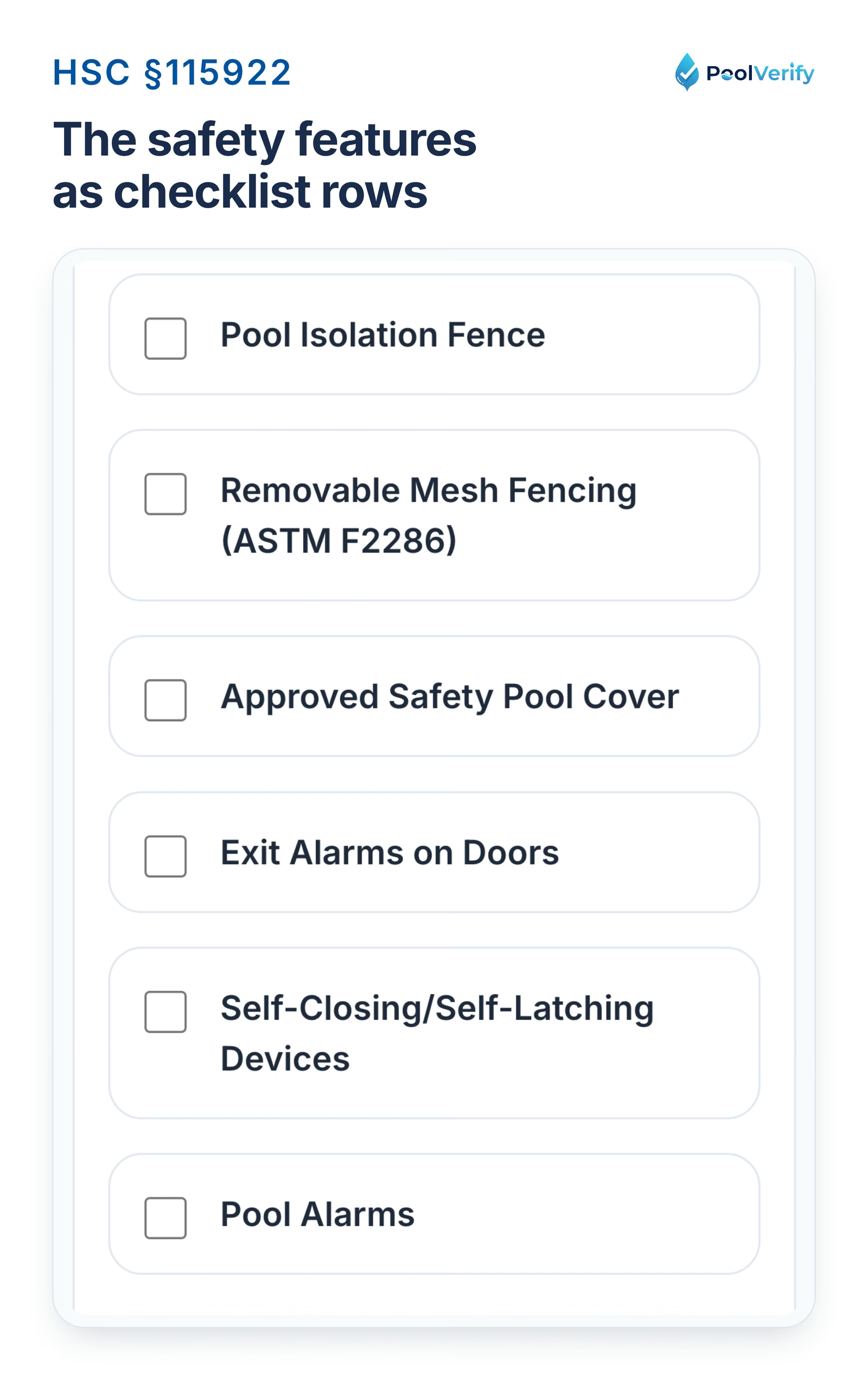
The six safety feature rows of PoolVerify's California template on a phone.
Essential Sections Every Pool Inspection Form Must Include
A comprehensive California pool inspection form should contain these critical sections:
1. Property & Inspector Information
Property address and parcel number
Pool type (in-ground, above-ground, spa)
Inspection date and time
Inspector name, license number, and contact information
Client/homeowner contact details
2. Safety Barrier Assessment
Fence/barrier height measurement (60" minimum from exterior grade)
Ground clearance verification (2" maximum gap)
Vertical spacing between fence elements (4" sphere test)
Climbable object clearance (36" from fence)
Barrier material and condition assessment
3. Gate Compliance Verification
Self-closing mechanism functionality test
Self-latching mechanism verification
Latch height measurement (60 in. minimum, HSC §115923)
Gate opening direction (away from pool)
Gate condition and structural integrity
4. Drowning Prevention Features Checklist
This section should list all seven HSC §115922 features with:
Checkbox indicating present/absent
Compliance status (meets standards/deficient)
Photo documentation field
Notes section for deficiencies
5. Pool Equipment & Mechanical Systems
Pump operation and condition
Filter system functionality
Suction fitting compliance (VGB Act)
Drain cover condition and ASME/ANSI compliance
Electrical safety (GFCI protection verification)
6. Additional Safety Features
Pool alarms (type and compliance)
Safety equipment availability (rescue hook, ring buoy)
Signage (depth markers, "No Diving" signs)
Pool cover condition (if present)
7. Photo Documentation Section
Space for attaching or referencing photos of:
Overall pool area
Each safety feature
Any deficiencies or violations
Compliant elements
8. Inspection Summary & Recommendations
Pass/fail determination
List of deficiencies requiring correction
Recommended repairs with priority levels
Estimated costs for compliance corrections
Re-inspection requirements
9. Signature Section
Inspector signature and date
Homeowner/client acknowledgment signature
Digital signature capability for modern workflows
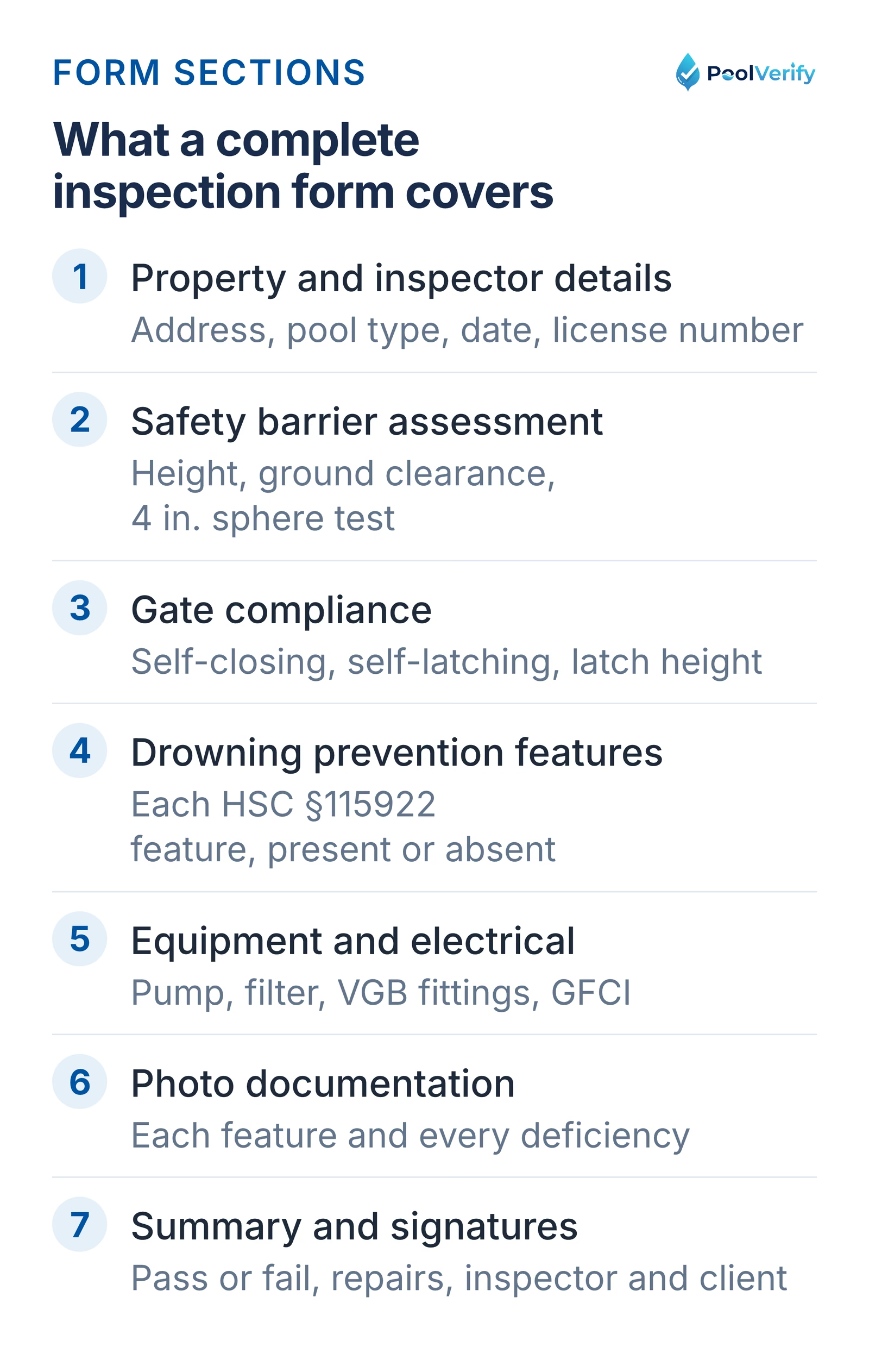
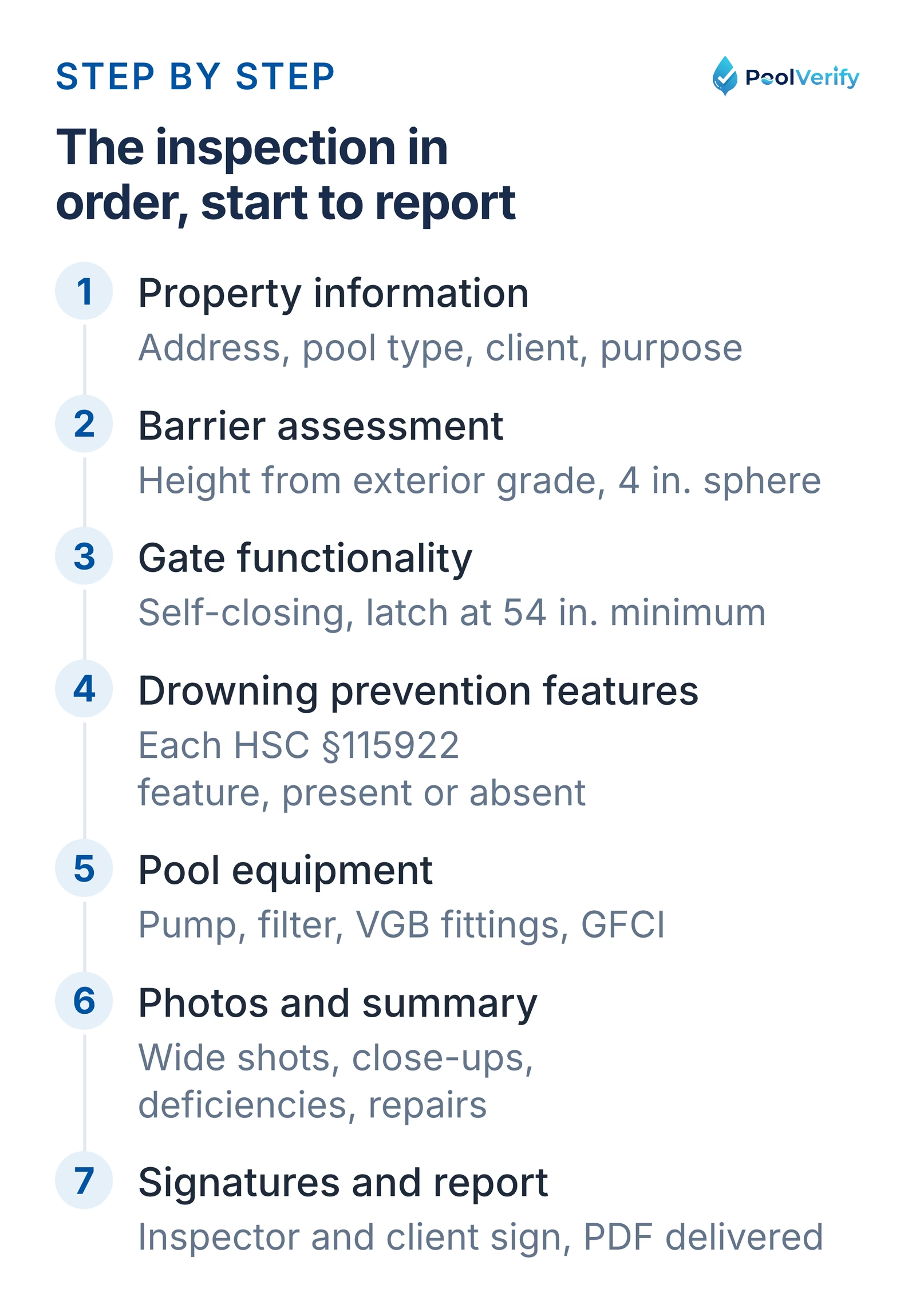
The sections of a complete California pool inspection form, from property details to summary and signatures.
Free Pool Inspection Form Templates
Several organizations provide free California pool inspection form templates:
1. InterNACHI California Pool Inspection Checklist
Specific California height and spacing requirements
Pre-formatted sections for barrier, gate, and equipment assessment
Cost: Free download
Format: PDF (printable)
2. County Health Department Templates
Many California counties provide self-inspection checklists:
Fresno County: Comprehensive swimming pool self-inspection checklist
Riverside County: Pool and spa compliance checklist
Rancho Palos Verdes: Municipal pool inspection form
These government-provided forms ensure local ordinance compliance but may require customization for professional use.
3. SafetyCulture Digital Templates
SafetyCulture offers customizable pool inspection checklists through their iAuditor platform. While the basic templates are free, using their digital platform requires an account.
Unlike downloadable PDF forms that require manual completion, PoolVerify's digital forms streamline the entire inspection workflow from checklist to final report.
Ready to streamline your California pool safety inspections? PoolVerify helps you complete BPC §7195 inspections on any device and generate professional PDF reports instantly. No manual transcription, no lost paperwork. Start Your Free Trial
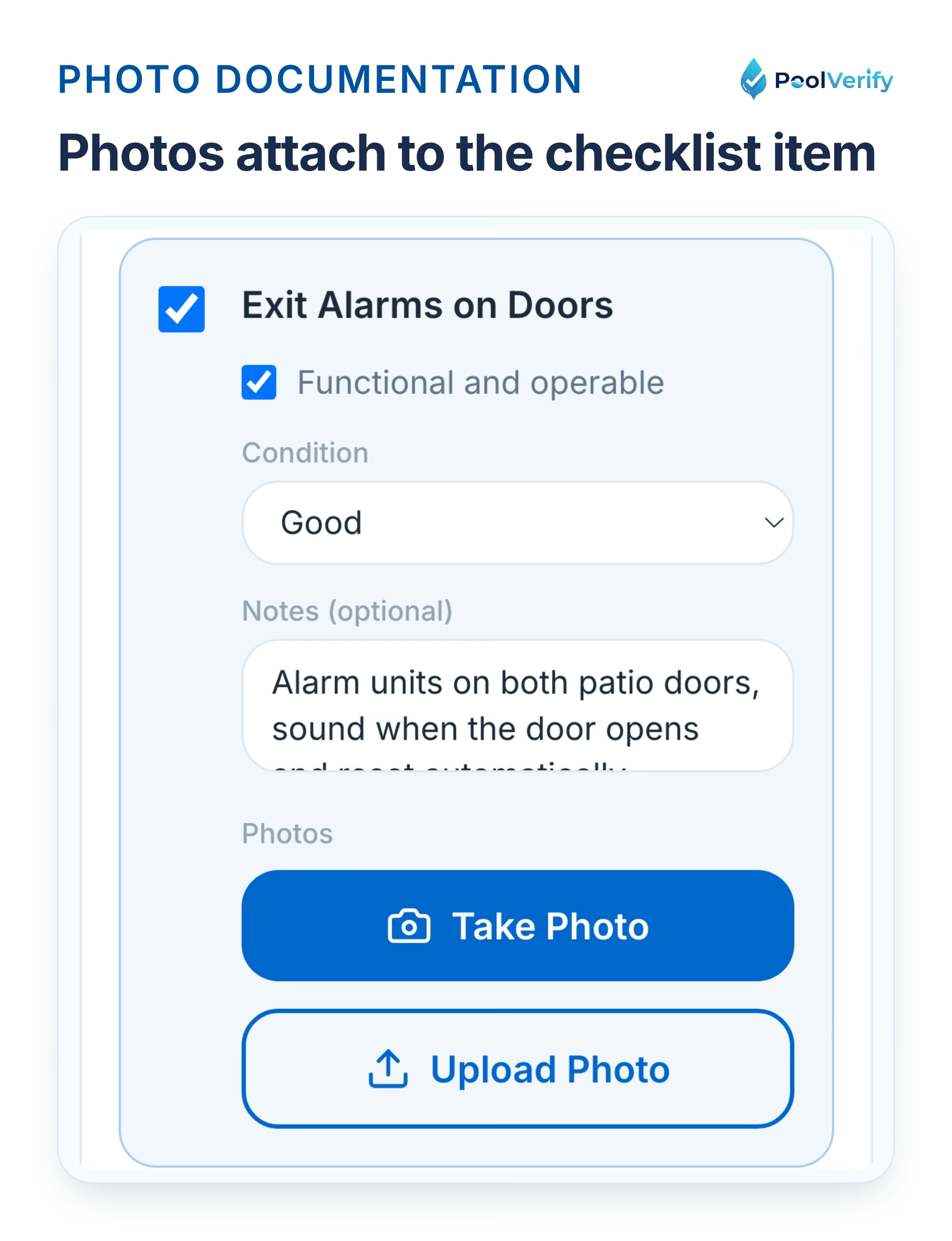
Per-item photo thumbnails with captions on the PoolVerify phone checklist.
Paper Forms vs Digital Pool Inspection Software
Choosing between traditional paper inspection forms and digital inspection software significantly impacts your workflow efficiency.
Paper Form Workflow
The traditional paper inspection process involves:
Pre-inspection: Print blank forms (5-10 minutes)
On-site: Handwrite observations and measurements (30-45 minutes)
Photography: Use separate camera or phone (10-15 minutes)
Post-inspection: Return to office, transcribe notes (45-60 minutes)
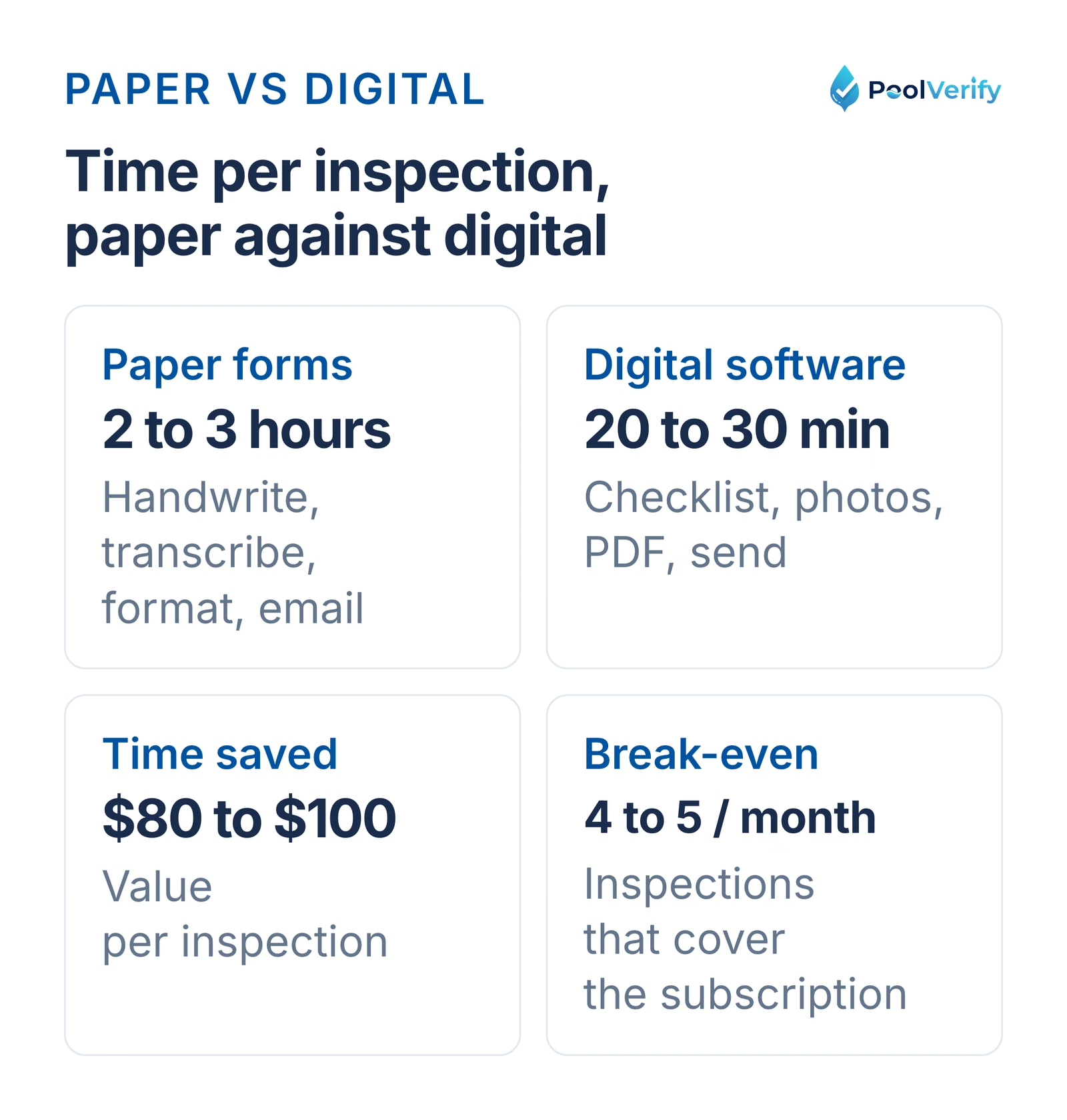
Break-even analysis: If you complete 4-5 pool inspections per month, the time savings from digital software pays for the subscription cost.
For busy pool inspectors completing 10+ inspections monthly, digital software can save 15-20 hours per month, time that can be spent on additional billable inspections or business growth.
How to Use a Pool Inspection Form (Step-by-Step)
Follow this systematic approach to complete a thorough California pool inspection:
Step 1: Property Information Collection
Before starting the physical inspection, fill out:
Fence/barrier height (measure from exterior grade level)
Ground clearance beneath barrier
Gaps between vertical elements (perform 4" sphere test)
Overall barrier condition and structural integrity
Pro tip: Take photos from multiple angles showing measurement tools in frame for verification.
Step 3: Test Gate Functionality
For every pool access gate:
Open gate fully and release, verify automatic closure
Verify latch automatically engages when gate closes
Measure latch height from the ground outside the gate (60 in. minimum)
Check gate opening direction (must open away from pool)
Document gate hardware type and condition
Step 4: Verify Drowning Prevention Features
Check each of the seven HSC §115922 safety features:
Mark "present" or "absent" on your form
For present features, verify compliance with specifications
Take photos of each compliant feature
Note any deficiencies requiring correction
Step 5: Inspect Pool Equipment
Evaluate mechanical and electrical systems:
Run pool pump and verify operation
Check filter system functionality
Inspect suction fittings for VGB compliance
Verify GFCI protection on electrical connections
Document drain cover condition and compliance stamps
Step 6: Additional Safety Element Verification
Check supplementary safety items:
Pool alarm presence and functionality (if applicable)
Safety equipment availability (rescue hook, ring buoy)
Proper signage (depth markers, safety rules)
Pool cover condition and ASTM compliance
Step 7: Photo Documentation
Capture comprehensive visual evidence:
Wide shots showing entire pool area and barriers
Close-ups of each safety feature
Detailed photos of any deficiencies
Measurement tools showing compliance (tape measure in frame)
Modern digital inspection tools like PoolVerify allow you to attach photos directly to specific checklist items, eliminating later organizational work.
Step 8: Complete Inspection Summary
In your form's summary section:
List all identified deficiencies
Provide repair recommendations with priority levels
Solution: Use a form with mandatory fields that must be completed before proceeding. Digital platforms can enforce required fields automatically.
2. Measuring Fence Height from Wrong Side
Mistake: Measuring barrier height from pool side instead of exterior grade.
Impact: Can result in approving non-compliant barriers (California requires 60" from exterior side).
Solution: Always measure from the lowest grade level on the exterior (non-pool) side of the barrier. Document measurement location in photos.
3. Not Testing Gate Self-Closing Function
Mistake: Visually inspecting gate hardware without actually testing closure.
Impact: Missing non-functional self-closing mechanisms that appear operational.
Solution: Open each gate to 12 inches (California minimum test) and fully open (90 degrees), releasing from multiple positions to verify automatic closure and latching.
4. Poor Photo Documentation
Mistake: Taking unclear photos, forgetting photos of deficiencies, or not organizing photos by inspection item.
Impact: Difficult to defend inspection findings, unprofessional reports, potential liability.
Solution: Use digital inspection software that links photos directly to checklist items. Include measurement tools in photos for scale reference.
5. Failing to Document ALL Seven Safety Features
Mistake: Only marking present features, not documenting absent features.
Impact: Non-compliant with BPC §7195 requirement to state if pool has fewer than two features.
Solution: Use a form that lists all seven features with "present/absent" checkboxes for each.
6. Handwriting Illegibility
Mistake: Rushed, unclear handwriting in notes sections.
Solution: Switch to digital forms with typed notes, or print clearly when using paper.
7. Not Verifying Latch Height Properly
Mistake: Estimating latch height instead of measuring accurately.
Impact: Approving non-compliant latches below the 60-inch minimum.
Solution: Always use a tape measure and document the measurement. Photo showing tape measure in frame provides verification.
8. Losing or Misplacing Completed Forms
Mistake: Relying on physical paper storage without backups.
Impact: Lost inspection records, inability to provide copies, compliance issues.
Solution: Use cloud-based digital inspection software that automatically backs up every inspection. PoolVerify provides unlimited cloud storage with all plans.
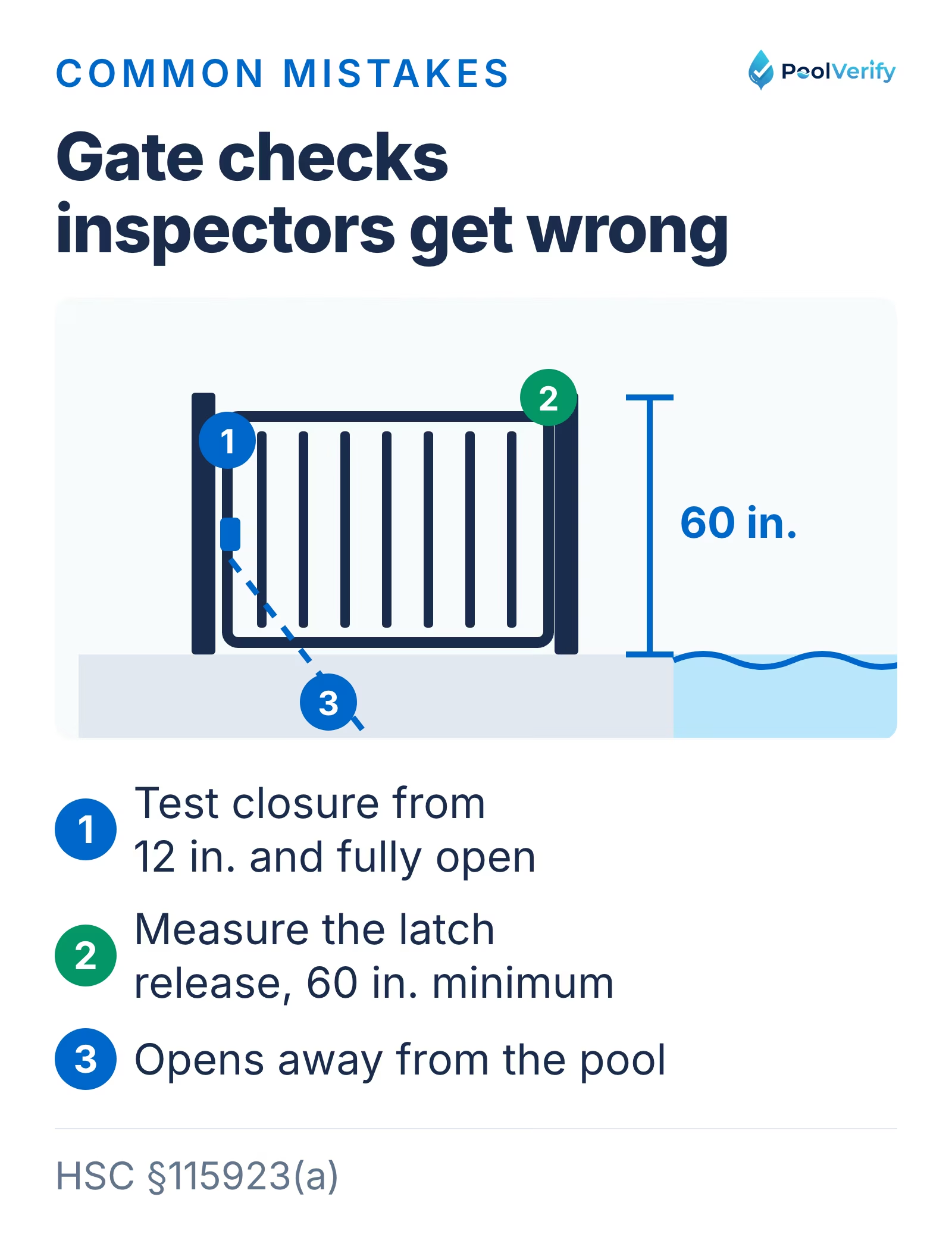
Gate checks inspectors get wrong: testing self-closure from 12 in. and fully open, and measuring the latch at 60 in.
Digital Pool Inspection Forms: The Modern Solution
Professional pool inspectors are increasingly switching from paper forms to digital inspection platforms for good reason.
Why Inspectors Choose Digital Forms
Time savings: Complete inspections in 15-25 minutes instead of 2-3 hours total (including reporting).
Professional presentation: Branded PDF reports with organized photos and compliance documentation impress clients.
Never lose records: Cloud storage ensures inspection history is always accessible from any device.
Instant delivery: Email reports to clients immediately after inspection completion, no waiting for office work.
Automatic updates: Digital forms update automatically when California regulations change, ensuring ongoing compliance.
PoolVerify: Purpose-Built for California Pool Inspections
Unlike generic inspection software, PoolVerify is designed specifically for California pool safety compliance:
Pre-loaded BPC §7195 template with the HSC §115922(a) safety features
Responsive web app works on any tablet, smartphone, or computer, no app downloads
Saves as you go with photos compressed for weak cell service (internet connection required)
Instant PDF reports with professional branding and organized photo documentation
Digital signatures collected on any device
Cloud backup with 256-bit encryption for secure record retention
Starting at $39/month on annual billing, 25 inspections a month; unlimited on Professional (view pricing)
The time saved is the evening of retyping: the report is generated from the checklist on-site instead of being assembled from notes and photos afterwards.
Make the switch to digital pool inspections Join pool inspectors across California who've eliminated paperwork and streamlined their workflow. Complete your first inspection in the browser. Try PoolVerify Free for 14 Days
Limitations
This guide is general information about pool safety law, not legal advice; the current text of HSC §115922 and BPC §7195 on leginfo.legislature.ca.gov controls, and local building departments add their own requirements. PoolVerify is inspection software for California residential pool safety inspections; it does not perform inspections, certify inspectors, or issue compliance certificates.
Frequently Asked Questions
Is a pool inspection form legally required in California?
Yes, for property transfers involving pools or spas. California Business and Professions Code §7195 requires inspectors to provide a written report identifying which of the seven drowning prevention safety features the pool possesses and whether it has fewer than two features.
Can I create my own pool inspection form?
Yes, but your form must include all elements required by BPC §7195, including verification of the seven HSC §115922 safety features. Using professionally designed templates or purpose-built software like PoolVerify ensures you don't miss required elements.
How long should I keep completed pool inspection forms?
California law doesn't specify retention requirements for pool inspectors, but industry best practice recommends keeping inspection records for at least 7 years. Digital storage through platforms like PoolVerify provides unlimited cloud-based retention with no physical storage burden.
Are digital inspection forms legally valid in California?
Yes. Digital inspection forms and electronic signatures are legally valid under the federal ESIGN Act and California's Uniform Electronic Transactions Act. Digital forms generated by compliant platforms like PoolVerify meet all legal requirements for California pool inspections.
What's the difference between a pool inspection form and a pool safety checklist?
A pool safety checklist is typically a simplified list for homeowner self-assessment. A professional pool inspection form is more comprehensive, includes inspector certification, legal compliance documentation, photo evidence sections, and meets BPC §7195 requirements for property transfer inspections.
Can homeowners use pool inspection forms for self-inspection?
Homeowners can use simplified inspection checklists to prepare for professional inspections or maintain safety compliance. However, property transfer inspections must be conducted by qualified inspectors, and self-completed forms don't satisfy BPC §7195 requirements.
Ready to Modernize Your Pool Inspection Workflow?
While free downloadable pool inspection forms provide a starting point, professional pool inspectors find that digital inspection software delivers substantial time savings, improved accuracy, and better client service.
PoolVerify eliminates the inefficiencies of paper forms while ensuring complete California BPC §7195 compliance. Complete inspections on any device, generate professional branded reports instantly, and never lose an inspection record.
Start your 14-day free trial today and complete your first inspection in the browser, no manual transcription, no lost forms, no hassle.
Key takeaways:
California pool inspection forms must document all seven HSC §115922 safety features
Free templates are available from InterNACHI and county health departments
Digital inspection software saves 30-45 minutes per inspection compared to paper forms
Professional presentation and instant delivery improve client satisfaction
Cloud storage ensures permanent, accessible inspection records
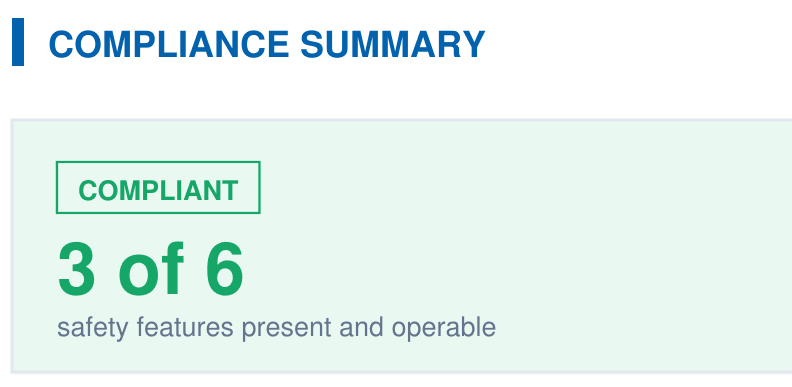
A branded PDF with the compliance summary, the feature table, each finding with its photos, and the signature, generated on‑site when the BPC §7195 and HSC §115922 checklist is complete.