Pool Service Software: Options for Service Companies
Compare the top pool service software platforms for 2026. Features, pricing, route optimization, and integrations to help pool service companies choose the best solution.
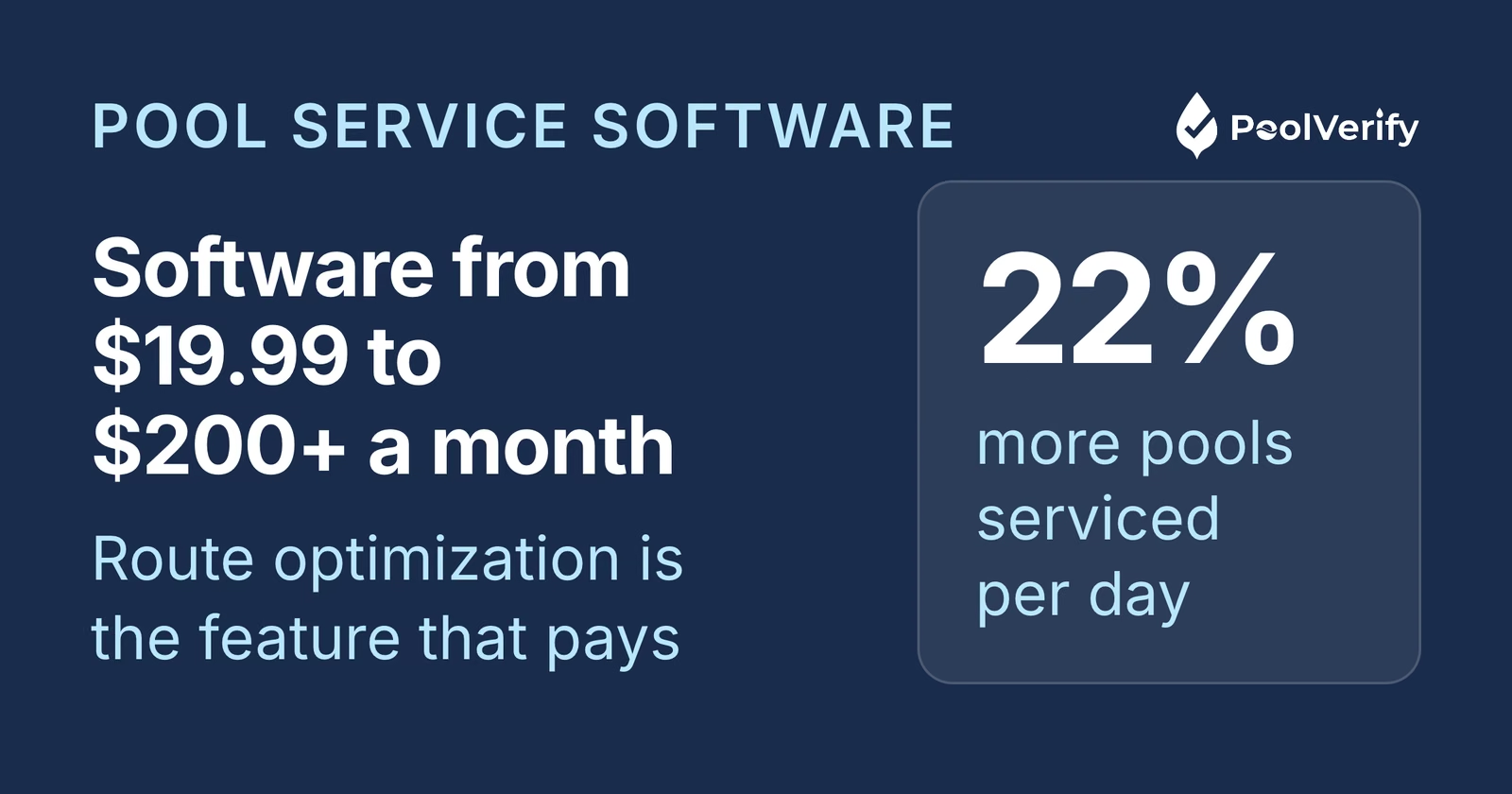
Running a successful pool service company in 2026 means managing dozens, or even hundreds, of customer accounts, optimizing daily routes, tracking chemical inventory, processing payments, and maintaining detailed service records. The right pool service software can save your company 20+ hours per month, reduce driving costs by 30%, and help you service 22% more pools per day.
But with over 50 pool service platforms available, how do you choose the right one? This comprehensive guide compares the top pool service software solutions for 2026, covering features, pricing, integrations, and real-world use cases to help you make the best decision for your business.
What is pool service software?
Pool service software is a specialized business management platform designed to help pool service companies run their day-to-day operations efficiently. These platforms automate scheduling, route optimization, customer management, invoicing, payment processing, and chemical tracking, eliminating the manual work that slows down traditional pool service businesses.
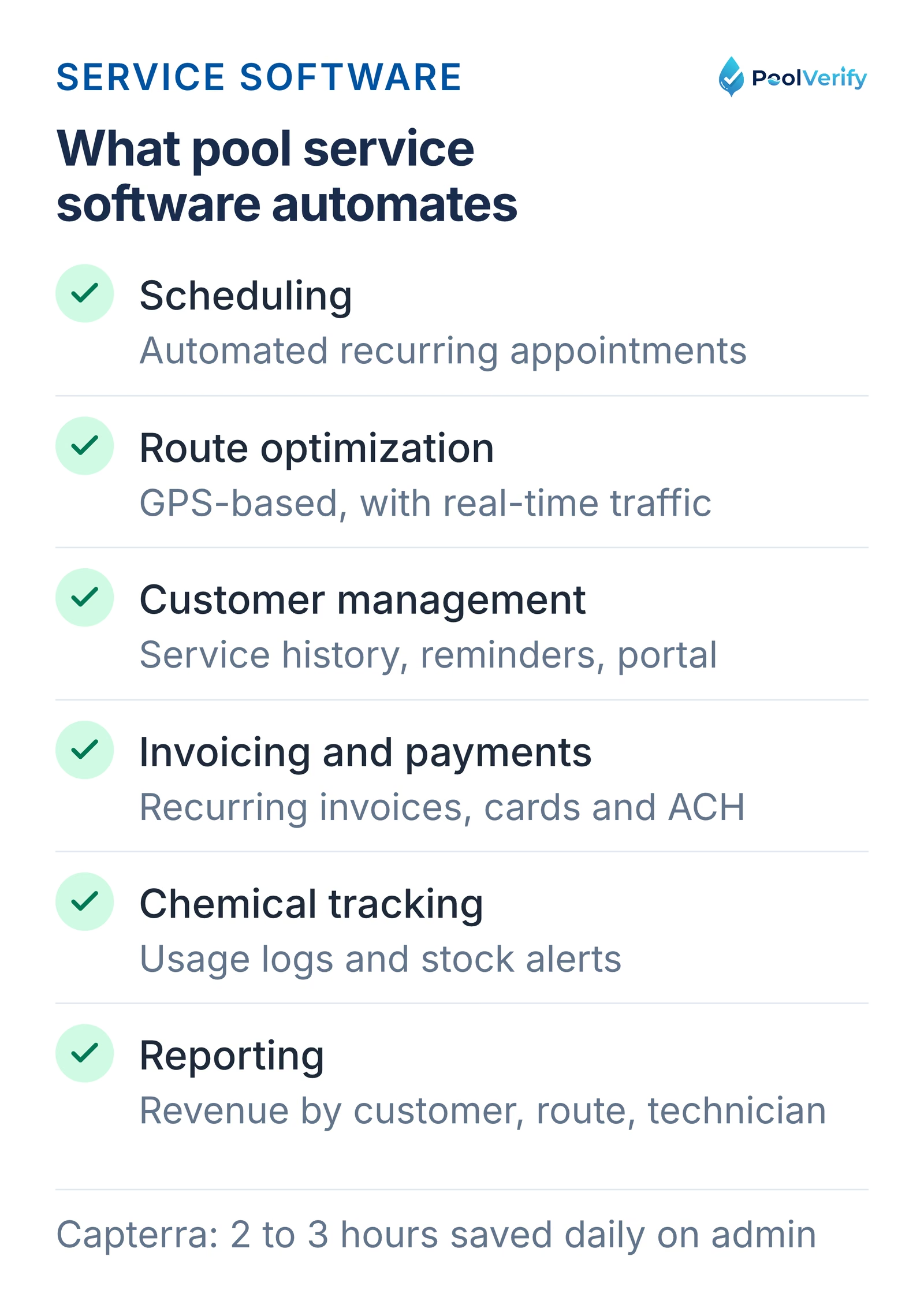
According to Capterra's 2026 pool service software directory, the average pool service company using specialized software saves 2-3 hours daily on route planning and administrative tasks, allowing technicians to focus on actual pool maintenance.
Six jobs pool service software automates: scheduling, routing, customers, billing, chemicals, and reporting.
How pool service software differs from general field service software
While general field service management platforms (like Jobber or Housecall Pro) can work for pool companies, specialized pool service software includes industry-specific features:
Water chemistry tracking: Log chlorine, pH, alkalinity, and calcium hardness readings with historical trends
Chemical inventory management: Track stock levels, costs, and usage per customer
Seasonal scheduling: Handle weekly service in summer, bi-weekly in spring/fall, and winterization schedules
Equipment maintenance logs: Track pump, filter, and heater maintenance histories
Pool-specific billing: Recurring service plans, chemical add-ons, and equipment replacement charges
For California pool service companies offering pool safety inspections, combining service software with specialized inspection tools like PoolVerify ensures both maintenance and compliance needs are met.
Key features to look for in pool service software
Before comparing specific platforms, here are the essential features every pool service company should prioritize:
1. Route optimization and scheduling
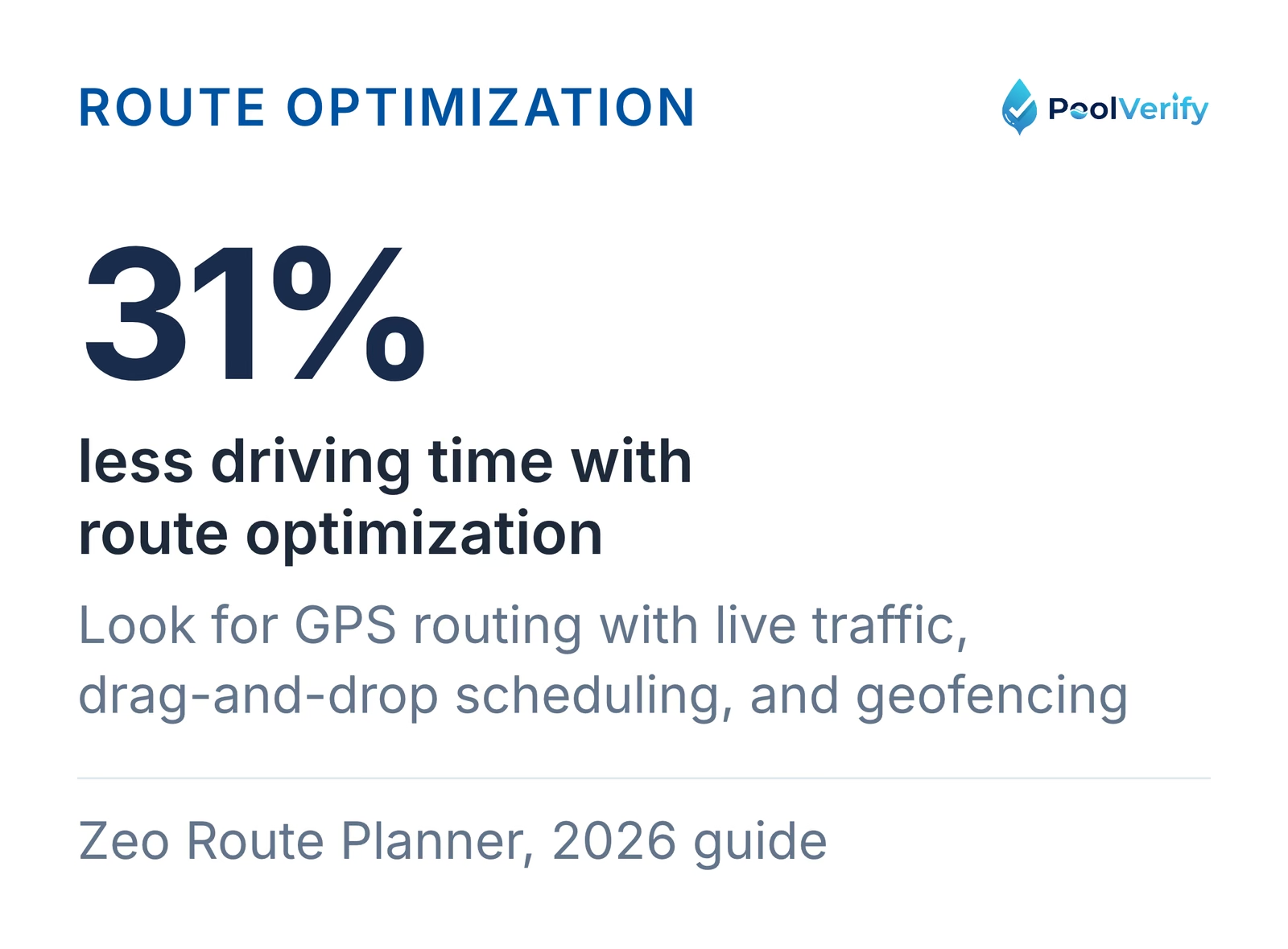
Route optimization is the single most valuable feature in pool service software. According to Zeo Route Planner's 2026 guide, pool companies using route optimization service 22% more pools per day and reduce driving time by 31%.
Look for software that offers:
GPS-based route optimization with real-time traffic data
Drag-and-drop scheduling for easy route adjustments
Automated recurring appointment scheduling
Mobile app for technicians to view routes and mark completions
Geofencing to track when technicians arrive and leave properties
Route optimization cuts driving time by 31% for pool service companies, according to Zeo Route Planner.
2. Mobile access and offline capabilities
Your technicians work in the field, not at a desk. The best pool service software provides:
iOS and Android native apps
Offline mode for areas with poor cellular coverage
Real-time sync when connection returns
Photo capture for pool conditions and equipment issues
Digital customer signatures on mobile devices
3. Customer management and CRM
Strong customer relationship management features help you retain clients and grow your business:
Complete service history for each customer
Automated service reminders and notifications
Customer portal for service reports and online payments
Notes and tags for special instructions
Referral tracking and follow-up automation
4. Invoicing and payment processing
Streamlined billing features save hours per week:
Automated recurring invoicing for regular service customers
One-click invoice generation from completed work orders
Integrated credit card and ACH payment processing
QuickBooks or other accounting software integration
Automated payment reminders for overdue invoices
Looking to add pool safety inspections to your service offerings?PoolVerify helps pool service companies record California BPC §7195 inspections on a checklist with photos and generate professional PDF reports instantly, perfect for real estate transaction inspections. Start Your Free Trial
5. Chemical and inventory tracking
Pool-specific inventory management is critical for profitability:
1. Skimmer, Best overall for pool service companies
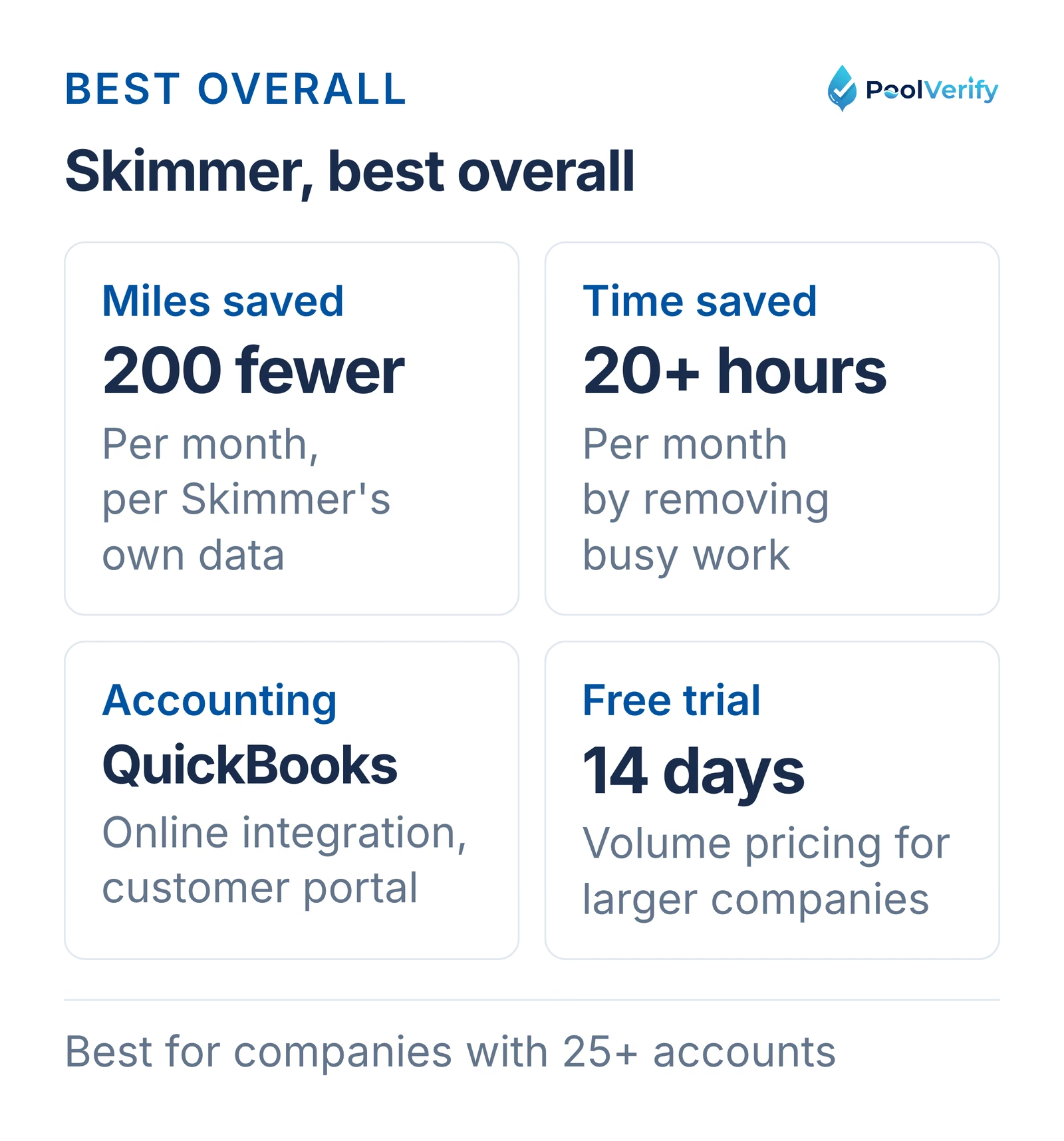
Skimmer is trusted by more pool service companies in North America than any other platform. According to their data, Skimmer customers travel 200 miles less per month and save 20+ hours monthly by eliminating busy work.
Key Features:
Industry-leading route optimization
Water chemistry tracking with photo documentation
Automated recurring billing and payment processing
QuickBooks Online integration
Customer portal with service reports
Mobile app with offline mode
Pricing:
Starting at approximately $99/month
Volume-based pricing for larger companies
14-day free trial available
Best For: Pool service companies of all sizes, especially those with 25+ accounts
Pros:
Built specifically for pool professionals
Excellent route optimization
Strong customer support from pool industry experts
Integrates with popular accounting software
Cons:
Higher price point than some competitors
Learning curve for advanced features
Skimmer at a glance: 200 fewer miles and 20 plus hours saved per month, QuickBooks Online, and a 14-day trial.
2. ServiceTitan, Best for large pool service companies
ServiceTitan is the leading business software for both residential and commercial pool businesses, offering enterprise-level features and robust integrations.
Key Features:
Volume scheduling for thousands of recurring appointments
Smart route optimization to reduce drive time and fuel costs
Integrated CRM with QuickBooks, Sage Intacct, and GreenSky
Inventory management with customized reporting
Marketing automation and customer engagement tools
Advanced analytics and business intelligence
Pricing:
Custom enterprise pricing (typically $200+ per month)
Implementation and training included
Demo required for pricing quote
Best For: Large pool service companies with 100+ accounts and multiple technicians
Pros:
Comprehensive all-in-one platform
Excellent for companies with multiple service lines
Strong reporting and analytics
Robust third-party integrations
Cons:
Expensive for small companies
Complex setup and longer onboarding
Overkill for solo operators
3. Pool Office Manager (POM), Best for seasonal pool companies
Pool Office Manager was designed specifically for real seasonal pool companies that don't operate on perfect, repeating routes all year.
Key Features:
Seasonal scheduling templates
Route management with flexibility for changing seasons
Chemical tracking and inventory management
Work order and service management
Invoicing and payment processing
Customer communication tools
Pricing:
Pricing available upon request
Free demo available
Best For: Pool service companies in regions with distinct seasons requiring winterization and spring openings
Pros:
Built for seasonal pool service reality
Flexible scheduling for variable service frequencies
Industry-specific features
Cons:
Less robust than enterprise solutions
Smaller user community
4. Jobber, Best for multi-service field service companies
Jobber is a popular field service management platform that works well for pool service companies, especially those offering multiple service lines (landscaping, handyman, etc.).
Key Features:
Job scheduling and dispatching
Route optimization
Online booking and customer portal
Invoicing and payment processing
QuickBooks integration
Mobile app for iOS and Android
Pricing:
Core: $69/month (1 user)
Connect: $199/month (up to 10 users)
Grow: $399/month (up to 30 users)
14-day free trial
Best For: Small to medium pool companies and multi-service businesses
Pros:
User-friendly interface
Affordable pricing tiers
Good mobile app
Strong customer support
Cons:
Not pool-specific (requires customization)
Limited chemical tracking features
Less robust inventory management
5. GorillaDesk, Best rated pool service software
GorillaDesk is the highest-rated and most dependable software for pool service companies according to user reviews.
Key Features:
Route optimization
Automated scheduling and reminders
Customer management and communication
Online booking and payment processing
Mobile app with GPS tracking
Chemical and inventory tracking
Pricing:
Starting at $79/month
Free trial available
Volume discounts for larger teams
Best For: Pool service companies prioritizing reliability and customer reviews
Pros:
Excellent user ratings
Reliable platform performance
Good value for price
Responsive customer support
Cons:
Fewer integrations than enterprise platforms
Limited advanced reporting
6. Housecall Pro, Best for automation
Housecall Pro helps pool service businesses streamline operations and automate routine tasks. Over 45,000 businesses use the platform.
Key Features:
Automated scheduling and dispatch
Smart routing and GPS tracking
Online booking and customer portal
Payment processing and automated billing
Marketing automation
Mobile app
Pricing:
Basic: $49/month (1 user)
Essentials: $129/month (2 users)
Max: $269/month (5 users)
14-day free trial
Best For: Pool service companies wanting maximum automation
Pros:
Strong automation features
Easy to use
Good mobile app
Affordable entry-level pricing
Cons:
Not pool-specific
User fees add up quickly for larger teams
7. FieldComplete, Best budget option
FieldComplete offers comprehensive features at one of the lowest price points in the industry.
Key Features:
Scheduling and dispatching
Route optimization
Invoicing and payments
Customer management
Mobile app
Reporting
Pricing:
Starting at $19.99/month
14-day free trial
Volume pricing available
Best For: Solo operators and very small pool service companies
Pros:
Extremely affordable
Good feature set for the price
No long-term contracts
Cons:
Limited integrations
Fewer advanced features
Smaller support team
8. Pooltrackr, Best for comprehensive tracking
Pooltrackr offers detailed service tracking and water chemistry management.
Key Features:
Water chemistry tracking and trends
Route scheduling
Customer portal
Invoicing and billing
Equipment maintenance logs
Photo documentation
Pricing:
Lab: $45/month
Field: $59/month
Pro: $104/month
Free trial available
Best For: Pool service companies prioritizing detailed chemical tracking
Pros:
Excellent water chemistry features
Good value at mid-tier
Pool-specific design
Cons:
Less robust route optimization than competitors
Smaller user base
Pool service companies offering safety inspections: Combine your service software with PoolVerify for California BPC §7195 pool safety inspections. Record the inspection on a checklist with photos and deliver professional PDF reports to real estate clients. See How It Works
Comprehensive feature comparison table
Feature
Skimmer
ServiceTitan
Pool Office Manager
Jobber
GorillaDesk
Housecall Pro
FieldComplete
Starting Price
~$99/mo
$200+/mo
Custom
$69/mo
$79/mo
$49/mo
$19.99/mo
Route Optimization
Yes Excellent
Yes Excellent
Yes Good
Yes Good
Yes Good
Yes Good
Yes Basic
Mobile App
Yes iOS/Android
Yes iOS/Android
Yes iOS/Android
Yes iOS/Android
Yes iOS/Android
Yes iOS/Android
Yes iOS/Android
Offline Mode
Yes Yes
Yes Yes
Yes Yes
Yes Yes
Yes Yes
Yes Yes
Partial Limited
Water Chemistry
Yes Excellent
Yes Good
Yes Excellent
Partial Custom
Yes Good
Partial Custom
Partial Basic
QuickBooks Integration
Yes Yes
Yes Yes
Yes Yes
Yes Yes
Yes Yes
Yes Yes
No No
Recurring Billing
Yes Yes
Yes Yes
Yes Yes
Yes Yes
Yes Yes
Yes Yes
Yes Yes
Customer Portal
Yes Yes
Yes Yes
Yes Yes
Yes Yes
Yes Yes
Yes Yes
Partial Basic
Inventory Tracking
Yes Good
Yes Excellent
Yes Good
Partial Basic
Yes Good
Partial Basic
Partial Basic
GPS Tracking
Yes Yes
Yes Yes
Yes Yes
Yes Yes
Yes Yes
Yes Yes
Yes Yes
Payment Processing
Yes Yes
Yes Yes
Yes Yes
Yes Yes
Yes Yes
Yes Yes
Yes Yes
Seasonal Scheduling
Yes Good
Yes Excellent
Yes Excellent
Partial Custom
Yes Good
Partial Custom
Partial Basic
Reporting/Analytics
Yes Good
Yes Excellent
Yes Good
Yes Good
Yes Good
Yes Good
Partial Basic
Free Trial
Yes 14 days
Yes Demo
Yes Demo
Yes 14 days
Yes Yes
Yes 14 days
Yes 14 days
Pool Industry Specific
Yes Yes
Partial Multi-industry
Yes Yes
No No
Partial Customizable
No No
No No
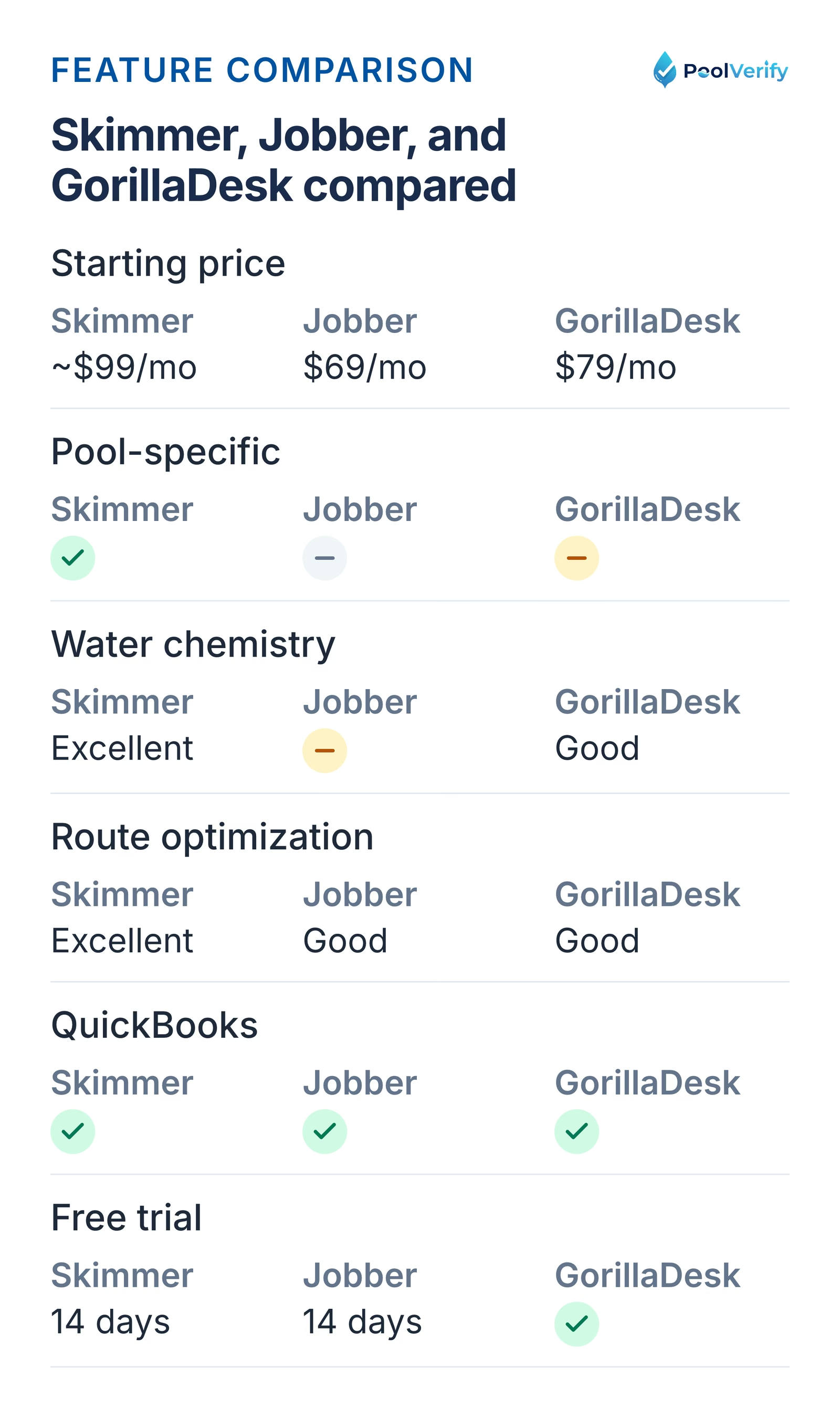
Skimmer, Jobber, and GorillaDesk compared on price, pool focus, water chemistry, routing, QuickBooks, and trials.
Pricing comparison: What to expect
Pool service software pricing varies significantly based on features, company size, and business model. Here's what to expect in 2026:
Budget tier ($20-$80/month)
Best for: Solo operators and very small companies (1-50 accounts)
Examples: FieldComplete ($19.99), Housecall Pro Basic ($49), Pooltrackr Lab ($45)
Typical features: Basic scheduling, invoicing, customer management, mobile app
When to upgrade: When you need robust reporting, multiple service lines, or complex workflows
Per-user pricing models
Some platforms charge per user rather than flat monthly rates:
Smart Service: $100-$150 per user/month (annual subscription)
RazorSync: $60/month (Solo) up to $910/month (Enterprise)
Typical structure: First user at full price, additional users at reduced rate ($20-$50/month)
Hidden costs to watch for
When comparing pricing, factor in:
Payment processing fees: Usually 2.9% + $0.30 per transaction
Implementation/setup fees: Can range from $0 to $1,000+
Training costs: Some platforms charge for onboarding
SMS/email notifications: May cost extra beyond included allotments
Additional storage: Photo and document storage limits
According to GetSkimmer's pool service software guide, most pool service companies see positive ROI within 2-3 months through time savings and reduced fuel costs.
Best pool service software by company size
Choosing the right platform depends heavily on your company size and growth stage:
Solo operators (1-25 accounts)
Recommended: FieldComplete, Housecall Pro Basic, Pooltrackr Lab
Why: You need affordable, simple software that handles basic scheduling and invoicing without overwhelming complexity. At this stage, route optimization provides moderate benefits, but you're likely managing routes mentally.
Key features to prioritize:
Mobile app for on-site service logging
Simple invoicing and payment processing
Customer communication tools
Basic scheduling
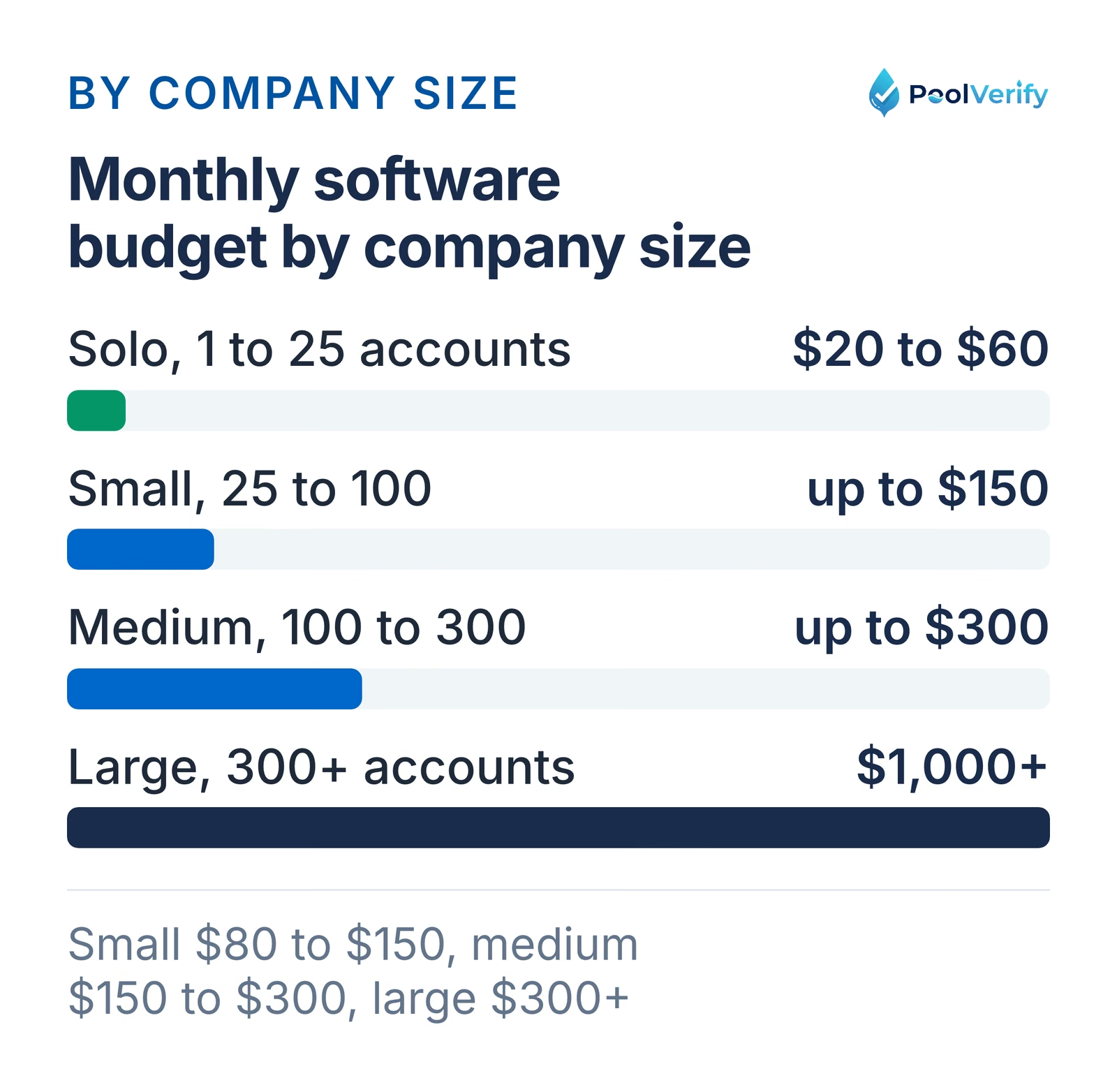
Budget: $20-$60/month
Small companies (25-100 accounts, 1-3 technicians)
Recommended: GorillaDesk, Skimmer, Pooltrackr Field, Housecall Pro Essentials
Why: Route optimization becomes critical at this size. You're managing multiple routes and need efficient scheduling to maximize daily stops. Water chemistry tracking helps maintain service quality across growing customer base.
Key features to prioritize:
Route optimization
Water chemistry logging
QuickBooks integration
Customer portal
GPS tracking
Budget: $80-$150/month
Medium companies (100-300 accounts, 3-10 technicians)
Recommended: Skimmer, GorillaDesk, Jobber Connect, Pool Office Manager
Why: You need robust route optimization, team management, and performance tracking. Multiple technicians require GPS tracking, mobile apps, and centralized customer management. Reporting becomes essential for identifying efficiency improvements.
Why: You need enterprise-level features including multi-location support, advanced reporting, marketing automation, and robust integrations. At this scale, software efficiency directly impacts profitability, even small improvements in route optimization or billing speed create significant savings.
Key features to prioritize:
Multi-location management
Advanced analytics and BI tools
Marketing automation
CRM with sales pipeline
API integrations
Dedicated account management
Custom reporting
Budget: $300-$1,000+/month
Monthly pool service software budgets by company size, from $20 to $60 for solo operators to $1,000 plus for large.
Route optimization and efficiency tools
Route optimization is the most impactful feature in pool service software. According to OptimoRoute's pool maintenance data, companies using route optimization see:
22% increase in pools serviced per day
31% reduction in driving time
20-30% decrease in fuel costs
2-3 hours saved daily on route planning
How route optimization works
Modern pool service software uses algorithms to:
Analyze customer locations: Maps all customer addresses and service frequencies
Calculate optimal sequences: Determines the most efficient order to visit each stop
Factor in time windows: Respects customer scheduling preferences and access restrictions
Adjust for traffic: Uses real-time traffic data to avoid congestion
Balance workloads: Distributes stops evenly across technicians
Adapt to changes: Automatically re-optimizes when appointments are added or cancelled
Real-world efficiency gains
According to Skimmer's efficiency data, their customers travel 200 miles less per month through route optimization alone. For a company servicing 100 pools weekly, this translates to:
$200-$300/month in fuel savings (at $3/gallon, 25 mpg)
8-12 hours/month in recovered drive time
Capacity for 5-8 additional customers without adding technicians
Drag-and-drop adjustments: Easy manual overrides when needed
Customer time window support: Respects "service after 10am" preferences
Multi-day optimization: Plans routes across entire week for consistency
Real-time updates: Mobile app shows technicians their optimized route with turn-by-turn directions
Historical data learning: Software learns actual service durations and adjusts future routes
Add pool safety inspections to your revenue streams: Pool service companies can offer California pool safety inspections as an additional service for real estate transactions. PoolVerify provides inspection-specific software with BPC §7195 templates. Learn More
Integration capabilities: QuickBooks, payment processing, and more
Modern pool service software should integrate seamlessly with other business tools:
Accounting software integrations
QuickBooks Online is the most common integration, offered by:
Skimmer
ServiceTitan
Jobber
GorillaDesk
Housecall Pro
Pool Office Manager
Benefits:
Automatic invoice sync eliminates double-entry
Real-time financial data for accurate reporting
Tax preparation simplified
Professional bookkeeping without manual data transfer
Other accounting platforms:
Sage Intacct: ServiceTitan offers direct integration
Xero: Supported by Klipboard and some platforms
QuickBooks Desktop: Limited support, most platforms focus on Online version
According to LOU powered by Evosus, their platform eliminates re-entering data between POS, service, inventory, and accounting with fully integrated AR, AP, and general ledger.
Payment processing integrations
Most platforms offer integrated payment processing for credit cards and ACH:
In-house processing:
Typical fees: 2.9% + $0.30 per transaction
Faster setup and support
Reporting integrated into software dashboard
Third-party processors:
Stripe, Square, Authorize.net
May offer lower fees for high-volume accounts
Requires separate login and reconciliation
Key features to look for:
Customer card-on-file for recurring charges
Mobile card reader support for on-site payments
ACH/bank transfer options (lower fees)
Automated payment retry for failed charges
Customer portal for online payments
CRM and marketing integrations
Email marketing:
Mailchimp
Constant Contact
Campaign Monitor
SMS notifications:
Built-in SMS (included in most platforms)
Twilio integration for custom messaging
Lead generation:
Google Local Services Ads
Thumbtack pro integration
Facebook Lead Ads
ServiceTitan offers particularly strong marketing features, integrating with QuickBooks, Sage Intacct, and GreenSky for comprehensive financial management.
Industry-specific integrations
Water testing:
Some platforms integrate with digital water testing kits
Auto-populate chemistry readings into service logs
Parts suppliers:
SCP Pool and Spa Supply
Pinch A Penny
Superior Pool Products
Automatic inventory sync and ordering
Mapping and navigation:
Google Maps integration for directions
Waze for real-time traffic routing
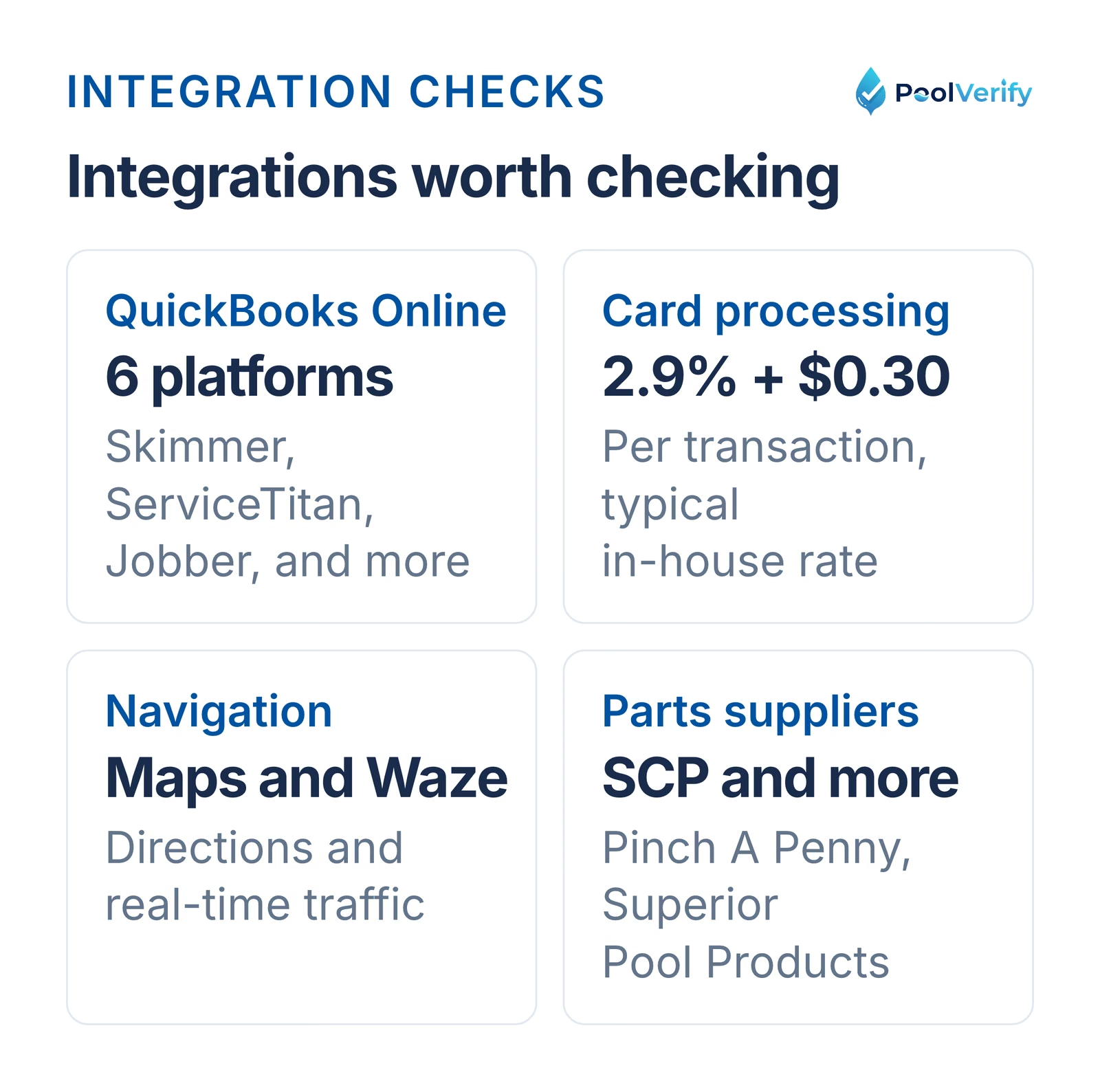
Integrations to check: QuickBooks Online on six platforms, 2.9% plus $0.30 card fees, navigation, parts suppliers.
Why pool service companies should offer inspections
Additional revenue: Pool safety inspections typically generate $150-$300 per inspection with minimal additional labor. For a company servicing 100 regular customers, offering inspections to even 20% during home sales creates $3,000-$6,000 in annual additional revenue.
Customer retention: Providing inspection services keeps your customers from working with competitors when they sell their homes.
Cross-selling opportunity: Inspections often reveal repair needs (broken gate latches, non-compliant barriers) that your service team can fix immediately.
How pool service software differs from inspection software
Pool service software focuses on:
Recurring maintenance schedules
Water chemistry tracking
Route optimization for efficiency
Monthly service billing
Pool inspection software focuses on:
One-time compliance assessments
Detailed safety feature documentation
Professional PDF reports for real estate transactions
Digital signatures and legal documentation
Best approach: Use both
California pool service companies get the best results using:
Pool service software (Skimmer, GorillaDesk, etc.) for regular maintenance customers
PoolVerify for pool safety inspections during real estate transactions
This combination allows you to:
Manage 100% of your business operations
Offer comprehensive services to customers
Maintain separate compliance documentation for inspections
Generate professional inspection reports that meet California legal requirements
Example: Multi-user support, advanced reporting, API access
Step 2: Set your budget
Determine your maximum monthly investment and calculate expected ROI:
Budget formula:
Current administrative hours per week × hourly cost
Current fuel costs per month
Potential revenue increase from serving more customers
ROI timeline: Most pool service companies see positive ROI within 2-3 months through:
Time savings on scheduling and billing
Fuel cost reduction from route optimization
Increased capacity without additional labor
Step 3: Test multiple platforms
Take advantage of free trials:
Sign up for 3-4 free trials (most offer 14 days)
Create sample routes with your actual customer addresses
Generate test invoices to evaluate workflow
Use the mobile app on-site for at least 1 week
Test integrations with your existing QuickBooks or payment processor
Step 4: Evaluate based on these criteria
Ease of use (weight: 30%)
Can your technicians learn it in under 1 hour?
Is the mobile app intuitive?
How many clicks to complete common tasks?
Feature completeness (weight: 30%)
Does it handle all your business processes?
Are there workarounds required for critical features?
How does it compare to competitors in feature comparison?
Cost vs. value (weight: 20%)
Is the pricing transparent?
Are there hidden fees?
Does it deliver ROI within 3 months?
Support and reliability (weight: 10%)
What are the customer reviews?
Is support responsive?
What's the uptime guarantee?
Integration ecosystem (weight: 10%)
Does it work with your existing tools?
Are integrations reliable?
Is there an API for custom needs?
Step 5: Plan your migration
Once you've chosen a platform:
Export existing data from current system (spreadsheets, old software)
Import customers and service history into new platform
Train your team on new workflows (schedule 2-4 hours)
Run parallel systems for 1-2 weeks to ensure accuracy
Go live and phase out old system
Most platforms offer onboarding support and data migration assistance, don't hesitate to use it.
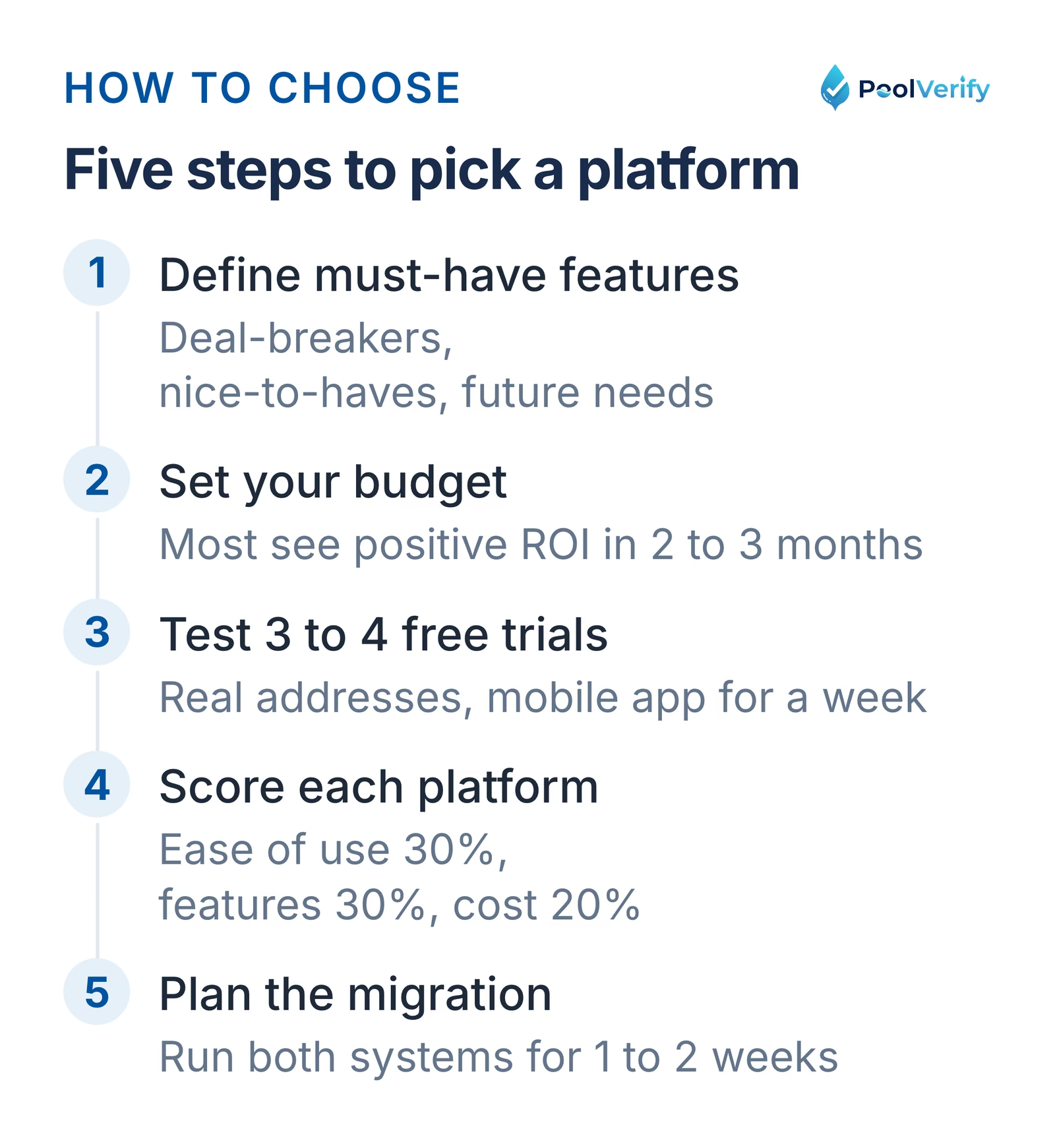
Five steps to choose pool service software, from listing must-have features to running both systems in parallel.
Limitations
This guide is general information about pool safety law, not legal advice; the current text of HSC §115922 and BPC §7195 on leginfo.legislature.ca.gov controls, and local building departments add their own requirements. PoolVerify is inspection software for California residential pool safety inspections (BPC §7195 and HSC §115922). It is not pool service, route, maintenance, contractor, or commercial pool software, and it does not perform inspections or certify inspectors.
Frequently asked questions
What is the best pool service software for small companies?
For small pool service companies (1-3 technicians, under 100 accounts), GorillaDesk ($79/month) and Skimmer (~$99/month) offer the best combination of pool-specific features, route optimization, and value. Both include water chemistry tracking, QuickBooks integration, and mobile apps designed for pool professionals. Budget-conscious solo operators should consider FieldComplete ($19.99/month) or Housecall Pro Basic ($49/month).
How much does pool service software cost?
Pool service software ranges from $20 to $1,000+ per month depending on company size and features. Solo operators pay $20-$80/month for basic platforms, small companies (25-100 accounts) pay $80-$200/month for mid-tier solutions with route optimization, and large companies (300+ accounts) pay $200-$1,000/month for enterprise platforms like ServiceTitan. Most platforms charge per user, with first-user costs between $50-$150/month and additional users at $20-$50/month.
Does pool service software integrate with QuickBooks?
Yes, most pool service software platforms integrate with QuickBooks Online, including Skimmer, ServiceTitan, Jobber, GorillaDesk, Housecall Pro, and Pool Office Manager. These integrations automatically sync invoices, payments, and customer data, eliminating double-entry and simplifying bookkeeping. QuickBooks Desktop support is more limited, verify compatibility if you use the desktop version rather than online.
What's the difference between pool service software and pool inspection software?
Pool service software manages recurring maintenance operations: scheduling, route optimization, water chemistry tracking, and customer billing for regular pool cleaning and maintenance services. Pool inspection software like PoolVerify handles one-time compliance assessments for California pool safety inspections, generating detailed PDF reports with safety feature documentation and digital signatures required for real estate transactions. Many pool service companies use both to offer comprehensive services.
How does route optimization save money for pool service companies?
Route optimization saves pool service companies 20-30% on fuel costs and enables servicing 22% more pools per day by calculating the most efficient sequence of customer visits. According to industry data, companies using route optimization drive 200 miles less per month, saving $200-$300 in fuel and recovering 8-12 hours of drive time. This increased efficiency allows companies to serve more customers without hiring additional technicians, directly improving profitability.
Ready to streamline your pool service business?
The right pool service software transforms your operations, saving hours on administrative tasks, optimizing routes to serve more customers, and automating billing to improve cash flow. Whether you're a solo operator managing 25 accounts or running a team servicing 500+ pools, there's a platform built for your needs.
For pool service companies in California: Consider adding pool safety inspections to your service offerings with PoolVerify. Record BPC §7195 inspections on a checklist with photos and deliver professional PDF reports to real estate clients, a natural complement to your regular service business.
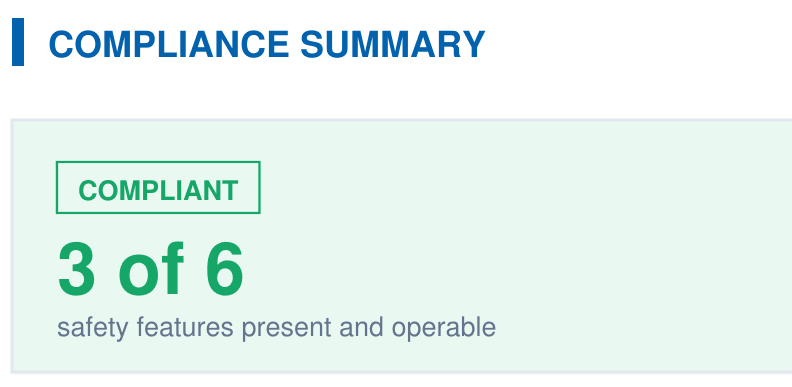
A branded PDF with the compliance summary, the feature table, each finding with its photos, and the signature, generated on‑site when the BPC §7195 and HSC §115922 checklist is complete.