Pool Business Software: Complete Guide for Pool Companies
Complete guide to pool business software for 2026. Compare all-in-one platforms, service management, inspection tools, accounting, CRM, and inventory management.
Running a successful pool business requires managing multiple complex operations simultaneously, service scheduling, customer relationships, accounting and finances, inventory management, employee scheduling, and compliance. The right pool business software brings all these functions together in one platform, eliminating the chaos of juggling multiple tools and spreadsheets.
This comprehensive guide compares all-in-one pool business management platforms, specialized solutions for service management and inspection compliance, and integration strategies to help pool companies choose the best software stack for their operations in 2026.
What is pool business software?
Pool business software is a comprehensive platform (or integrated set of tools) that manages all aspects of running a pool service company, from customer acquisition and service delivery to billing, accounting, and business analytics.
Core functions of pool business software
Customer management:
Contact information and service addresses
Service history and preferences
Communication logs and notes
Payment methods and billing preferences
Service operations:
Route scheduling and optimization
Work order management
Chemical and water chemistry tracking
Equipment maintenance logs
Mobile app for field technicians
Financial management:
Invoicing and recurring billing
Payment processing and tracking
Accounting integration (QuickBooks, etc.)
Financial reporting and profitability analysis
Expense tracking
Inventory management:
Chemical stock levels and reordering
Equipment parts inventory
Usage tracking per customer
Supplier management and pricing
Business analytics:
Revenue reports and trends
Customer acquisition costs
Service efficiency metrics
Employee performance tracking
Profitability by customer or service type
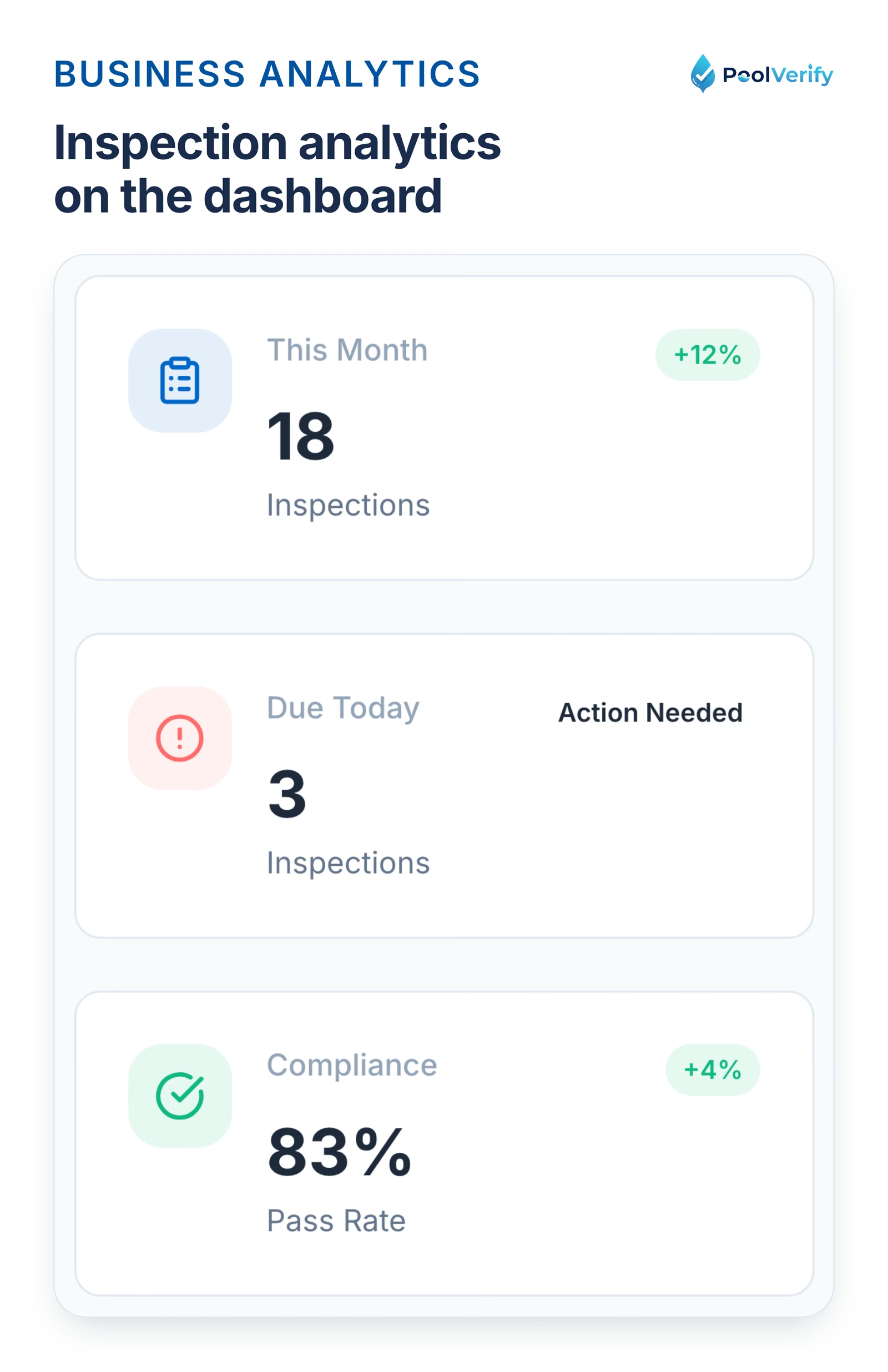
PoolVerify dashboard stat cards: inspections this month, compliance rate and pending reports.
15-20% reduction in operating costs through better inventory management
20% increase in customer retention through improved communication
30% faster invoice payment through automated billing and online payments
10-15% revenue growth through capacity to serve more customers with same staff
All-in-one platforms vs specialized software
Pool businesses face a fundamental choice: use one comprehensive platform for everything, or combine specialized tools for each function.
All-in-one platforms
What they include:
Service scheduling and dispatch
CRM and customer management
Invoicing and payment processing
Basic inventory tracking
Employee management
Reporting and analytics
Examples:
ServiceTitan (enterprise)
Skimmer (pool-specific)
Jobber (field service)
LOU powered by Evosus (retail + service)
Pros:
Single login and interface
Data flows seamlessly between functions
Unified reporting across business
Lower total cost than multiple subscriptions
Easier for team to learn one system
Cons:
Individual features may be less robust than specialized tools
Higher upfront cost
Less flexibility to switch parts of your stack
May include features you don't need
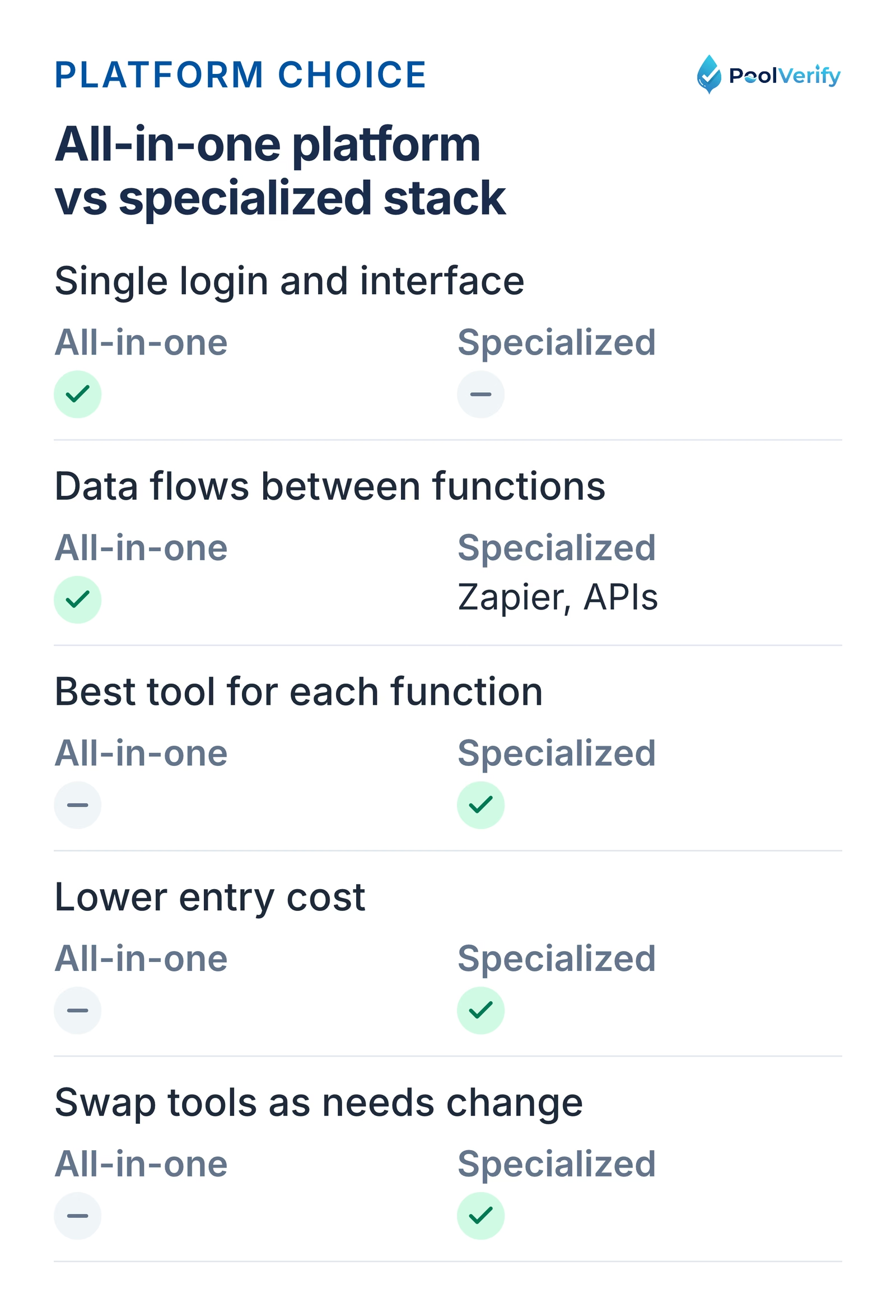
All-in-one platforms give one login and shared data; a specialized stack gives best-in-class tools and flexibility.
Specialized software stack
What it includes:
Service management: Skimmer, Pool Office Manager
Inspection software:PoolVerify for California compliance
Accounting: QuickBooks Online
CRM: Salesforce, HubSpot (for large companies)
Marketing: Mailchimp, Constant Contact
Payment processing: Stripe, Square
Pros:
Best-in-class tools for each function
Flexibility to swap tools as needs change
Often lower entry cost (start with 1-2 tools)
More features and customization per category
Cons:
Multiple logins and interfaces to manage
Integration complexity (requires Zapier or APIs)
Higher total cost when using many tools
Potential data sync issues between platforms
Recommendation by business size
Solo operators and small companies (1-50 customers):
Best approach: Start with 2-3 specialized tools
Recommended: Pool service software (Skimmer or Pooltrackr) + QuickBooks Online + PoolVerify for inspections
Why: Lower cost, easy to manage few tools, don't need enterprise features
Medium companies (50-200 customers, 2-5 employees):
Best approach: All-in-one pool-specific platform OR strong service software + accounting integration
Recommended: Skimmer (comprehensive features) OR Jobber + QuickBooks
Why: Efficiency gains from integration justify cost, team benefits from unified system
Large companies (200+ customers, 5+ employees):
Best approach: All-in-one enterprise platform with robust integrations
Recommended: ServiceTitan OR LOU + specialized tools for advanced needs
Why: Complex operations require centralized management, ROI justifies enterprise pricing
California pool companies: No matter which business management platform you choose, add PoolVerify for California pool safety inspections. Record BPC §7195 inspections on a checklist with photos alongside your regular service operations. Start Free Trial
Service management software for pool companies
Service management is the core of pool business operations, scheduling routes, tracking service visits, and managing customer accounts.
Top service management platforms for pool businesses
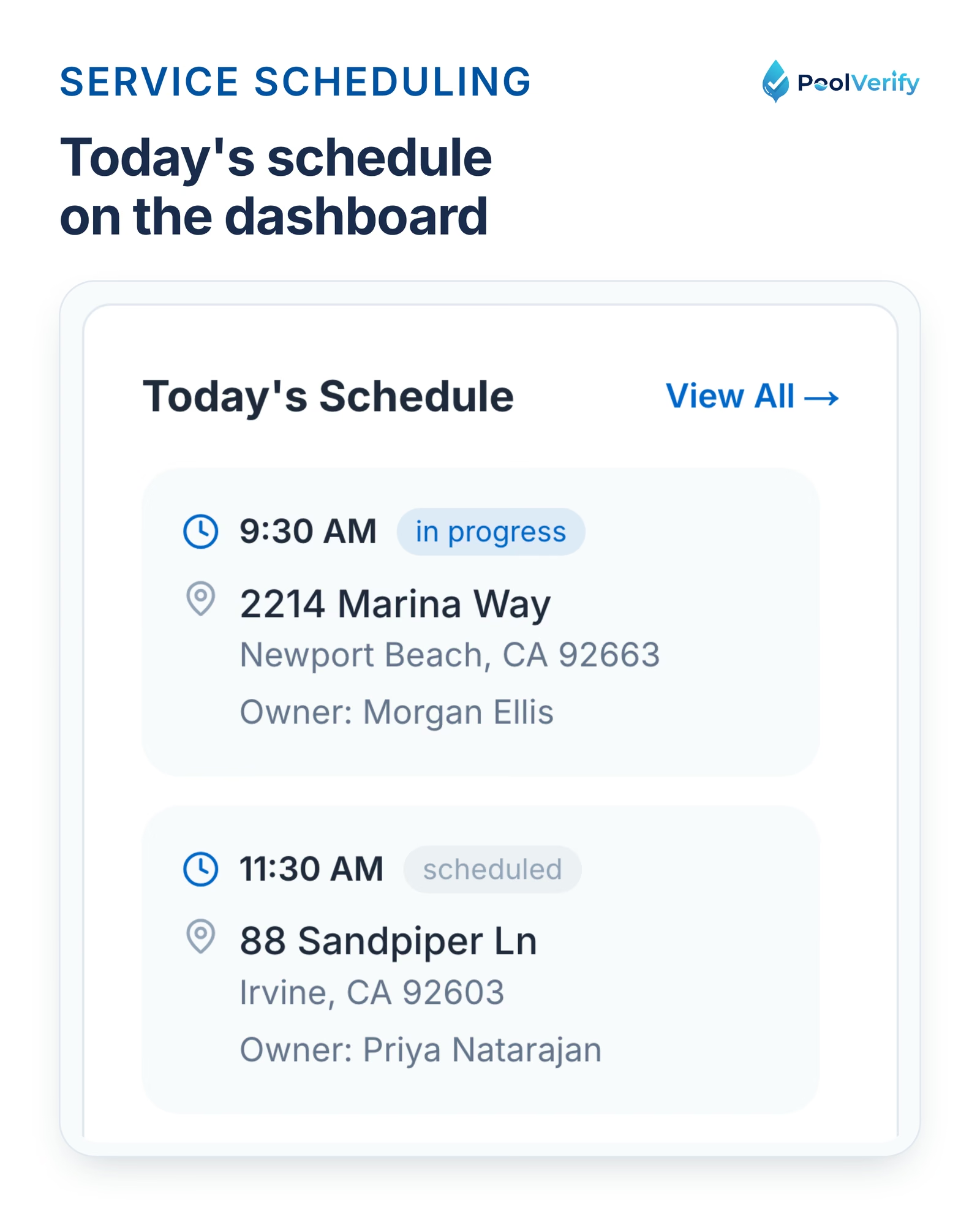
The today's schedule widget on the PoolVerify dashboard listing the day's inspection appointments.
Inspection management: PoolVerify for compliance
While service management handles recurring maintenance, inspection software addresses one-time compliance assessments, particularly critical for California pool companies.
Why pool businesses need inspection software
Regulatory requirement in California:
BPC §7195 requires pool safety inspections for property transfers
Inspections must identify which of seven drowning prevention features are present
Professional PDF reports with digital signatures required
Revenue opportunity:
Pool safety inspections: $150-$300 per inspection
For 100 service customers, expect 10-15 selling homes annually
Additional revenue: $1,500-$4,500/year with minimal effort
Customer retention:
Keep maintenance customers from hiring competitors for inspections
Demonstrate comprehensive pool expertise
Natural cross-sell for repairs discovered during inspections
PoolVerify: California pool inspection software
PoolVerify is the only inspection platform built exclusively for California pool safety compliance.
Key features:
Pre-built BPC §7195 compliance templates
Drain and suction outlet items (federal VGB Act)
Responsive web app (no download required)
Instant PDF report generation
Photo documentation (10 photos per item)
Digital signatures
Cloud storage
Pricing:
Starter: $49/month, 25 inspections/month
Professional: $99/month, Unlimited inspections
Business: $199/month, Team management
14-day free trial (no credit card to start)
Why separate from service software:
Service software optimized for recurring maintenance
Inspection software optimized for one-time compliance assessments
Different reporting requirements (service summary vs legal compliance documentation)
Separate pricing models (recurring vs per-inspection)
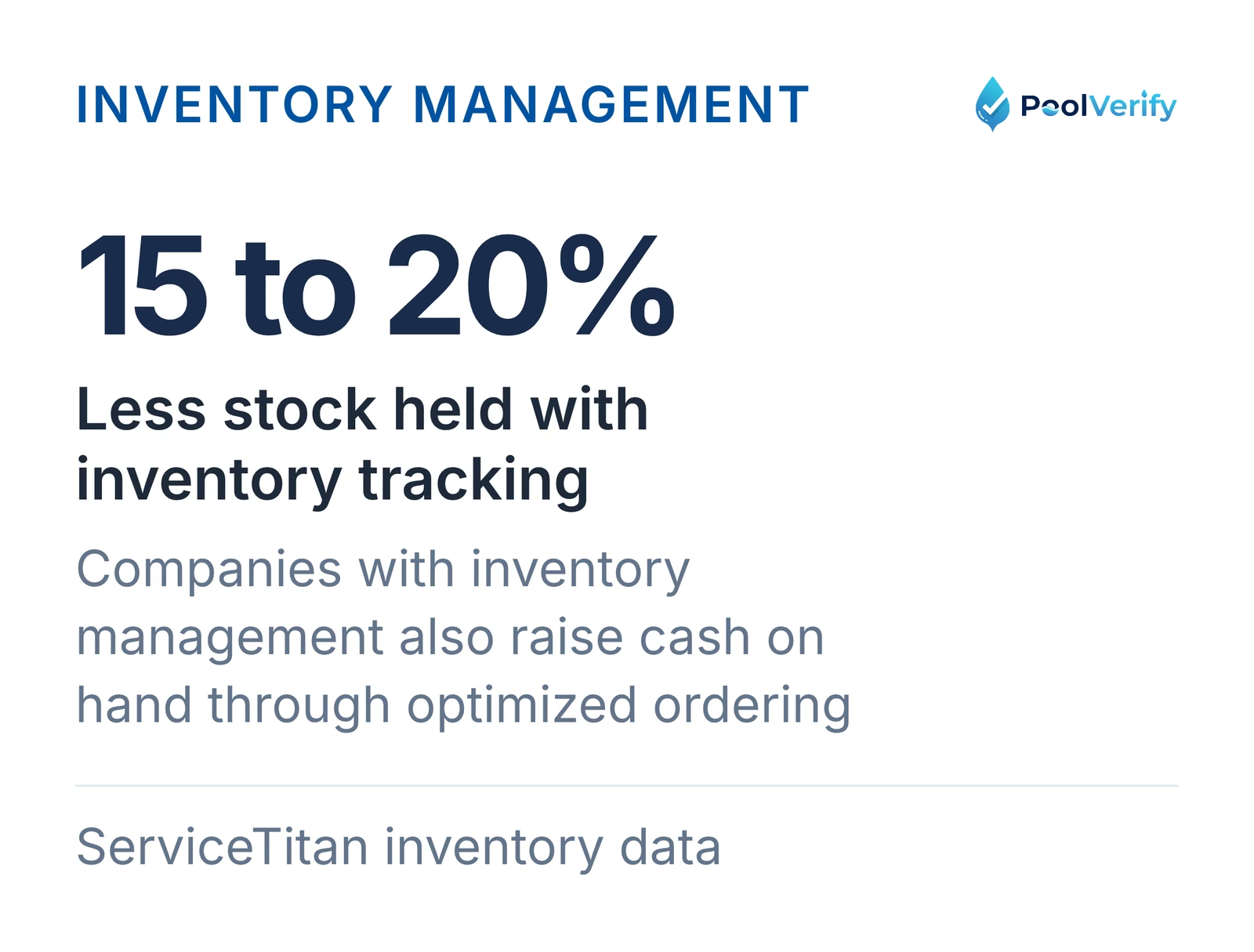
According to ServiceTitan's inventory data, companies using inventory management decrease stock by 15-20% while increasing cash on hand through optimized ordering.
Pool companies using inventory management hold 15 to 20 percent less stock and increase cash on hand, per ServiceTitan.
Employee scheduling and team management
As your pool business grows beyond solo operation, employee management becomes critical.
Technician scheduling features
Essential scheduling capabilities:
Assign technicians to specific routes or customers
Track technician availability and time off
Balance workloads across team
Monitor service completion rates
GPS tracking and location verification
Clock in/clock out with geofencing
Best platforms for team scheduling:
ServiceTitan (robust team management)
Jobber (good multi-user support)
Skimmer (solid technician features)
Housecall Pro (strong team scheduling)
Performance tracking
Key performance metrics:
Pools serviced per day
Revenue per technician
Average service time
Customer satisfaction ratings
On-time arrival percentage
Fuel costs and route efficiency
How to use performance data:
Identify top performers for bonuses/recognition
Spot training opportunities for struggling techs
Optimize route assignments based on efficiency
Set realistic performance goals
Calculate true labor costs per service
Payroll integration
Payroll platforms for pool businesses:
Gusto: Popular with small businesses, good integration
ADP: Enterprise-level payroll
Paychex: Mid-size companies
QuickBooks Payroll: Seamless integration with QuickBooks
Time tracking integration:
Service software tracks hours worked
Automatic export to payroll platform
Reduces manual timekeeping errors
Provides backup documentation
Team communication
Built-in communication tools:
In-app messaging between office and field techs
Customer note sharing across team
Work order updates and collaboration
Photo sharing for equipment issues
External communication platforms:
Slack for team chat
Microsoft Teams for larger companies
WhatsApp for quick field communication
Best pool business software platforms comparison
Here's a comprehensive comparison of the top pool business management platforms:
Platform
Best For
Service Mgmt
Accounting
CRM
Inventory
Pricing
QuickBooks
ServiceTitan
Enterprise (100+ customers)
Yes Excellent
Yes Built-in
Yes Excellent
Yes Excellent
$200+/mo
Yes Yes
Skimmer
Pool-specific (all sizes)
Yes Excellent
Partial Integration
Yes Good
Yes Good
~$99/mo
Yes Yes
LOU/Evosus
Retail + Service
Yes Good
Yes Built-in
Yes Good
Yes Excellent
Custom
Yes Built-in
Jobber
Multi-service companies
Yes Good
Partial Integration
Yes Good
Partial Basic
$69-399/mo
Yes Yes
Pool Office Manager
Seasonal companies
Yes Good
Partial Integration
Yes Basic
Yes Good
Custom
Yes Yes
GorillaDesk
Value-focused
Yes Good
Partial Integration
Yes Good
Partial Basic
$79/mo
Yes Yes
Housecall Pro
Automation-focused
Yes Good
Partial Integration
Yes Good
Partial Basic
$49-269/mo
Yes Yes
Additional specialized tool:
PoolVerify: California pool inspection software, $49-199/mo - Start free trial
Feature-by-feature detailed comparison
Route optimization:
Best: Skimmer, ServiceTitan
Good: Jobber, GorillaDesk, Housecall Pro
Basic: Pool Office Manager
Water chemistry tracking:
Best: Pooltrackr, Skimmer
Good: ServiceTitan, Pool Office Manager
Requires customization: Jobber, GorillaDesk, Housecall Pro
All-in-one capability:
Best: ServiceTitan, LOU
Good: Skimmer
Requires integrations: All others
Ease of use:
Best: Housecall Pro, GorillaDesk
Good: Skimmer, Jobber
Steeper learning curve: ServiceTitan, LOU
Value for price:
Best: GorillaDesk, Housecall Pro (basic tier)
Good: Skimmer, Jobber
Premium pricing: ServiceTitan
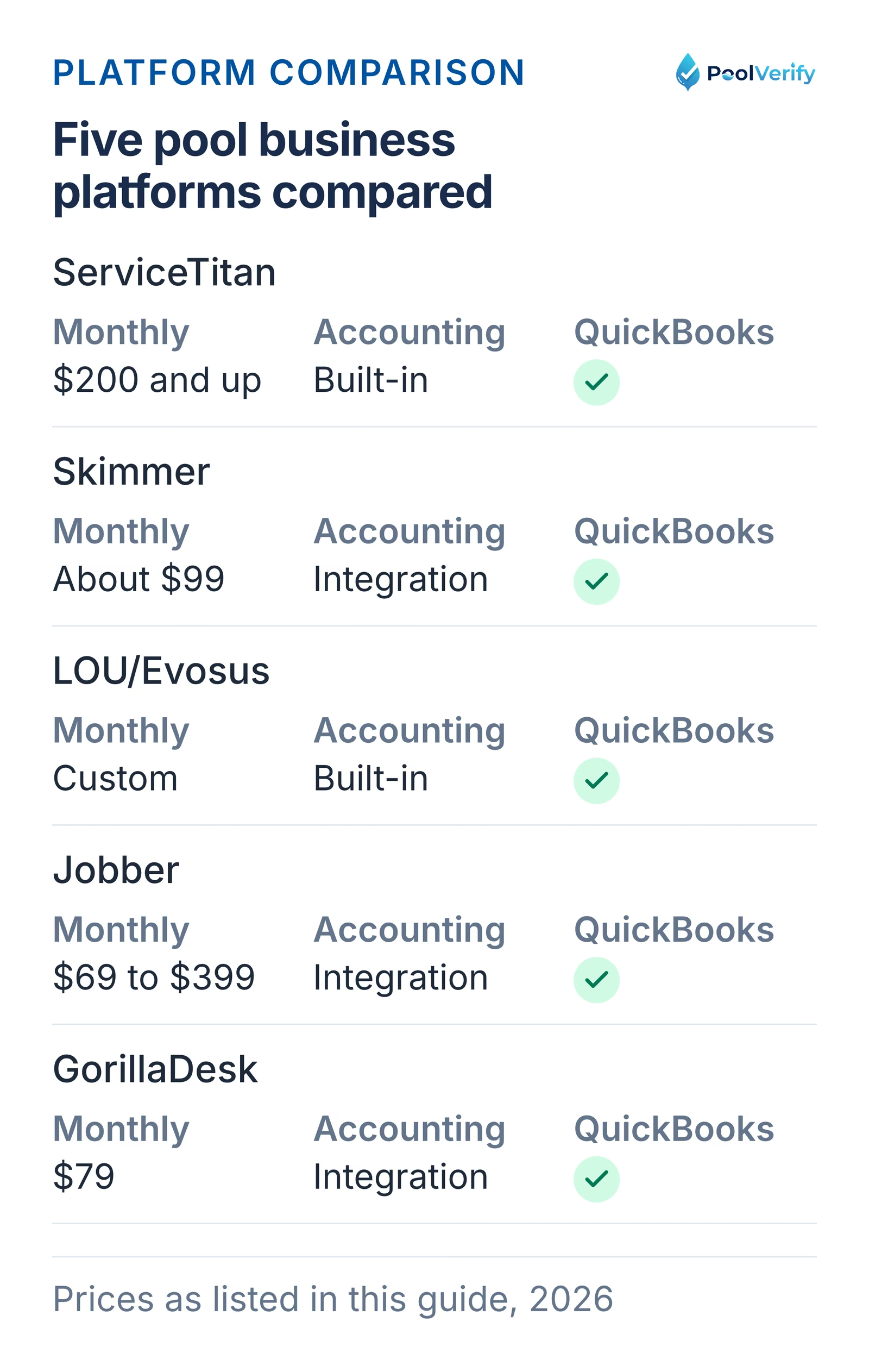
Five pool business platforms compared on monthly price, built-in or integrated accounting, and QuickBooks support.
Strong all-in-one platform for core operations (service + accounting integration)
Specialized tools for unique needs
Example: Skimmer + QuickBooks + PoolVerify for inspections
Benefits:
80% of operations in unified platform
Specialized tools for critical differentiators
Manageable number of logins (2-3 platforms)
Balance of integration and best-in-class features
Add California pool inspections to your business: Regardless of your business management platform, PoolVerify handles California pool safety inspections separately from maintenance operations. Record BPC §7195 inspections on a checklist with photos. Start Free Trial
Building your pool business software stack
Follow this framework to build the optimal software stack for your pool business:
Step 1: Identify your core operations
List all business functions:
Service scheduling and route management
Customer relationship management
Invoicing and payment processing
Accounting and financial reporting
Inventory and chemical tracking
Employee management
Pool safety inspections (California companies)
Marketing and customer acquisition
Step 2: Prioritize by importance and complexity
Tier 1 (must-have, high complexity):
Service scheduling and route optimization
Customer management
Invoicing and payments
Tier 2 (important, medium complexity):
Accounting integration
Chemical tracking
Employee scheduling
Tier 3 (valuable, lower complexity):
Marketing automation
Advanced analytics
Customer portal
Step 3: Evaluate software options
For each Tier 1 function, consider:
All-in-one platform that handles it well?
Yes to Strong candidate for primary platform
No to May need specialized tool
Integration requirements?
QuickBooks integration essential
Payment processing must be built-in or easy integration
Mobile app required for field operations
Budget constraints?
Solo/small: $100-200/month total budget
Medium: $200-500/month budget
Large: $500-2,000/month budget
Step 4: Select primary platform
Decision matrix:
If you're a solo operator (1-50 customers):
Skimmer or Pooltrackr + QuickBooks + PoolVerify for inspections
If you're small company (50-150 customers, 2-5 techs):
Skimmer (comprehensive) or Jobber (flexible) + QuickBooks + PoolVerify
If you're medium company (150-400 customers, 5-10 techs):
Skimmer or ServiceTitan + PoolVerify for inspections
If you're large enterprise (400+ customers, 10+ techs):
ServiceTitan (full enterprise platform) + PoolVerify for compliance
Choose and purchase primary service management platform
Import customer data
Set up routes and schedules
Train team on basics
Month 2: Integration and refinement
Connect QuickBooks integration
Set up payment processing
Configure customer portal
Add secondary tools (PoolVerify for inspections)
Month 3: Optimization
Refine routes based on data
Customize reports
Train team on advanced features
Add marketing automation
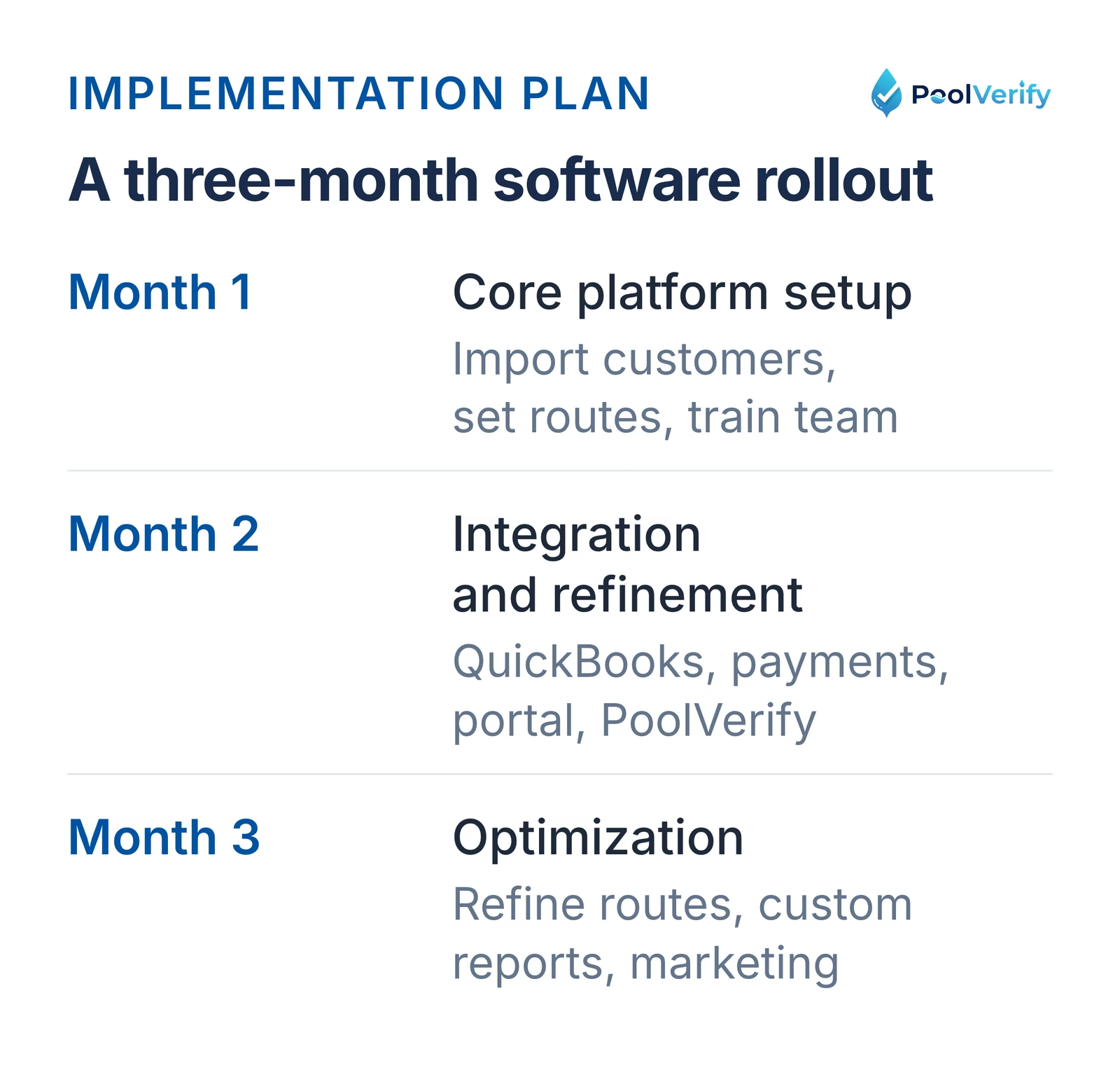
A three-month pool software rollout: core platform setup, then QuickBooks and PoolVerify integration, then optimization.
Limitations
This guide is general information about pool safety law, not legal advice; the current text of HSC §115922 and BPC §7195 on leginfo.legislature.ca.gov controls, and local building departments add their own requirements. PoolVerify is inspection software for California residential pool safety inspections (BPC §7195 and HSC §115922). It is not pool service, route, maintenance, contractor, or commercial pool software, and it does not perform inspections or certify inspectors.
Frequently asked questions
What is the best all-in-one pool business software?
ServiceTitan is the best all-in-one pool business software for large companies (100+ customers, $200+/month), offering comprehensive service management, built-in CRM, inventory management, and advanced analytics. For pool-specific businesses, Skimmer (~$99/month) provides excellent pool service features including route optimization, chemistry tracking, and QuickBooks integration at a lower price point. Solo operators should consider GorillaDesk ($79/month) for strong value.
How much does pool business software cost?
Pool business software costs $50 to $2,000+ per month depending on platform and company size. Solo operators pay $50-$150/month (Skimmer ~$99, GorillaDesk $79, Housecall Pro $49-129), small companies pay $150-$400/month (Skimmer, Jobber $199-399), and large companies pay $400-$2,000/month for enterprise platforms like ServiceTitan. Additional costs include payment processing fees (2.5-3%), QuickBooks ($30-85/month), and specialized tools like PoolVerify for inspections ($49-199/month).
Does pool business software integrate with QuickBooks?
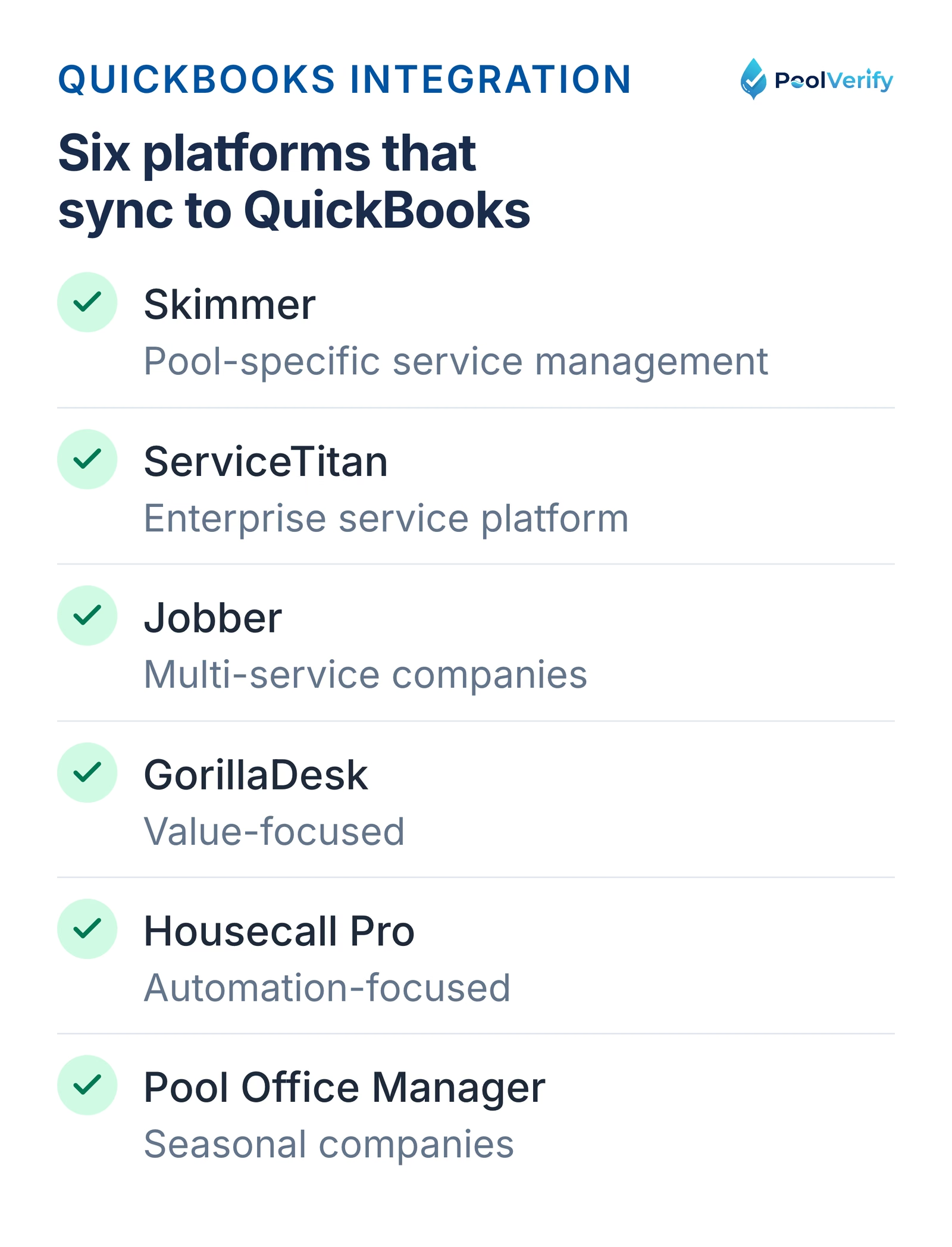
Yes, most pool business software platforms integrate with QuickBooks Online, including Skimmer, ServiceTitan, Jobber, GorillaDesk, Housecall Pro, and Pool Office Manager. These integrations automatically sync invoices, payments, and customer data to QuickBooks, eliminating double-entry and simplifying accounting. LOU/Evosus has built-in accounting (no QuickBooks needed). QuickBooks Desktop support is limited, most platforms require the Online version.
Should I use one platform or multiple specialized tools?
Use one all-in-one platform if you're scaling rapidly (10+ employees), have complex multi-service operations, or value simplicity over best-in-class features, choose ServiceTitan, LOU, or Skimmer. Use multiple specialized tools if you're a solo operator or small company wanting best-in-class features per category, need flexibility to swap tools, or have a limited budget, combine Skimmer/Pooltrackr + QuickBooks + PoolVerify for inspections. Most companies do best with a hybrid approach: strong core platform + specialized tools for unique needs.
What's the difference between pool service software and pool business software?
Pool service software focuses specifically on field service operations: route optimization, scheduling, water chemistry tracking, and mobile apps for technicians. Pool business software is broader, encompassing service management plus accounting, CRM, inventory, employee management, and business analytics. ServiceTitan and LOU are complete pool business platforms, while Skimmer and Pooltrackr are excellent pool service platforms that integrate with QuickBooks for full business management. Add PoolVerify to either approach for California pool inspection compliance.
Build the right software stack for your pool business
The right pool business software transforms operations, centralizing customer data, automating billing, optimizing routes, and providing the analytics needed to grow profitably. Whether you choose an all-in-one platform or combine specialized best-in-class tools, the key is selecting software that matches your business size, complexity, and growth trajectory.
Key recommendations:
Large enterprise: ServiceTitan or LOU for comprehensive all-in-one management
Pool-focused companies: Skimmer + QuickBooks + PoolVerify for inspections
Multi-service companies: Jobber + QuickBooks + specialized tools as needed
Value-conscious small companies: GorillaDesk or Housecall Pro + QuickBooks
California pool companies: Add PoolVerify regardless of primary platform
Remember: The best software is the one your team will actually use. Take advantage of free trials, involve your team in the decision, and commit to proper implementation.
For California pool companies: Add pool safety inspections to your service offerings with PoolVerify. Record BPC §7195 inspections on a checklist with photos and deliver professional PDF reports.
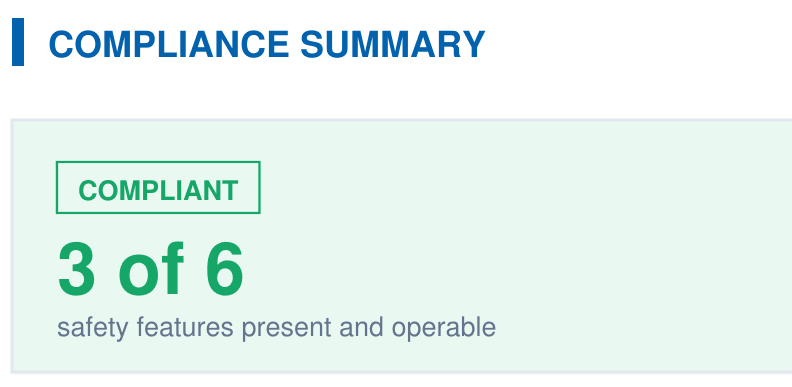
A branded PDF with the compliance summary, the feature table, each finding with its photos, and the signature, generated on‑site when the BPC §7195 and HSC §115922 checklist is complete.