Software-tools
Inspection Management Software: Complete Guide [2026]
Comprehensive guide to inspection management software for 2026. Compare top platforms, features, pricing, and find the best solution for your inspection business.

13 min read
Inspection management software has revolutionized how professionals conduct inspections across industries—from home inspections to safety compliance, quality control to facility management. The right platform can reduce inspection time by 40%, eliminate manual report writing, and deliver professional PDF reports instantly from your mobile device.
But with over 290 inspection software platforms available in 2026, choosing the right one requires understanding your specific needs, industry requirements, and budget constraints. This comprehensive guide compares the top inspection management software platforms, essential features, pricing models, and industry-specific solutions to help you make an informed decision.
Table of Contents
- What is inspection management software?
- Key features to look for in inspection software
- Top inspection management software platforms for 2026
- Industry-specific inspection solutions
- Mobile inspection capabilities: What you need
- Report generation and customization
- Photo documentation and annotation
- Scheduling, routing, and team management
- Comprehensive pricing comparison
- How to choose the right inspection management software
- Frequently asked questions
What is inspection management software?
Inspection management software is a digital platform that automates data collection, inspection reports, appointment management, and other processes associated with conducting professional inspections. These systems help inspectors automate routine tasks, increase work efficiency, improve customer retention, and deliver consistent, professional reports.
According to Capterra's 2026 inspection software directory, modern inspection platforms typically include mobile apps, customizable checklists, photo documentation, digital signatures, and automated report generation—replacing paper forms and manual report writing.

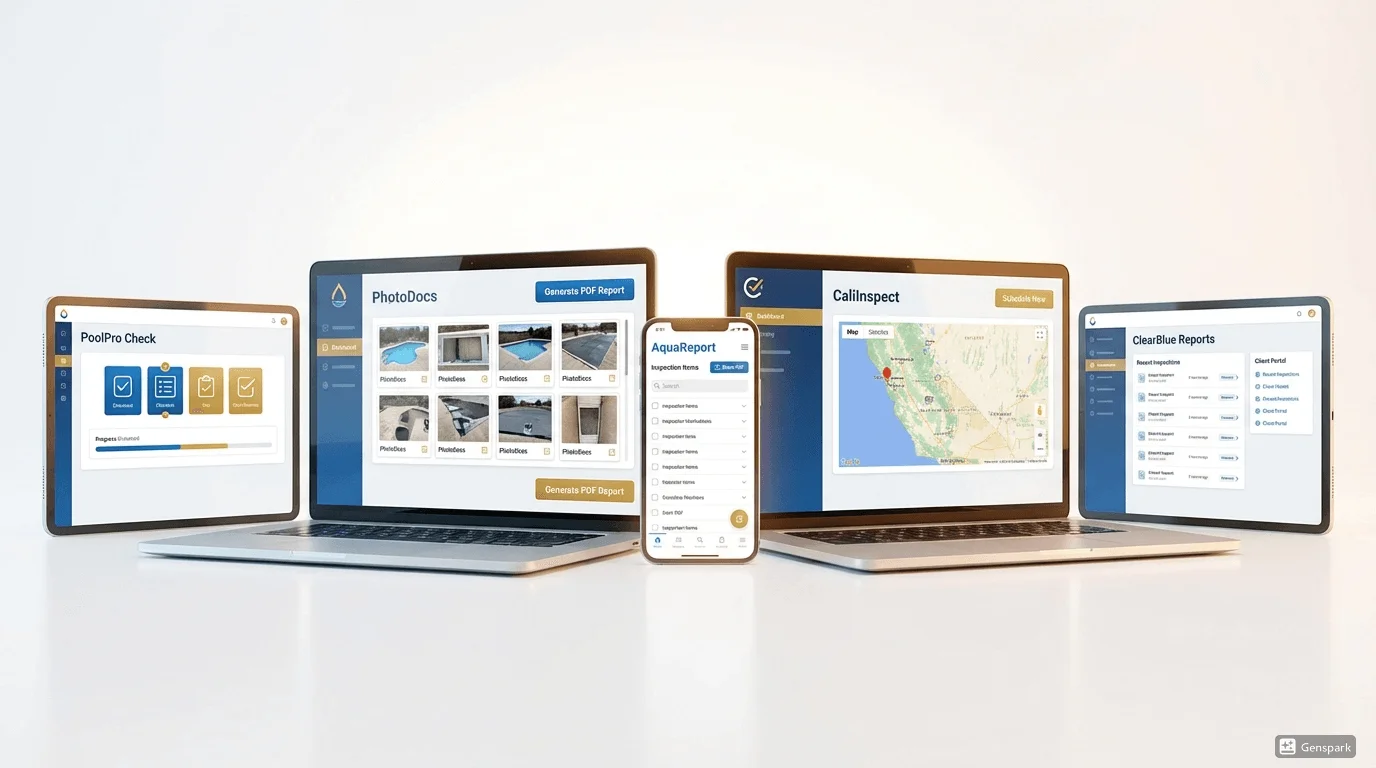
Modern inspection management software workflow showing mobile inspection to automated PDF report
How inspection software improves efficiency
Professional inspectors using digital inspection management software report significant improvements:
- 40% faster inspections - Pre-built checklists and mobile data entry eliminate paper forms
- 2-3 hours saved per inspection - Automated report generation replaces manual typing
- 50% reduction in errors - Digital checklists prevent missed items
- Same-day report delivery - Generate and email PDF reports on-site
- Better customer satisfaction - Professional, branded reports with photos and annotations
Industries using inspection management software
Inspection software serves diverse industries:
- Home inspections - Residential property assessments for real estate transactions
- Pool safety inspections - Compliance inspections for California BPC §7195
- Fire safety inspections - Building fire system compliance
- Food safety inspections - Restaurant and food service audits
- Manufacturing quality control - Product and process quality inspections
- Facility management - Building maintenance and safety inspections
- Construction inspections - Building code compliance and progress inspections
- Environmental inspections - EPA compliance and environmental assessments
For California pool inspectors specifically, specialized platforms like PoolVerify offer pre-built templates for pool safety compliance that general inspection software doesn't provide.
Key features to look for in inspection software
Before comparing specific platforms, here are the essential features every inspection management system should offer:
1. Mobile-first design
Your inspections happen in the field, not at a desk. The best inspection software prioritizes mobile functionality:
- Native mobile apps for iOS and Android
- Touch-optimized interface for easy checkbox selection and data entry
- Offline mode to complete inspections without internet connectivity
- Real-time sync when connection returns
- GPS location tracking for verified inspection sites
- Built-in camera integration for instant photo capture
According to GetApp's inspection software reviews, mobile access is the #1 requested feature among inspection professionals.

Mobile inspection app interface showing touch-friendly checklist on tablet device
2. Customizable inspection templates
Every inspection type has unique requirements. Look for platforms offering:
- Pre-built industry templates (home inspection, pool safety, fire safety, etc.)
- Easy template customization to add/remove items
- Conditional logic to show/hide sections based on responses
- Multiple template support for different inspection types
- Template libraries with common inspection items
- Import/export capabilities for template sharing
3. Automated report generation
Manual report writing consumes 2-3 hours per inspection. Modern inspection software should generate reports automatically:
- Instant PDF generation from completed inspection data
- Professional templates with your branding (logo, colors, contact info)
- Photo integration with automatic placement and captions
- Customizable layouts to match your report style
- Multiple export formats (PDF, Word, Excel, HTML)
- Automated email delivery to clients
4. Photo documentation and annotation
Visual evidence is critical for professional inspections:
- Unlimited photo capture (or generous limits like 50+ per inspection)
- Photo annotations - arrows, boxes, text overlays to highlight issues
- Multiple photos per item to document conditions from different angles
- Automatic compression to save storage while maintaining quality
- Cloud storage for long-term record keeping
- Photo timestamps and geolocation for verification

Photo annotation feature showing markup tools on inspection image
5. Digital signatures
Replace paper signatures with legally-binding digital signatures:
- On-device signature capture using touchscreen
- Multiple signature support (inspector, client, witness)
- Timestamp verification for legal documentation
- Signature storage in final PDF reports
- Compliance with E-Sign Act and UETA standards
Pool inspectors in California:
PoolVerify includes BPC §7195 and HSC §115922 compliance templates, digital signatures, and instant PDF reports specifically designed for California pool safety inspections.
6. Scheduling and calendar management
Efficient inspection businesses need robust scheduling:
- Calendar integration (Google Calendar, Outlook, iCal)
- Appointment booking with customer portal
- Automated reminders via email and SMS
- Route optimization for multiple inspections per day
- Team scheduling for multi-inspector businesses
- Recurring inspections for facility management and compliance
7. Data analytics and reporting
Track business performance with built-in analytics:
- Inspection volume tracking by inspector, type, and time period
- Revenue reports to monitor business growth
- Average inspection time to identify efficiency opportunities
- Common deficiencies across inspections
- Customer satisfaction metrics
- Export capabilities for custom analysis
8. Integrations and API access
Connect inspection software to other business tools:
- Accounting software (QuickBooks, Xero, Sage)
- CRM systems (Salesforce, HubSpot)
- Payment processors (Stripe, Square, PayPal)
- Cloud storage (Dropbox, Google Drive, OneDrive)
- Communication platforms (Mailchimp, Twilio for SMS)
- API access for custom integrations
Top inspection management software platforms for 2026
Based on comprehensive research from Capterra, GetApp, and Xenia's detailed inspection software guide, here are the leading inspection management platforms:
1. SafetyCulture (iAuditor) - Best overall inspection software
SafetyCulture's iAuditor platform is one of the most widely-used inspection management systems globally, serving over 50,000 organizations.
Key Features:
- AI-powered inspection tools for automated deficiency detection
- 40,000+ pre-built inspection templates across industries
- Mobile apps for iOS and Android with offline mode
- Real-time reporting and analytics dashboards
- Photo documentation with annotation tools
- Digital signatures and timestamp verification
- Team management and scheduling
- Integrations with 1,000+ business tools
Pricing:
- Free plan available (basic features, limited users)
- Professional: $33/month per user (annual billing)
- Premium and Enterprise: Custom pricing
Best For: Medium to large organizations conducting multiple inspection types
Pros:
- Extensive template library
- Excellent mobile app
- Strong analytics and reporting
- Affordable pricing for teams
- Regular feature updates
Cons:
- Can be overwhelming for simple inspection needs
- Advanced features require premium tiers
- Learning curve for full feature set

SafetyCulture iAuditor dashboard showing inspection analytics and mobile app
2. Inspector Toolbelt - Best for home inspectors
According to Full View Digital's 2026 home inspection software comparison, Inspector Toolbelt is the #1 choice for home inspectors thanks to its speed, built-in back office, and inspector-first design.
Key Features:
- Lightning-fast report generation
- Built-in back office management
- Standards of practice compliance templates
- Photo integration with drag-and-drop placement
- Digital signatures
- Client management and scheduling
- Agreement and invoice management
- Mobile and desktop apps
Pricing:
- Starting at $69/month
- Multiple tiers based on inspection volume
- Free trial available
Best For: Professional home inspectors doing residential property inspections
Pros:
- Designed specifically for home inspections
- Extremely fast performance
- Excellent report quality
- All-in-one platform (inspection + business management)
- Strong customer support from inspector community
Cons:
- Not ideal for non-home inspection industries
- Higher price point than general platforms
3. Spectora - Best for multi-inspector home inspection companies
Spectora is a comprehensive home inspection platform popular with larger inspection companies.
Key Features:
- Custom report templates with professional layouts
- Mobile app with offline capabilities
- Client portal for report delivery
- Scheduling and calendar management
- Payment processing integration
- Team management for multiple inspectors
- Marketing tools and SEO features
- QuickBooks integration
Pricing:
- Starting at $99/month
- Volume-based pricing for larger teams
- Free trial available
Best For: Growing home inspection companies with multiple inspectors
Pros:
- Comprehensive business management features
- Professional report templates
- Good for scaling businesses
- Strong client portal experience
Cons:
- Expensive for solo inspectors
- Home inspection specific (not adaptable to other industries)
- Not optimized for pool-only inspections
4. Horizon Software - Best for facility management
Horizon Software specializes in facility management and commercial property inspections.
Key Features:
- Work order management
- Preventive maintenance scheduling
- Asset tracking and inventory
- Custom inspection checklists
- Mobile app for field technicians
- Reporting and analytics
- Multi-location support
Pricing:
- Starting at $79/month
- Enterprise pricing available
- Free trial offered
Best For: Facility managers and commercial property inspection companies
Pros:
- Excellent for recurring facility inspections
- Strong asset management features
- Multi-location capabilities
Cons:
- Overkill for simple one-time inspections
- Less robust photo documentation than competitors
- Steeper learning curve
5. Inspectivity - Best for construction inspections
Inspectivity offers construction-focused inspection management with strong compliance features.
Key Features:
- Building code compliance templates
- Construction phase inspections
- Deficiency management and tracking
- Photo documentation with geolocation
- Automated report generation
- Digital signatures
- Team collaboration tools
Pricing:
- Starting at $75/month
- Subscription pricing model
- Free trial available
Best For: Building inspectors and construction inspection companies
Pros:
- Construction-specific features
- Good compliance tracking
- Strong deficiency management
Cons:
- Limited to construction industry
- Smaller template library than general platforms
6. PoolVerify - Best for California pool safety inspections
PoolVerify is the only inspection platform built exclusively for California pool safety compliance inspections.
Key Features:
- Pre-built BPC §7195 compliance templates
- HSC §115922 suction entrapment protection checklists
- Responsive web app (no app store downloads required)
- Instant PDF report generation
- Photo documentation (5 photos per item)
- Digital signatures
- Cloud storage and record keeping
- California-specific compliance focus
Pricing:
- Starter: $49/month ($39/month annual) - 25 inspections/month
- Professional: $99/month ($79/month annual) - Unlimited inspections
- Business: $199/month ($159/month annual) - Team management
- 14-day free trial (up to 5 inspections)
Best For: Pool inspectors, pool service companies, and real estate agents conducting California pool safety inspections
Pros:
- Only platform with built-in California pool compliance templates
- Lower price point than general home inspection software
- Extremely fast setup (under 10 minutes)
- No app downloads required (responsive web)
- Designed specifically for pool inspections
Cons:
- California-specific (not for other states' requirements)
- Pool-only platform (not suitable for home or multi-type inspections)
- Newer platform with smaller user base
Learn more in our pool inspection software comparison.
7. HomeGauge - Best for customization
HomeGauge offers extensive customization options for home inspectors who want complete control over report appearance and content.
Key Features:
- Highly customizable report templates
- Create Reports desktop and mobile apps
- Photo annotation tools
- Digital signatures
- Client management
- Payment processing
- 360° photo capabilities
- Integration marketplace
Pricing:
- Starting at ~$99/month
- 30-day free trial
- Multiple pricing tiers
Best For: Home inspectors wanting maximum customization
Pros:
- Exceptional report customization
- Professional-looking reports
- Extensive feature set
- Long-established platform
Cons:
- Steeper learning curve
- Higher cost
- Can be overwhelming for new inspectors
- Not optimized for pool-specific inspections
California pool service companies:
Add pool safety inspections to your service offerings with PoolVerify. Complete BPC §7195 inspections in 15 minutes and generate professional PDF reports for real estate clients.
Industry-specific inspection solutions
While general inspection platforms work across industries, specialized solutions offer industry-specific features and compliance:
Home inspection software
Top picks: Inspector Toolbelt, Spectora, HomeGauge, Home Inspector Pro, Palmtech
Key features:
- InterNACHI and ASHI standards compliance
- Common home inspection templates (foundation, roofing, electrical, plumbing, HVAC)
- Client portals for report delivery
- Repair estimate integrations
- State-specific addendums
When to use: Residential property inspections for real estate transactions
Pool safety inspection software
Top pick: PoolVerify
Key features:
- BPC §7195 and HSC §115922 compliance templates
- Pool barrier and gate mechanism checklists
- Suction entrapment protection documentation
- California-specific regulatory compliance
- Real estate transaction focus
When to use: California pool safety inspections for property transfers
Manufacturing quality inspection software
Top picks: According to Xenia's manufacturing quality inspection guide, leading platforms include QLECTOR, ETQ Reliance, Intellect, and Qualio.
Key features:
- Statistical process control (SPC)
- Non-conformance tracking
- Corrective action management (CAPA)
- Supplier quality management
- ISO compliance features
When to use: Production quality control and compliance in manufacturing
Food safety inspection software
Top picks: SafetyCulture, FoodDocs, ComplianceMate
Key features:
- HACCP compliance templates
- Temperature logging and monitoring
- Allergen tracking
- FDA and local health department checklists
- Photo documentation of violations
When to use: Restaurant inspections, food processing facilities, health department audits
Fire safety inspection software
Key features:
- Fire system compliance checklists (sprinklers, alarms, extinguishers)
- NFPA code compliance
- Deficiency tracking with follow-up scheduling
- Photo documentation of violations
- Digital certificates of inspection
When to use: Fire marshal inspections, building fire safety compliance
Environmental inspection software
Key features:
- EPA compliance checklists
- Environmental sample tracking
- Chain of custody documentation
- Lab result integration
- Geographic information system (GIS) mapping
When to use: Environmental assessments, EPA compliance audits, contamination surveys

Industry-specific inspection software comparison showing different use cases
Mobile inspection capabilities: What you need
Mobile functionality is the foundation of modern inspection software. Here's what separates excellent mobile inspection apps from mediocre ones:
Essential mobile features
Offline mode reliability:
Many inspection sites lack WiFi or cellular coverage. The best apps fully function offline:
- Complete all inspection checklist items
- Capture photos and annotations
- Record signatures
- Sync automatically when connection returns
- No data loss if app closes unexpectedly
Touch-optimized interface:
Mobile inspections require one-handed operation while holding flashlights, climbing ladders, or accessing crawl spaces:
- Large, easy-to-tap checkboxes and buttons
- Minimal typing required (use dropdowns, radio buttons, pre-filled options)
- Swipe gestures for navigation
- Voice-to-text for notes and comments
Photo workflow efficiency:
Inspections often require 50+ photos. The app should make this seamless:
- One-tap photo capture from inspection item
- Automatic photo categorization by inspection section
- Quick annotation tools (arrows, boxes, text) without leaving camera view
- Automatic compression to prevent storage issues
- Photo preview before adding to inspection
GPS and location services:
Verify inspection locations and track inspector efficiency:
- Automatic address capture at inspection start
- GPS coordinates in final report
- Geolocation stamps on photos
- Route tracking for mileage records
Native apps vs. responsive web apps
Native mobile apps (downloaded from App Store or Google Play):
- Pros: Better performance, better offline mode, push notifications, device integration
- Cons: Requires download and updates, separate iOS and Android versions
Responsive web apps (accessed via mobile browser):
- Pros: No download required, instant updates, works on any device with browser
- Cons: Requires internet for initial load, fewer device integrations
Best choice: Native apps for inspectors conducting 10+ inspections per month; responsive web for occasional inspectors or teams wanting instant access without IT involvement.
PoolVerify uses a responsive web app approach, allowing pool inspectors to start inspections immediately without app store downloads—ideal for pool service companies adding inspections occasionally.
Report generation and customization
Professional inspection reports are your deliverable product. Report quality directly impacts customer satisfaction and business growth.
Automated report generation speed
Instant generation (under 30 seconds):
- Best-in-class platforms: PoolVerify, Inspector Toolbelt, SafetyCulture
- Technology: Cloud processing, pre-compiled templates
- When you need it: High-volume inspectors, same-day report delivery
Fast generation (1-5 minutes):
- Most modern platforms: Spectora, HomeGauge, Horizon
- Technology: Client-side processing, complex layouts
- Acceptable for: Standard report delivery (24-48 hours)
Slow generation (5+ minutes):
- Legacy platforms, heavily customized reports
- Indicates outdated technology or inefficient processing
- Avoid if: You conduct more than 2 inspections daily
Report customization options
Branding:
- Custom logo placement
- Color scheme matching your brand
- Custom headers and footers
- Contact information and website links
- Social media links
Layout control:
- Photo placement (inline, end of section, separate appendix)
- Section ordering and grouping
- Page breaks and formatting
- Font selection and sizing
- White labeling (remove software provider branding)
Content customization:
- Custom disclaimers and liability statements
- Industry-specific language and terminology
- State or local compliance addendums
- Recommendations and repair estimates
- Summary pages with key findings
Report output formats
PDF (essential):
- Universal compatibility
- Professional appearance
- Cannot be edited by recipient
- Easy email delivery and printing
Word/DOCX (nice-to-have):
- Allows client editing if needed
- Useful for adding contractor estimates
- Less professional appearance
Excel/CSV (data-focused):
- Useful for facility management with recurring inspections
- Enables trend analysis
- Not suitable as primary inspection report
HTML (web-based):
- Interactive reports with collapsible sections
- Good for client portals
- Requires hosting or online access
Best practice: Always provide PDF as primary format, with optional Word or HTML for specific client needs.

Professional inspection report PDF example showing branding and photo documentation
Photo documentation and annotation
Visual documentation separates professional inspections from amateur work. Modern inspection software should make photo management effortless.
Photo capture capabilities
Quantity limits:
- Unlimited photos: Best option, no artificial restrictions
- 50-100 photos per inspection: Adequate for most inspections
- 25 or fewer photos: Insufficient for comprehensive inspections
Average photo counts by inspection type:
- Home inspections: 75-150 photos
- Pool safety inspections: 15-30 photos
- Commercial building inspections: 100-300 photos
- Manufacturing quality inspections: 20-50 photos per product
Annotation and markup tools
Essential annotation features:
- Arrows - Point to specific defects or features
- Boxes and circles - Highlight problem areas
- Text overlays - Add descriptions directly on photos
- Freehand drawing - Outline cracks, damage, or irregular shapes
- Color options - Use contrasting colors for visibility
Advanced annotation features:
- Before/after photo comparison
- Measurement overlays (dimensions, distances)
- Thermal imaging integration
- 360° photo capabilities
Photo organization and management
Automatic organization:
- Photos automatically attached to relevant inspection items
- Grouped by inspection section or room
- Chronological ordering
- Search and filter capabilities
Cloud storage:
- Automatic backup to prevent loss
- Long-term record retention (5-10 years typical)
- Easy retrieval for follow-up inspections or legal needs
- Storage limits: 500MB-100GB depending on platform and plan
Photo compression:
Modern platforms should automatically compress photos to balance quality with storage:
- Original capture: 3-5MB per photo
- Optimized storage: 200-500KB per photo
- No visible quality loss in reports
Pool inspectors:
PoolVerify allows 5 photos per inspection item with automatic cloud storage and compression, perfect for documenting pool barriers, gates, alarms, and safety features for California compliance.
Scheduling, routing, and team management
For inspection businesses conducting multiple inspections daily or managing teams of inspectors, scheduling and routing features are critical.
Calendar and scheduling features
Essential scheduling capabilities:
- Visual calendar view (day, week, month)
- Drag-and-drop appointment scheduling
- Recurring inspection scheduling
- Calendar sync (Google, Outlook, iCal)
- Automated reminder emails and SMS
- Customer self-scheduling portal
- Buffer time between appointments
Advanced scheduling features:
- Multi-inspector calendar management
- Resource allocation (vehicles, equipment)
- Service area and travel time calculation
- Automated conflict detection
- Waitlist management for cancellations
Route optimization
For inspectors conducting 3+ inspections daily, route optimization saves significant time and fuel:
Benefits:
- 20-30% reduction in drive time
- Lower fuel costs ($50-$150/month savings)
- More inspections per day without longer hours
- Reduced wear on vehicles
How it works:
- Enter all scheduled inspection addresses
- Software calculates optimal sequence considering traffic, distance, and time windows
- Provides turn-by-turn directions via mobile app
- Adjusts routes in real-time if appointments change
Best platforms for route optimization:
- SafetyCulture (strong routing features)
- Spectora (home inspection focused)
- Field inspection platforms with Mapbox or Google Maps integration
Team management for multi-inspector businesses
User roles and permissions:
- Admin: Full access to all inspections and settings
- Inspector: Conduct inspections, view assigned jobs
- Office staff: Scheduling and customer management only
- Read-only: View reports for quality control
Team performance tracking:
- Inspections completed per inspector
- Average inspection time
- Customer ratings and feedback
- Revenue per inspector
- Quality metrics (deficiencies found, report accuracy)
Collaboration features:
- Inspection notes visible to entire team
- Photo sharing across inspections
- Template sharing and standardization
- Inter-inspector messaging
Comprehensive pricing comparison
Inspection management software pricing varies widely based on features, industry focus, and company size. Here's what to expect in 2026:
Pricing models
Per-user subscription (most common):
- Typical range: $25-$100 per user per month
- Examples: SafetyCulture ($33/user/month), Horizon ($79/month starting)
- Best for: Teams with predictable user count
- Watch for: Price jumps when adding users
Per-inspection pricing:
- Typical range: $2-$10 per inspection
- Examples: Some property inspection platforms
- Best for: Low-volume or seasonal inspectors
- Watch for: Costs add up quickly at high volumes
Tiered flat-rate pricing:
- Typical range: $49-$199/month with inspection limits
- Examples: PoolVerify ($49-$199/month), Inspector Toolbelt ($69+/month)
- Best for: Solo inspectors and small teams
- Watch for: Overage fees if you exceed inspection limits
Enterprise custom pricing:
- Typical range: $500-$5,000+/month
- Examples: ServiceTitan, large SafetyCulture deployments
- Best for: Large organizations with 20+ users
- Includes: Custom integrations, dedicated support, training
Price comparison by inspection type
Home inspection software:
- Solo inspector: $69-$99/month
- Small company (2-5 inspectors): $200-$400/month
- Large company (10+ inspectors): $800-$2,000/month
Pool safety inspection software:
- PoolVerify: $49-$199/month
- General platforms adapted for pools: $99-$200/month
General inspection software:
- SafetyCulture Professional: $33/user/month
- Inspectivity: $75/month starting
- Horizon: $79/month starting
Manufacturing quality inspection:
- Enterprise platforms: $200-$1,000+/month
- Depends heavily on integration requirements and user count
Hidden costs to consider
Implementation and setup:
- Free: Most modern SaaS platforms
- $500-$2,000: Enterprise platforms with dedicated onboarding
- $5,000+: Highly customized implementations
Training:
- Free: Video tutorials, help documentation
- $200-$500: Live training sessions
- Enterprise: Included in package
Storage overages:
- Most platforms include 1-10GB base storage
- Overage fees: $5-$20 per additional GB/month
- Plan ahead for photo-heavy inspections
Payment processing fees:
- If using integrated payment processing: 2.5-3% + $0.30 per transaction
- Adds up on $300-$500 inspection invoices
API and integration access:
- Included: Most modern platforms
- $50-$200/month premium: Some platforms charge for API access

Pricing comparison chart showing inspection software costs by company size
How to choose the right inspection management software
Follow this systematic approach to select the best platform for your inspection business:
Step 1: Define your inspection type and industry
Questions to answer:
- What type of inspections do you conduct? (home, pool, safety, quality, facility)
- Are there industry-specific compliance requirements? (California pool laws, building codes, ISO standards)
- Do you need industry-specific templates or can you build custom checklists?
- Will you conduct multiple inspection types or focus on one specialty?
Decision impact:
- Single industry specialist: Choose industry-specific software (PoolVerify for pools, Inspector Toolbelt for homes)
- Multiple inspection types: Choose flexible general platform (SafetyCulture, Horizon)
Step 2: Determine your business size and growth plans
Current state:
- Solo inspector: $50-$100/month budget, simple features
- Small team (2-5 inspectors): $150-$400/month, team scheduling needed
- Large company (10+ inspectors): $500+/month, enterprise features required
Growth plans:
- Staying solo: Choose cost-effective platform with great individual features
- Planning to hire: Ensure platform scales with per-user pricing and team management
- Franchising/multi-location: Require enterprise platform with location management
Step 3: Identify must-have features
Create three feature lists:
Must-haves (deal-breakers):
- Example: Mobile app, offline mode, PDF reports, digital signatures
Important (strongly preferred):
- Example: Photo annotation, customizable templates, QuickBooks integration
Nice-to-have (valuable but not critical):
- Example: 360° photos, video integration, advanced analytics
Budget allocation:
- Allocate 80% of budget to must-haves
- Allocate 15% to important features
- Allocate 5% to nice-to-haves
Step 4: Test multiple platforms
Take advantage of free trials:
- Select 3-4 platforms that meet your must-have criteria
- Sign up for free trials simultaneously (most offer 14-30 days)
- Conduct real inspections using each platform
- Generate actual reports to evaluate quality
- Test mobile apps in real field conditions
- Contact support to evaluate responsiveness
Evaluation scorecard:
Create a simple scoring system (1-10) for each platform across criteria:
- Ease of use
- Report quality
- Mobile app performance
- Customer support
- Feature completeness
- Price value
- Integration capabilities
Step 5: Calculate total cost of ownership
Beyond subscription fees, consider:
Time savings value:
- Hours saved per inspection × hourly rate × inspections per month
- Example: 2 hours saved × $75/hour × 20 inspections = $3,000/month value
Efficiency gains:
- Additional inspections possible per day × average revenue per inspection
- Example: 1 extra inspection per day × $350 × 20 days = $7,000/month additional revenue
Professional image value:
- Improved customer satisfaction leading to referrals
- Higher fees justified by professional reports
- Reduced revision requests from clear documentation
ROI timeline:
Most inspection businesses see positive ROI within 1-2 months from time savings alone.
Step 6: Make the decision and commit
Final decision criteria:
- Does it solve my biggest pain point? (manual reports, scheduling chaos, poor mobile experience)
- Can I afford it comfortably? (subscription should be under 5% of monthly revenue)
- Will my team actually use it? (intuitive interface, easy training)
- Does it integrate with my existing tools? (QuickBooks, payment processor, calendar)
- Is the company stable and growing? (regular updates, responsive support, good reviews)
Commit fully:
- Set up your templates properly (invest 2-4 hours)
- Train your team thoroughly
- Use it exclusively for 30 days before evaluating
- Don't give up during the learning curve (1-2 weeks typical)

Decision flowchart for choosing inspection management software
Frequently asked questions
What is the best inspection management software?
The best inspection management software depends on your industry and needs. SafetyCulture (iAuditor) is best overall for multi-industry inspection businesses with its 40,000+ templates and AI-powered features. Inspector Toolbelt is best for home inspectors with its speed and inspector-first design. PoolVerify is best for California pool safety inspections with built-in BPC §7195 compliance templates. Horizon Software is best for facility management with strong asset tracking and preventive maintenance features.
How much does inspection software cost?
Inspection management software costs range from $25 to $200+ per month depending on features and company size. Solo inspectors typically pay $50-$100/month for platforms like PoolVerify ($49-$99/month) or Inspector Toolbelt ($69+/month). Small teams (2-5 inspectors) pay $150-$400/month. Enterprise platforms like ServiceTitan cost $500-$5,000+/month for large organizations. Most platforms offer 14-30 day free trials to test before purchasing.
Can inspection software work offline?
Yes, most modern inspection management software includes offline mode for conducting inspections without internet connectivity. The best platforms (SafetyCulture, Spectora, PoolVerify, Inspector Toolbelt) allow you to complete entire inspections, capture photos, and record signatures offline, then automatically sync data when internet connection returns. This is essential for basements, crawl spaces, and remote locations with poor cellular coverage.
What's the difference between home inspection software and general inspection software?
Home inspection software (Inspector Toolbelt, Spectora, HomeGauge) is specifically designed for residential property inspections with pre-built templates for InterNACHI/ASHI standards, common home systems (foundation, roof, electrical, HVAC), and real estate transaction workflows. General inspection software (SafetyCulture, Horizon) offers flexible custom templates for any inspection type but requires building your own checklists. Choose home inspection software if you exclusively conduct residential inspections; choose general platforms if you conduct multiple inspection types.
Does inspection software integrate with QuickBooks?
Many inspection management platforms integrate with QuickBooks Online, including Spectora, HomeGauge, and several field inspection software solutions. These integrations automatically sync completed inspection invoices, payments, and customer data to QuickBooks, eliminating double-entry and simplifying bookkeeping. Verify QuickBooks compatibility before purchasing—some platforms support QuickBooks Online but not QuickBooks Desktop. PoolVerify doesn't currently offer QuickBooks integration but provides detailed inspection records for manual accounting.
Choose the right inspection software for your business
Inspection management software transforms how you conduct inspections, generate reports, and manage your business. Whether you're a home inspector conducting 100+ inspections annually, a pool inspector focused on California compliance, or a facility manager conducting recurring safety inspections, there's a platform designed for your needs.
Key takeaways:
- Industry-specific software offers better templates and compliance features than general platforms
- Mobile-first design is non-negotiable—inspections happen in the field
- Automated report generation saves 2-3 hours per inspection
- Free trials let you test before committing—always test 3-4 platforms
- ROI typically achieved within 1-2 months through time savings
For California pool inspectors: PoolVerify is the only platform built exclusively for California pool safety compliance, with pre-built BPC §7195 templates, instant PDF reports, and digital signatures—all for less than general home inspection software.
Start Your Free PoolVerify Trial →
Related posts
- Best Pool Inspection Software in California
- Field Inspection Software: Complete Guide
- PoolVerify vs Spectora: Which Pool Inspection Software Wins?
- Pool Service Software Guide
Sources
- Capterra: Best Inspection Software 2026
- GetApp: Best Inspection Software 2026 - Reviews on 290+ Tools
- Xenia: 13 Best Inspection Management Software (Detailed Guide)
- Full View Digital: Best Home Inspection Software 2026
- Capterra: Best Home Inspection Software 2026
- Xenia: 10 Best Manufacturing Quality Inspection Software 2026
Frequently Asked Questions
What is the best inspection management software?
The best platform depends on your industry. SafetyCulture (iAuditor) is best overall with 40,000+ templates and AI features. Inspector Toolbelt is best for home inspectors. PoolVerify is best for California pool safety inspections with built-in BPC §7195 compliance templates. Horizon Software excels for facility management.
How much does inspection software cost?
Inspection management software costs $25 to $200+ per month depending on features and company size. Solo inspectors typically pay $50-100/month for platforms like PoolVerify or Inspector Toolbelt. Small teams pay $150-400/month. Enterprise platforms like ServiceTitan cost $500-5,000+/month for large organizations.
Can inspection software work offline?
Yes, most modern inspection management software includes offline mode. The best platforms like SafetyCulture, Spectora, PoolVerify, and Inspector Toolbelt allow you to complete entire inspections, capture photos, and record signatures offline, then automatically sync data when internet connection returns.
What is the difference between home inspection and general inspection software?
Home inspection software like Inspector Toolbelt and Spectora is designed for residential property inspections with InterNACHI/ASHI standards templates. General inspection software like SafetyCulture offers flexible custom templates for any inspection type but requires building your own checklists from scratch.
Does inspection software integrate with QuickBooks?
Many inspection platforms integrate with QuickBooks Online, including Spectora, HomeGauge, and several field inspection solutions. These integrations automatically sync inspection invoices, payments, and customer data to QuickBooks, eliminating double-entry and simplifying bookkeeping for your inspection business.
Related Articles
![Field Inspection Software: Complete Buyer's Guide [2026]](/_next/image?url=%2Fresources%2Ffield-inspection-software-guide-hero.webp&w=3840&q=75)
Software-tools
Field Inspection Software: Complete Buyer's Guide [2026]
Comprehensive guide to field inspection software for pool inspectors, construction, and facility management. Compare mobile apps, features, pricing, and find the best solution for your inspection business.
Software-tools
Best Pool Inspection Software: Complete Comparison [2026]
Compare the best pool inspection software in 2026. Features, pricing, pros & cons of PoolVerify, Spectora, HomeGauge, and ISN for California pool inspectors.

Software-tools
Pool Business Software: Complete Guide for Pool Companies
Complete guide to pool business software for 2026. Compare all-in-one platforms, service management, inspection tools, accounting, CRM, and inventory management.