Pool Inspection Report Example: A California Sample, Page by Page
A California pool inspection report, page by page: the five-page sample PDF generated from PoolVerify's California template, with the page 1 verdict and six-feature table, the numbered feature cards with photos, the additional items, the disclaimers and the signed certification, mapped to what BPC §7195(c) asks for.
A California pool inspection report has to answer Business and Professions Code §7195(c): which of the seven HSC §115922(a) drowning prevention safety features the pool has, a specific statement if there are fewer than two, whether each is in place, in good repair, operable as designed and labeled, and the isolation fence statement. The five-page sample report on this page is the PDF PoolVerify's California template generates, and this guide walks it page by page and maps each page to the statute.
The sample is built from fictional data: the property at 1450 Sample Court, the client, the inspector and the company are invented, and the report's own notes say so. The structure, the wording of the statements and the layout are what every report from the template carries. Our report writing guide covers how to write each section; this one shows what the finished document looks like.
What BPC §7195(c) asks for, and where the report answers it
The pool section of a California home inspection report is defined by statute, not by convention. The table maps each requirement in BPC §7195(c) to the page of the sample where it is answered.
BPC §7195(c) requirement
Where the sample answers it
Identify which of the seven HSC §115922(a) features the pool or spa has
Page 1, the six-row safety feature table with a status per row; the seventh feature, other means independently verified, is recorded in the inspector notes when present
State specifically if the pool has fewer than two
Page 1, the compliance card: below two features the badge reads non-compliant and the card prints the statement that the property has fewer than 2 approved drowning prevention safety features present and operable
Whether each feature is in place, in good repair, operable as designed and, if applicable, appropriately labeled
Pages 2 and 3, a numbered card per feature with the status badge, the condition line, the notes and the captioned photos
The isolation fence statement
Page 5, the approved drowning prevention safety features paragraph in the disclaimers card
No determination against ASTM or ASME specifications is required
Page 5, the inspection limitations paragraph
Everything else in the report, the additional equipment, electrical and structure items, the signature and the footer, is there because clients and agents expect it, not because the section requires it.
Page 1: the summary a buyer can read on its own
Page 1 is written so that a buyer, an agent or a lawyer who reads nothing else knows who inspected what, when, and what they found.
The header band carries the inspecting company's name and license line, the title Pool Safety Inspection Report, the property address, and two boxes with the inspection date and the inspection ID.
Property information holds the property address, the client's name and email, the inspector's name and company, and a pool row: type, capacity and age. In the sample: in ground, 18,000 gallons, 12 years.
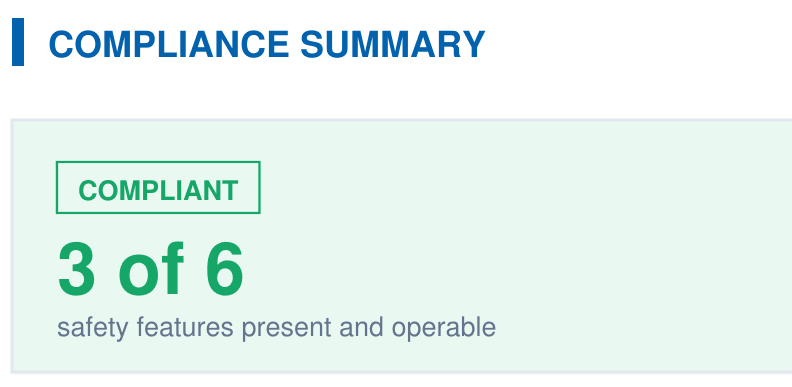
The compliance summary is a tinted card with a badge, a count and one statute sentence.
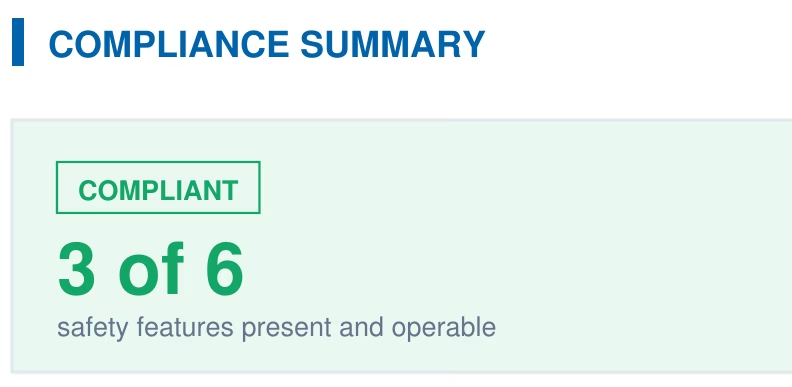
The compliance summary card from page 1 of the report: a compliant badge and the count of safety features present and operable.
The count in the sample reads 3 of 6 safety features present and operable, and the sentence beside it says that HSC §115922 requires at least 2 of the approved drowning prevention safety features when a building permit is issued for a new or remodeled residential pool or spa, and that BPC §7195 requires this report to disclose which features are present. Compliant on this card means the count meets the two-feature threshold; whether the statute applies to a given pool depends on a permit, as our HSC §115922 guide explains.
The safety feature table lists the six physical features by number with a status badge and a condition: in the sample, the pool isolation fence, exit alarms on doors and self-closing, self-latching devices are compliant and in good condition; removable mesh fencing, an approved safety pool cover and pool alarms are not present.
Inspector notes close the page with whatever the inspector wants read first. In the sample the note discloses that the data is fictional.
The footer on every page reads Generated with PoolVerify with the date, the page number of five, and the property address, so a loose page can be matched to its report.
Pages 2 and 3: a card per safety feature
The safety features detailed assessment gives each of the six features a numbered card. A feature that is present gets the full card: the status badge, a condition line, the notes, and the photos in two-column frames with a caption under each. A feature that is not present gets a one-line card with its badge, so the buyer sees all six every time.
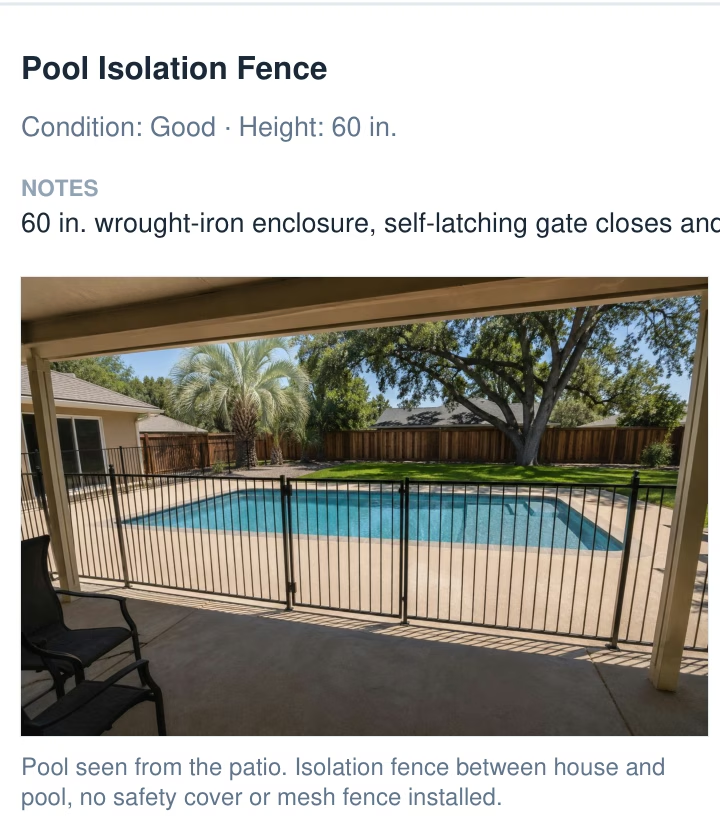
The pool isolation fence card from page 2 of the report: condition and height, the inspector's note, and a captioned photo.
What the sample's three present features record is the kind of detail the statute's four questions call for:
Feature
Condition line
The note
The photos
1, Pool isolation fence
Good, height 60 in.
60 in. wrought-iron enclosure, self-latching gate closes and latches from 12 in. open
The pool from the patio with the fence between house and water; the fence measured at 60 in. with bars under 4 in. apart and no footholds outside; the gate opening away from the pool with spring hinges and a latch at the top
4, Exit alarms on doors
Good
Alarm units on both patio doors, sound when the door opens and reset automatically
The alarm on the sliding patio door, armed with the indicator lit
5, Self-closing, self-latching devices
Good
Self-closing devices on both patio doors, release 54 in. above floor
The closer on the second patio door with the latch release measured at 54 in. above the floor
The numbers in the notes are the numbers from HSC §115923 and §115922(a)(5): 60 inches of enclosure height, an opening that will not pass a 4 inch sphere, a gate that latches from a partly open position, a door release at 54 inches above the floor. Our photo documentation guide covers what each photo needs in frame.
Pages 4 and 5: the additional items
The additional inspection items are grouped under the categories the California template carries: pool equipment (pump, filter, heater, chlorinator, automation system), pool structure (deck and coping, tile, plaster or surface, steps and ladder, drains), plumbing (visible leaks, valves, returns, skimmer, main drain), electrical (GFCI protection, bonding, lighting, timer, wiring condition) and safety (chemical storage, emergency equipment, signage, diving board or slide). Each item inspected gets a card with a rating badge, notes and photos, and categories with nothing recorded are left out.
The sample records three: the pump, rated good, with a variable-speed unit that primes and runs quietly and a clean strainer basket; GFCI protection, rated good, tripping and resetting with the test button in a weatherproof in-use cover; and the deck and coping, rated fair, with hairline cracking at the coping joint photographed with a coin for scale and a note to monitor.
None of these are BPC §7195 items. They are in the report because a buyer asks about the pump and the deck, and because a finding with a photo and a rating is worth more to the client than a line that says equipment not inspected. Our equipment guide and deck guide cover what to look at.
The report is the checklist, printed. Every card above is a checklist item completed at the pool in PoolVerify: status, condition, notes and up to 10 captioned photos per item, on a phone or tablet in the browser. The PDF is generated in seconds when the inspection is done, with the client's signature already on it. See how the report is produced.
Page 5: disclaimers and the signed certification
The last page carries two cards that make the document a record rather than a list.
Legal disclaimers and limitations holds three fixed paragraphs. The scope paragraph states that the pool inspection was conducted per BPC §7195 as part of a home inspection and that the inspector has documented all visible safety features present at the time of inspection. The approved features paragraph states that an enclosure isolating the pool or spa from the home, as described in HSC §115923, is one of the approved drowning prevention safety features listed in HSC §115922. The limitations paragraph states that the inspection does not determine whether pool safety features meet ASTM standards or local building codes, and that a licensed contractor should verify compliance for all safety features.
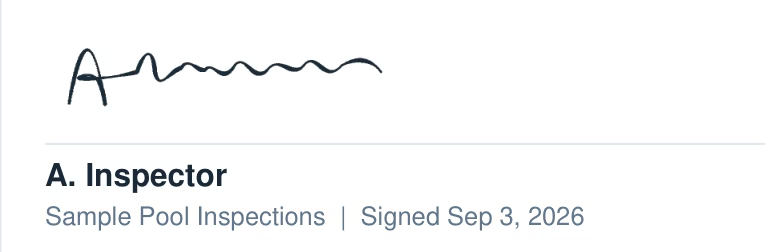
Inspector certification is one sentence with the inspector's name, the address and the date: that the safety features listed in the report were observed at the property on that date, and that the findings reflect their visible condition at the time of inspection. Below it sits the signature captured on the device, the inspector's printed name, the company and the signed date.
The certification block from page 5 of the report: the signature, the inspector's printed name, the company and the signed date.
The signature is an ESIGN-compliant e-signature drawn on the phone or tablet at the pool and embedded in the PDF, so the report is signed before it is generated rather than printed, signed and scanned. Our liability guide covers why the signed, dated, photographed version matters for the four years BPC §7199 allows a claim.
How the report is produced
The sample was not laid out by hand. Every element on its five pages comes from one of three places:
Element
Where it comes from
Company name, license line, inspector name
The PoolVerify account and the inspector's profile
Property, client, pool type, capacity, age, inspection date and ID
The inspection record created when the job is scheduled or started
The six feature rows, their status, condition, notes and photos; the additional items
The California checklist completed at the pool, one item at a time, with photos attached to the item they document
The compliance badge, the count and the fewer-than-two statement
Computed from the six rows when the PDF is generated
The three disclaimer paragraphs and the certification sentence
Fixed text in the California template
The signature and signed date
The signature pad on the device
That is why the report takes seconds rather than an evening: nothing is retyped. Our automation guide walks through the workflow from the first checklist item to the emailed PDF, and the pricing page has the plans: Starter at $39 a month on annual billing or $49 monthly with 25 inspections a month, Professional at $79 or $99 with unlimited inspections and custom checklist items, Business at $159 or $199 for teams. The trial is 14 days with no credit card to start; the plan and card are chosen when the first PDF is generated.
Limitations
The sample shows the California template with its default items; a Professional or Business account can add custom items and categories, and those appear as further cards. The seventh HSC §115922(a) feature, other means of protection independently verified, is not a table row and is documented in notes. PoolVerify has no offline mode, so the checklist saves as you work over a connection. This guide is general information about California law, not legal advice; the current text of BPC §7195 and HSC §115922 on leginfo.legislature.ca.gov controls. PoolVerify is inspection software; it does not perform inspections, certify inspectors, or issue compliance certificates.
Frequently asked questions
What does a California pool inspection report look like?
The sample on this page is five pages: a page 1 summary with the property, client, inspector, a compliance verdict with the count of features present and operable, and a six-row safety feature table; numbered feature cards with condition, notes and captioned photos on pages 2 and 3; additional equipment, electrical and structure items on pages 4 and 5; then the disclaimers and the inspector's signed certification.
What must a pool inspection report include under BPC §7195?
BPC §7195(c) says the report shall identify which of the seven HSC §115922(a) drowning prevention safety features the pool or spa has, state specifically if it has fewer than two, say whether each is in place, in good repair, operable as designed and, if applicable, appropriately labeled, and include the isolation fence statement. It does not require a determination against ASTM or ASME standards.
What does compliant mean on page 1 of the report?
That at least two of the six checklist features are present and operable, the threshold in HSC §115922(a). The card prints the count, such as 3 of 6, and the sentence that HSC §115922 requires at least two features when a building permit is issued for a new or remodeled pool or spa. Below two, the badge reads non-compliant and the card prints the fewer-than-two statement.
Why does the table show six features when the statute lists seven?
The six physical features are checklist rows: the isolation fence, removable mesh fencing, an approved safety cover, exit alarms, self-closing and self-latching door devices, and pool alarms. The seventh, other means of protection independently verified and labeled, has no fixed form, so an inspector documents it in the notes rather than as a row.
Can I download the sample pool inspection report?
Yes. The five-page PDF at poolverify.io/sample-report.pdf is generated by the same template the app uses, with a fictional property, client, inspector and company. The report's own inspector notes say so, and the photos are illustrations of a fictional pool, which the notes also disclose. Everything else in the file is what a real report from the template contains.
How long does it take to produce this report in PoolVerify?
The PDF is generated in seconds from the checklist completed at the pool: each item's status, condition, notes and up to 10 captioned photos, the client's ESIGN-compliant signature captured on the device, and the company name and license from the account. Starter is $39 a month on annual billing or $49 monthly, with a 14-day free trial and no credit card to start.
Conclusion
A California pool inspection report is five pages when it is done properly: a page 1 that a buyer can read on its own, a card per feature with the numbers and the photos behind each status, the additional items the client asked about, and a signed certification with the disclaimers the statute's limits call for. The sample PDF is that report, generated from the checklist in seconds.
PoolVerify produces it on-site from the California checklist, photos and signature included. Start your 14-day free trial, no credit card to start.
A branded PDF with the compliance summary, the feature table, each finding with its photos, and the signature, generated on‑site when the BPC §7195 and HSC §115922 checklist is complete.